

Before I start writing the article and later doing the tests I think it will be nice to pay some attention first to the whole ThermalRight SilverArrow series.
The first product from the series was released in June 2010, which over time was sent to end of life status and later upgraded to two different models.
- Thermalright Silver Arrow – the cooler was with dimensions of 147mm (L) x 123mm (W) x 163mm (H) with heatsink weight of 825 grams and offering 4 x sintered Ø 8mm copper heatpipes. The cooler was supplied with 2 fans with dimensions of 160mm (L) x 26.5mm (W) x 140mm (H) PWM controlled and working at 900~1300 revolutions per minute range.
- Thermalright Silver Arrow SB-E – the cooler is with dimensions of 154mm (L) x 103mm (W) x 165mm (H) with heatsink weight of 750 grams and offering 8 x nickel plated Ø6mm copper heatpipes. The cooler is supplied with TY-141 FAN with dimensions of 152mm (L) x 26.5mm (W) x 140mm (H) PWM controlled working at 900~1300 revolutions per minute range and a second TY-150 FAN with dimensions of 170mm (L) x 26.5mm (W) x 153mm (H) PWM controlled working at 500~1100 revolutions per minute range.
- Thermalright Silver Arrow SB-E Extreme – the cooler is with dimensions of 154mm (L) x 103mm (W) x 165mm (H) with heatsink weight of 750 grams and offering 8 x nickel plated Ø6mm copper heatpipes. The cooler is supplied with 2 TY-143 fans with dimensions of 152mm (L) x 26.5mm (W) x 140mm (H) PWM controlled and working at 600~2500 revolutions per minute range.
For this test and review I am going to check how Thermalright Silver Arrow SB-E Extreme will handle my processor and in fact this is the first product which I have ever received from ThermalRight, so I am really excited to have some fun with it.
| The front of the box | The side of the box |
 |
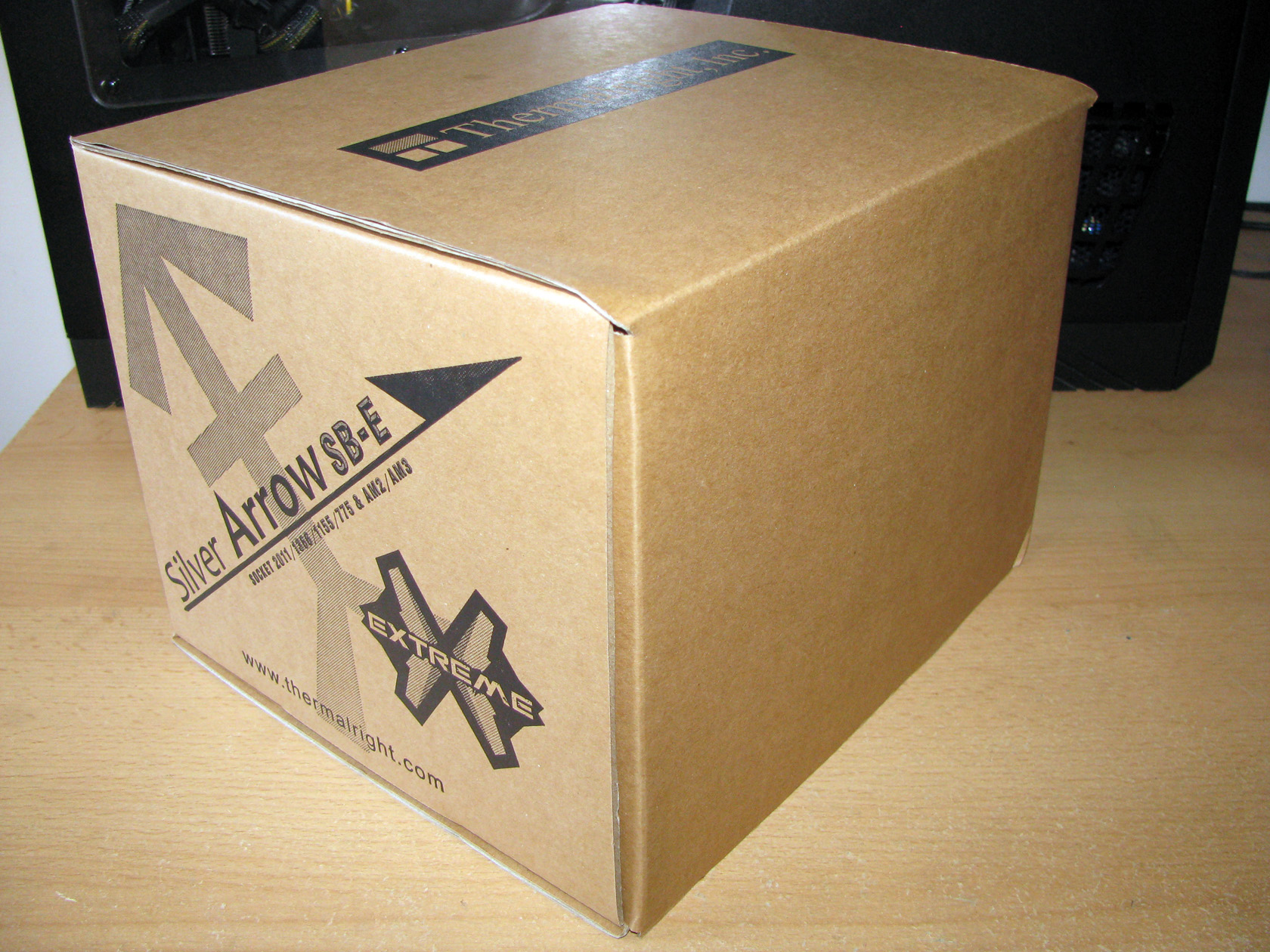 |
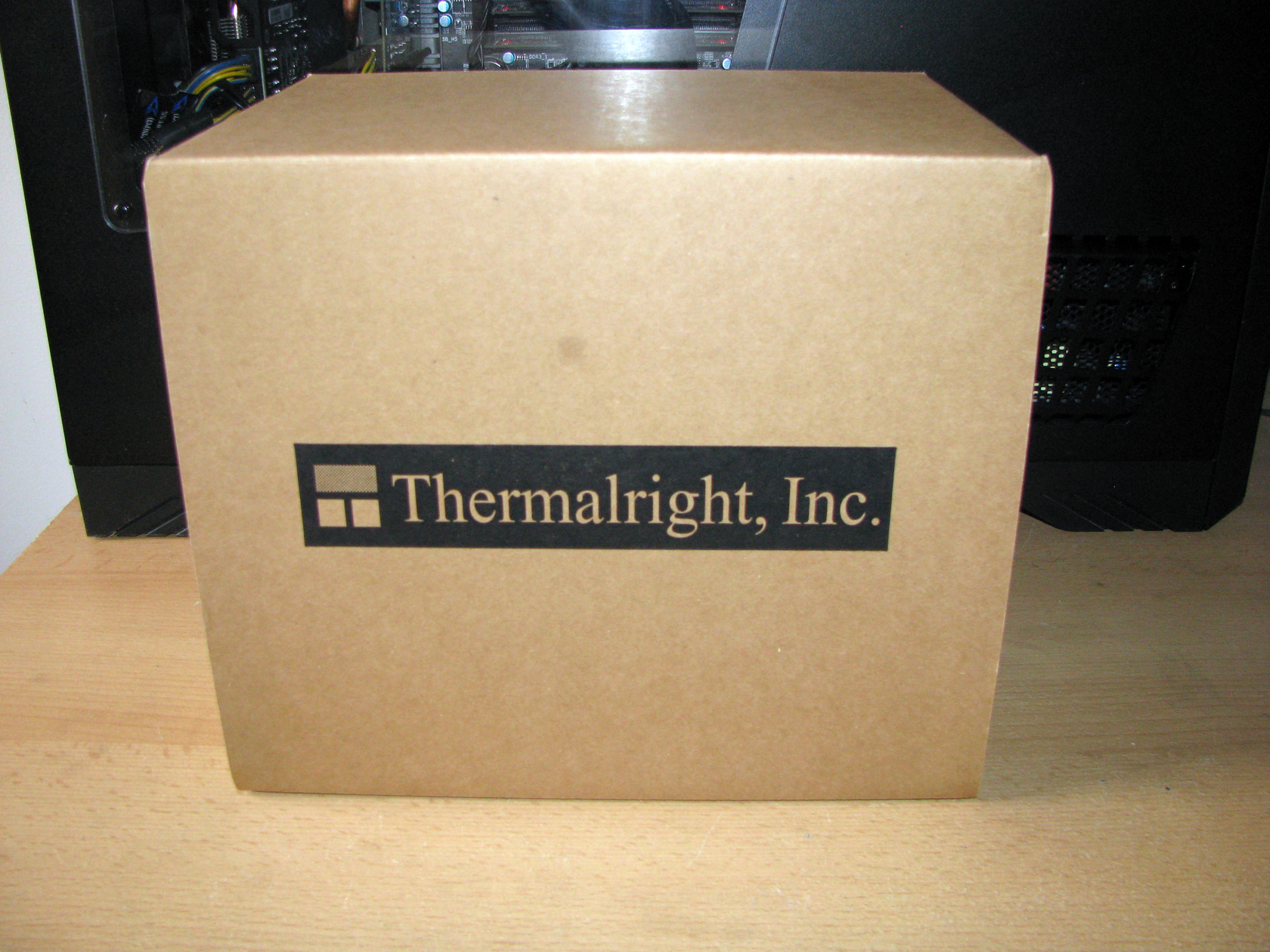
Thermalright Silver Arrow SB-E Extreme was provided to me in a pretty simple, very big carton box made of recycled paper with just the company name on the front side of the package. After I checked all sides of the box I noticed that there are no technical details written there, except for the sockets compatibility and the product name. Pretty interesting, which made me think that if anybody picks up the box he will do it because he perfectly knows what’s inside and what he is looking for and Thermalright Silver Arrow SB-E Extreme is a cooler for people who actually know what they need and what they are going to do.
OK, enough about the box. I have no more patience so let’s check out what’s inside.
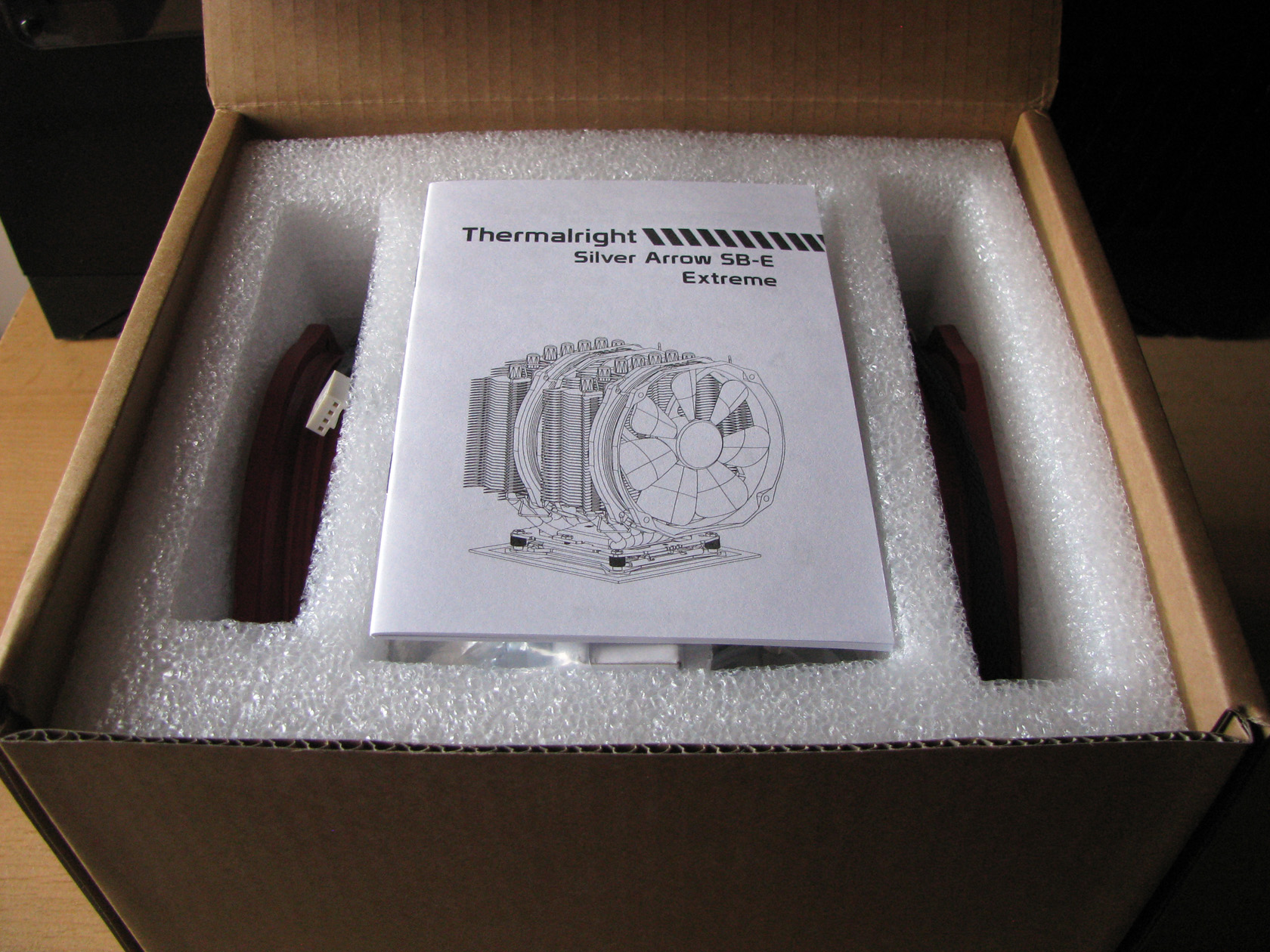
After I opened the package the first thing to notice was a small white book, yes I say book cause there are a lot of pages, which is actually the installation manual made to provide all the details needed for a normal installation and operation of the product.

Beneath the installation manual, inside a Styrofoam bed there were the heatsink itself, carefully packed inside a nylon bag and holding a small white box between the two towers with all of the additional accessories inside. Both of the fans were placed in additional compartments on both sides of the heatsink.
So I already took the first look at the cooler and I believe it will be nice to start with checking what’s inside the white box. It took me a few minutes arranging the additional accessories from the white box for taking a picture and all of them together looked like this:

The standard Thermalright Silver Arrow SB-E Extreme package offers:
- Painted in black metal backplate needed for both Intel and AMD sockets
- Silver metal square frontplate needed for both Intel and AMD sockets
- Silver metal plate made to hold the cooler attached to the front plate needed for both Intel and AMD sockets
- 4 x Nut screws with rubber dumpers
- 4 x LGA 2011 type B screw pillars
- 5 x M3 L10 screws (one is spare)
- 7 x M3 L6 screws (one is spare)
- 6 x fan clips for installing up to 3 fans
- 4 x Intel backplate washers
- 4 x AMD backplate washers
- 8 x anti-vibration pads for installing on 2 fans
- Backplate cap
- A small wrench
- 1 x Y-splitter cable for powering up to 2 PWM fans
- Thermal compound
- 2 x TY-143 fans
All of the additional accessories combined together are forming the Intel and AMD mounting kits.
After I checked the additional accessories I believe it is time to pay some attention to the cooler itself. Finally…
Thermalright Silver Arrow SB-E Extreme as every other modern cooler on the market is made of three major components which I am going to describe one by one in this article and they are: the heatsink, the cooling fan and the mounting kit.

First things first, so let’s start with the heatsink.
Heatsink:
Thermalright Silver Arrow SB-E Extreme′s heatsink itself is made of nickel plated copper contact plate, 8 x Ø6mm nickel coated copper heatpipes without direct contact with the processor, and of course aluminum fins grouped together forming two towers as the cooling surface with dimensions of 154mm (L) x 103mm (W) x 165mm (H) with heatsink weight of 750 grams.
So let’s get started with the contact plate.
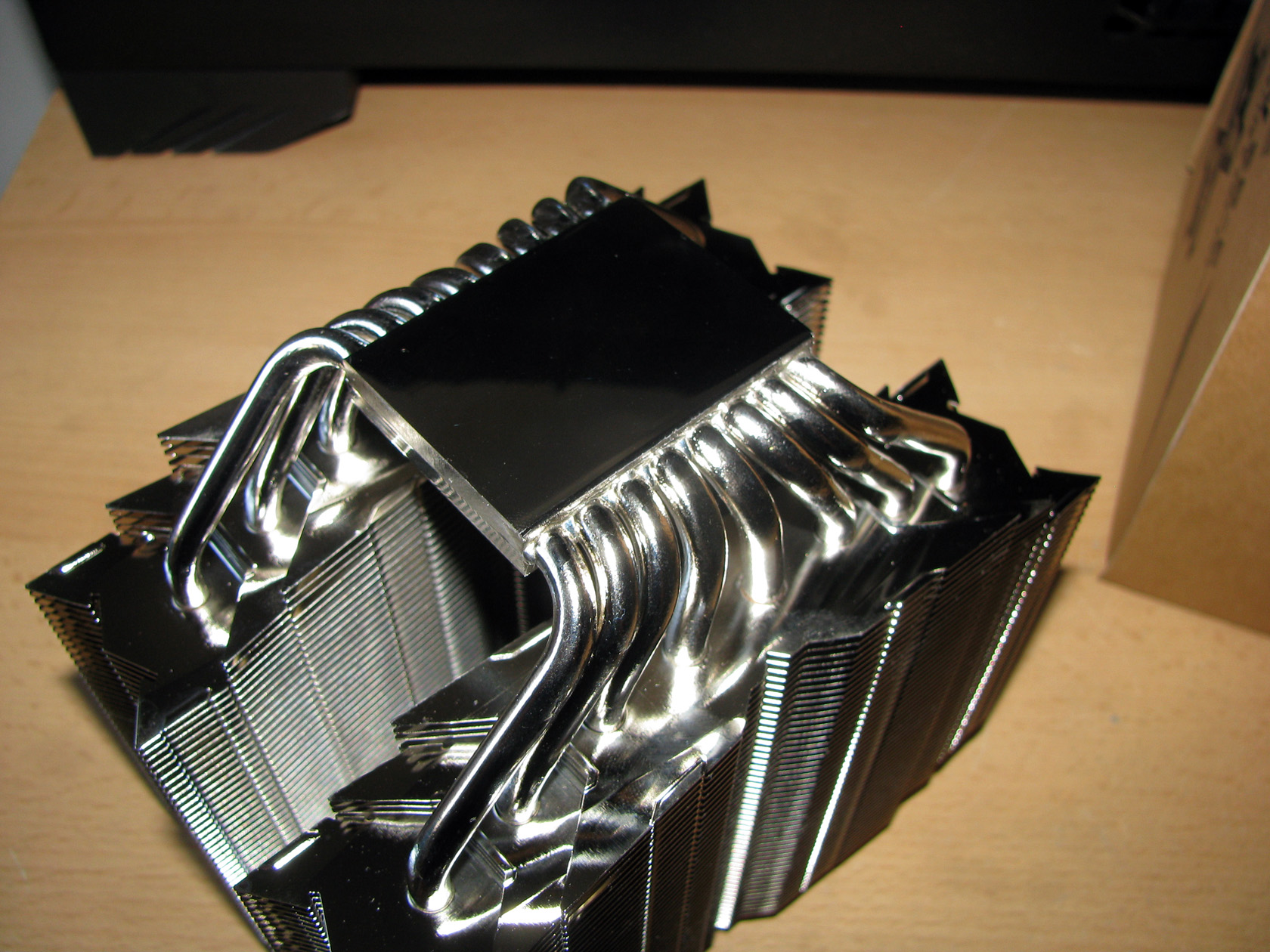
As one of the best coolers in the company portfolio with extreme high build quality of the heatsink guaranteed by a small original company sticker on the top side of the contact plate, Thermalright Silver Arrow SB-E Extreme offers very big perfectly milled contact plate made of C1100 pure copper with nickel coating holding in line the 8 x symmetrical nickel plated Ø6mm copper heatpipes made to pass through, transferring and dispersing the heat from the central processor unit to the aluminum fins. All of the heatpipes offer a nice visual finish including additional caps on the top of the fins stack. And by saying fins, let’s pay some attention to the next part of the heatsink, which is actually the surface made for dispersing heat.
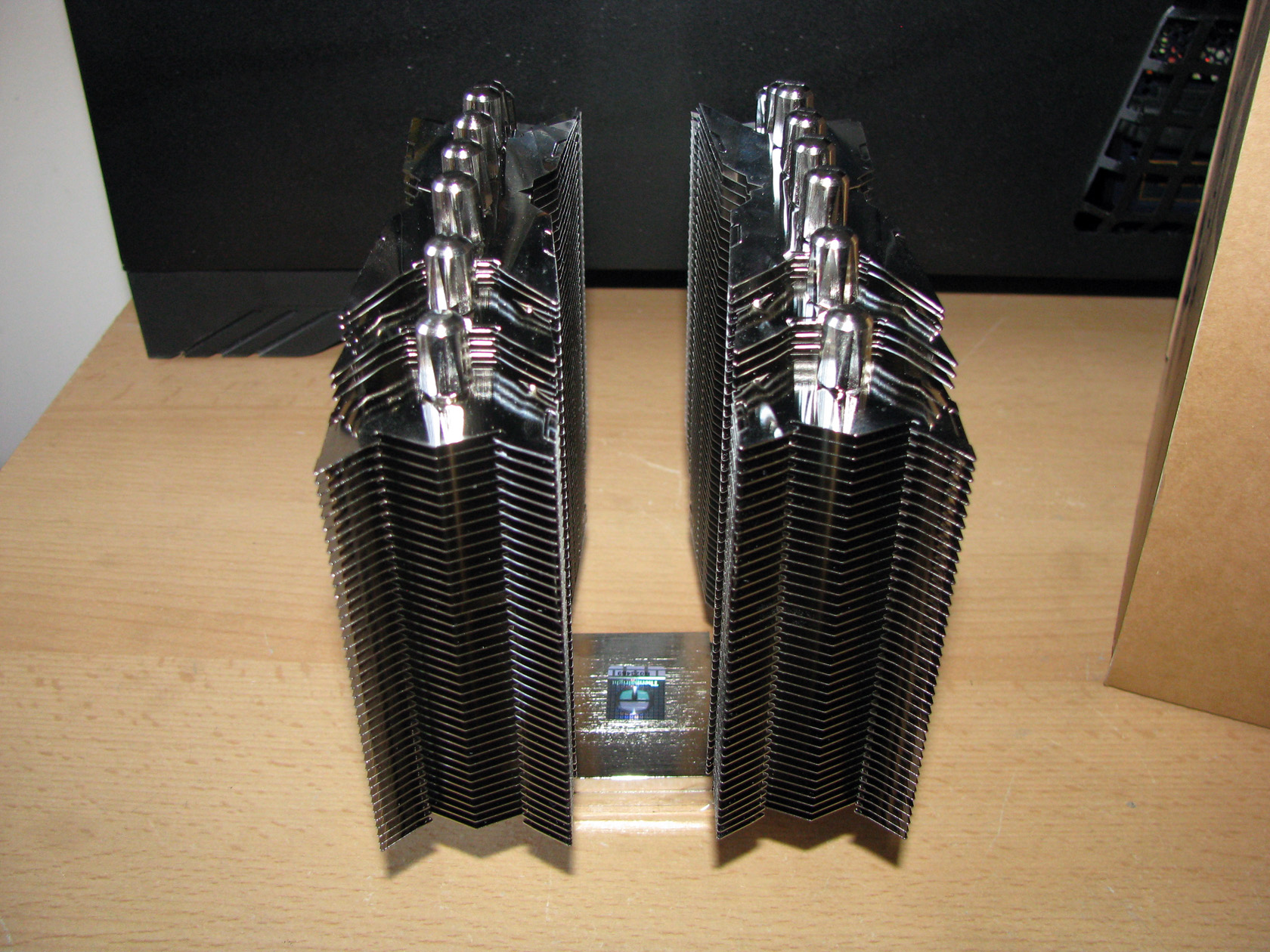
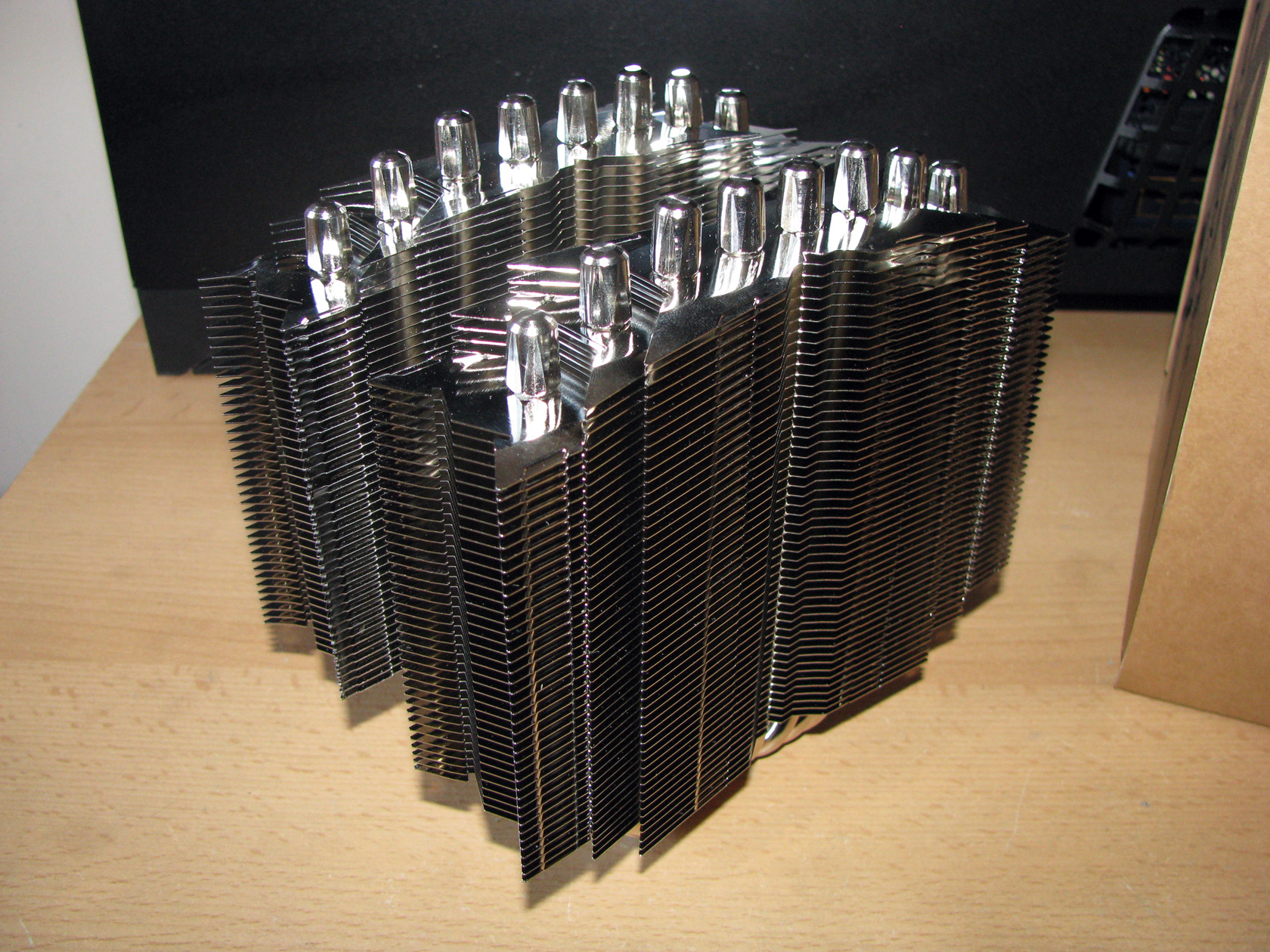
Thermalright Silver Arrow SB-E Extreme offers a pretty interesting tower design with a total of 102 aluminum fins structured as two towers in 10 + 12 + 80 pieces with thickness of 0.3 mm and fins gap of 2.1 mm formed as an arrow fetch on both sides of the radiators boosting the overall appearance of the product.
| The full heatsink structure | Heatpipe caps |
 |
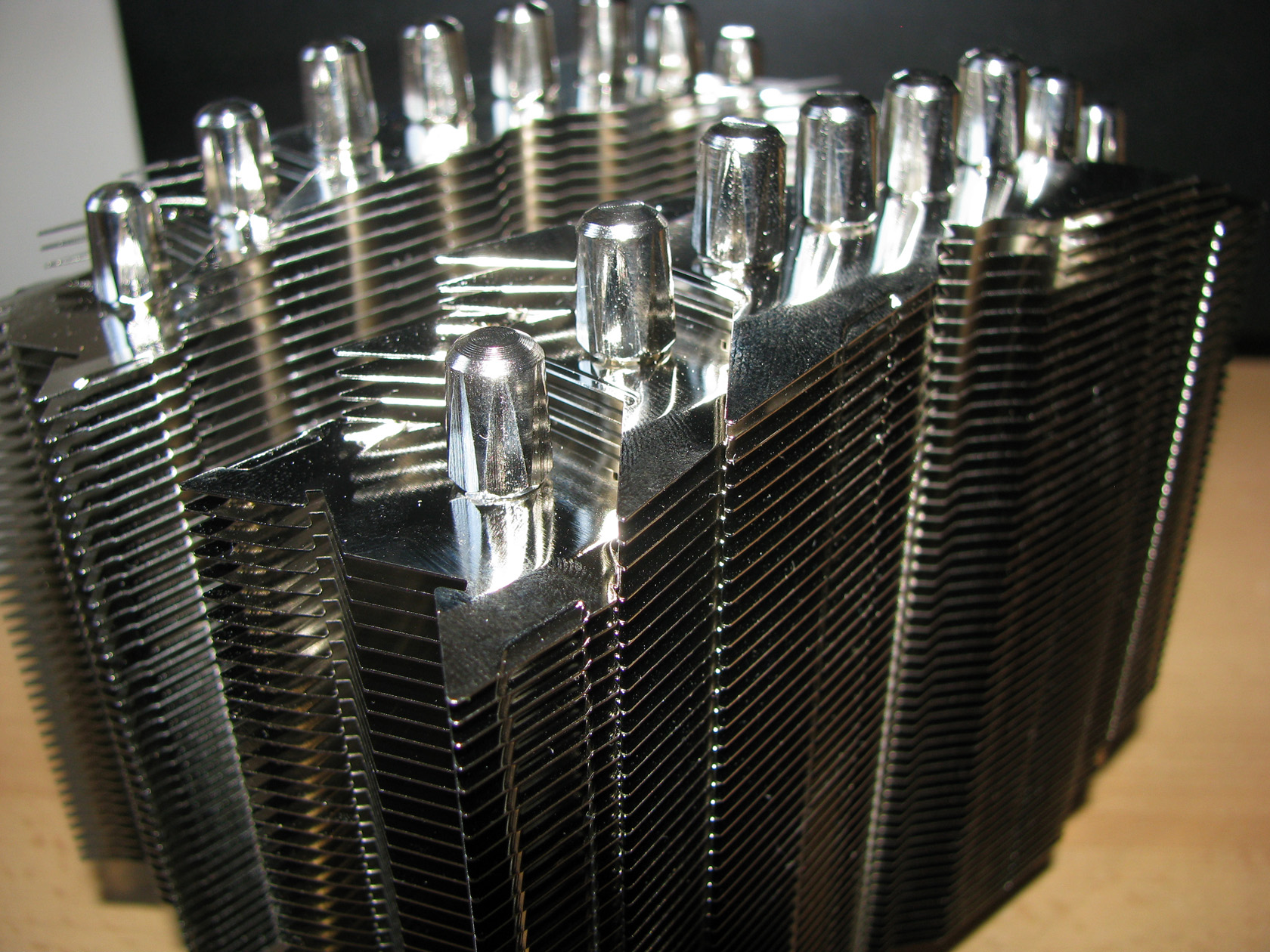 |
Maybe you have already noticed from the pictures above that on the bottom and on the top side of the aluminum fins stack the fins are shorter and the outer heatpipes are not passing through all of the fins. I believe this is made to boost the overall appearance of the cooler when combined with the round TY-143 fans and improve the compatibility with more motherboards since the product is pretty massive and may block any VRM heatsink or RAM modules on the motherboard.
And by mentioning the fans, let’s move on and check how the heatsink is cooled.
Cooling fans:
The standard Thermalright Silver Arrow SB-E Extreme package offers two TY-143 fans featuring painted in red matte round frame made to be installed on a 140mm case fan slot or cpu cooler heatsink and painted in orange propeller with 7 very wide with not very sharp angle blades with dimensions of 152 mm (L) x 140 mm (H) x 26.5 mm (W) and weight of 170 grams each. Both of the fans are working at 600 – 2500 revolutions per minute range providing airflow level range of 31.4 – 130.0 CFM at noise level range of 21~45dBA.

Maybe you have already noticed but the fans have the original product stickers too. Very impressive to be honest.
Ok I believe it is time to install the fans on the heatsink and make the whole cooler ready for tests.

The standard Thermalright Silver Arrow SB-E Extreme package offers 4 x metal clips needed so both of the fans can be installed to the 2 towers. Apart from that there are 2 more clips so an additional third fan to be mounted on the cooler. And here is the moment to point out something, which actually made me smile. Every fan is supplied with 4 rubber pads, to be stuck to the fan to absorb if there are any vibrations. Very cute and definitely effective. Of course, the rubber pads are only for 2 fans.

And this is what the fan looks like with the stuck rubber pad. I hope I did it right …
Now let’s install the fans to the heatsink and continue with the article…
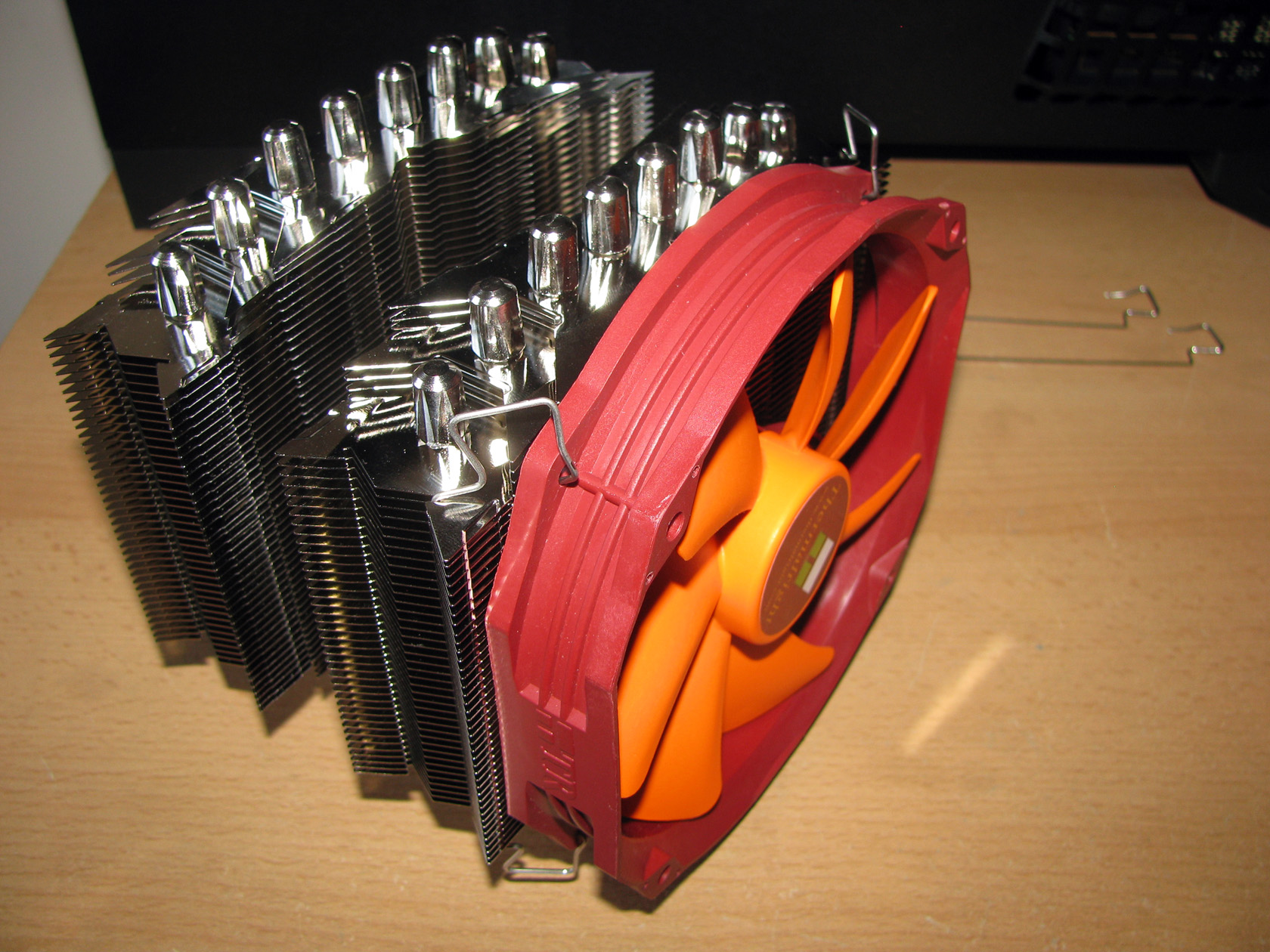
And both fans attached to the heatsink.

And here is the moment to share my thoughts about one more very interesting feature.
Both of the fans are powered and regulated by a very long sleeved in black 4-pin PWM cables and every single one of them at maximum speed is rated as 7.2W, which can be a bit risky to attach both of the fans to a single PWM fan header on the motherboard, especially if it is a low class motherboard. And here the guys from Thermalright added a molex to 2 x PWM powering cables and 1 x PWM cable to be attached to the motherboard just for controlling the revolutions per minute. Very smart and risk free solution.
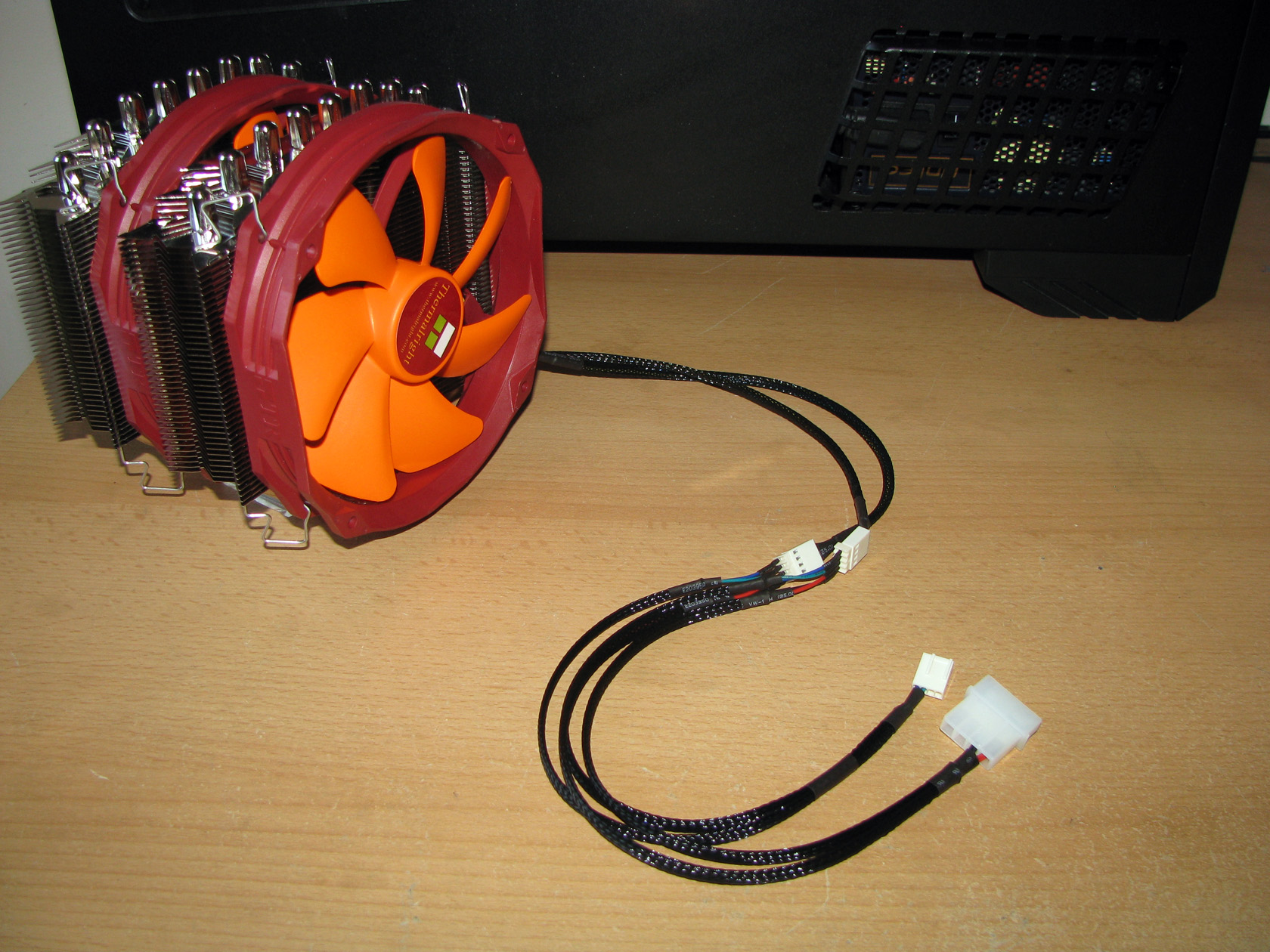
With this cable, both of the fans are powered directly from the power supply but controlled by the motherboard. Of course, this cable is made with black sleeve too for better visual appearance.
All parts assembled together formed a very massive and really beautiful CPU cooler but without a proper mounting kit it will be useless. So let’s check how the cooler should be installed to the motherboard.
Mounting kit:
The third major part as usual, which I always believe is the most important one, are the mounting brackets for installing the cooler. According to the official technical details Thermalright Silver Arrow SB-E Extreme is supplied with brackets compatible with:
- Intel sockets: LGA 775/1150/1155/1156/1366/2011
- AMD sockets: AM2/AM2+/AM3/AM3+/FM1/FM2
All of the Intel and AMD sockets require the same frontplate, backplate and the holding the cooler plate. The only difference are the screws and bolts needed for connecting the brackets.
Of course, for doing the tests I will use the AMD brackets and these are the parts needed so the cooler can be installed on the motherboard:
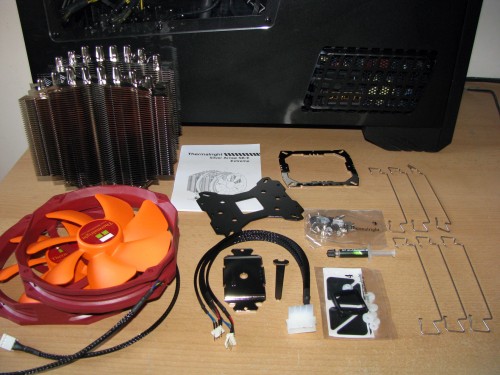
As always, there are a lot of parts but let’s install them on the motherboard one by one:
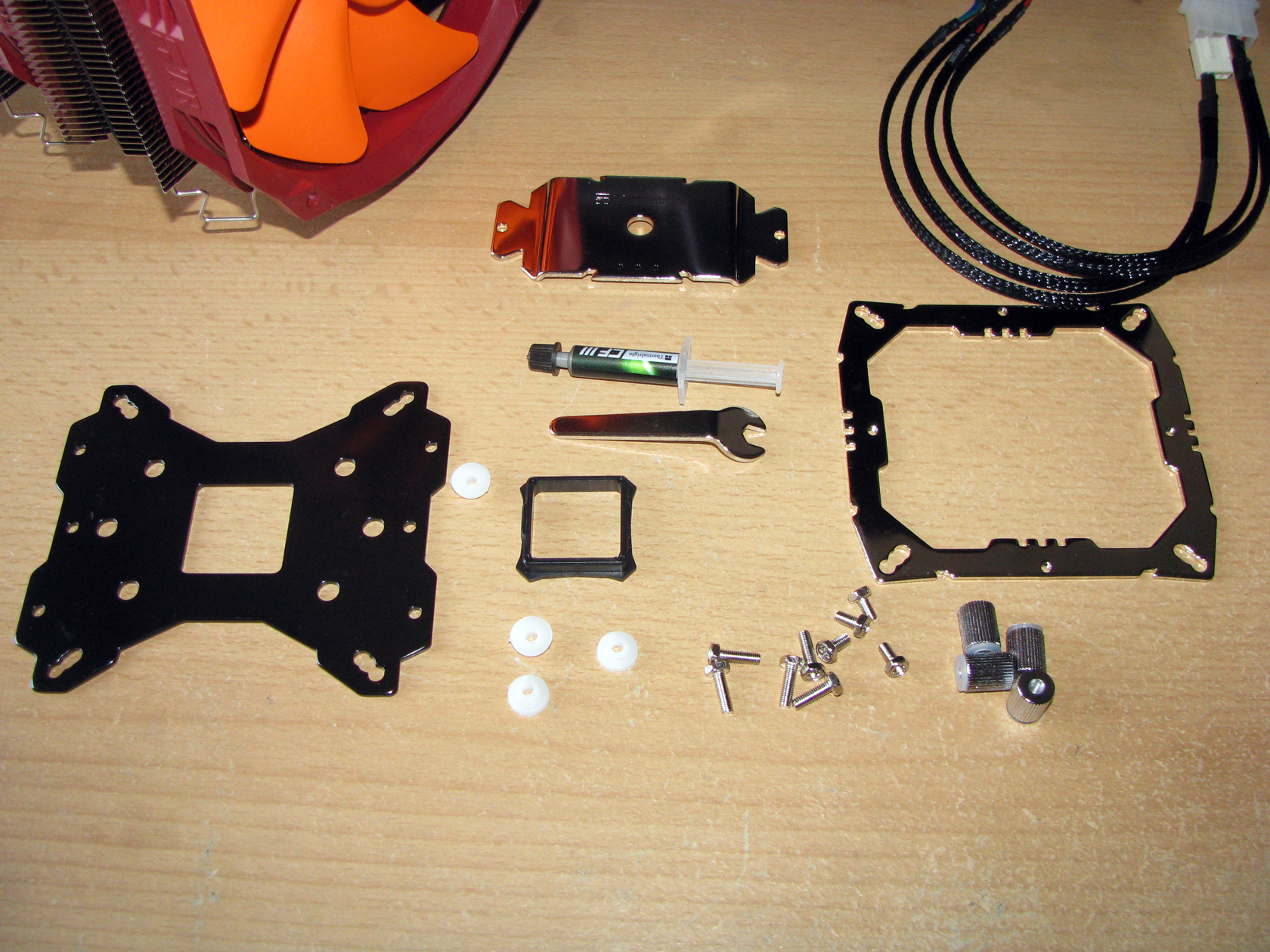
And here is the moment to recommend that you always read the installation manual and follow the details. And the manual for this cooler is pretty extensive and very detailed.
First thing for me to do is to prepare the backplate before attaching it to the motherboard.
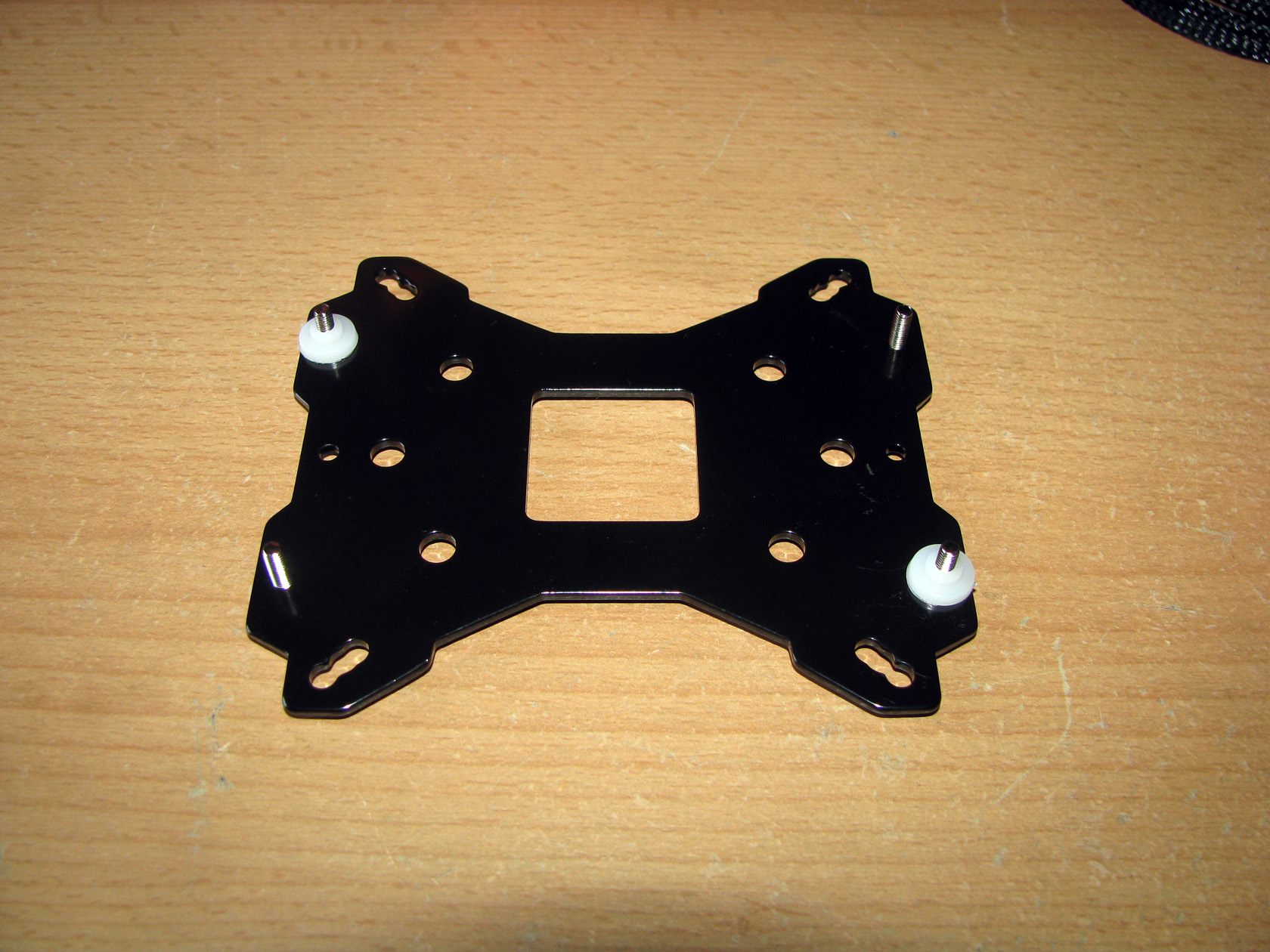
And later secure the backplate to the motherboard.
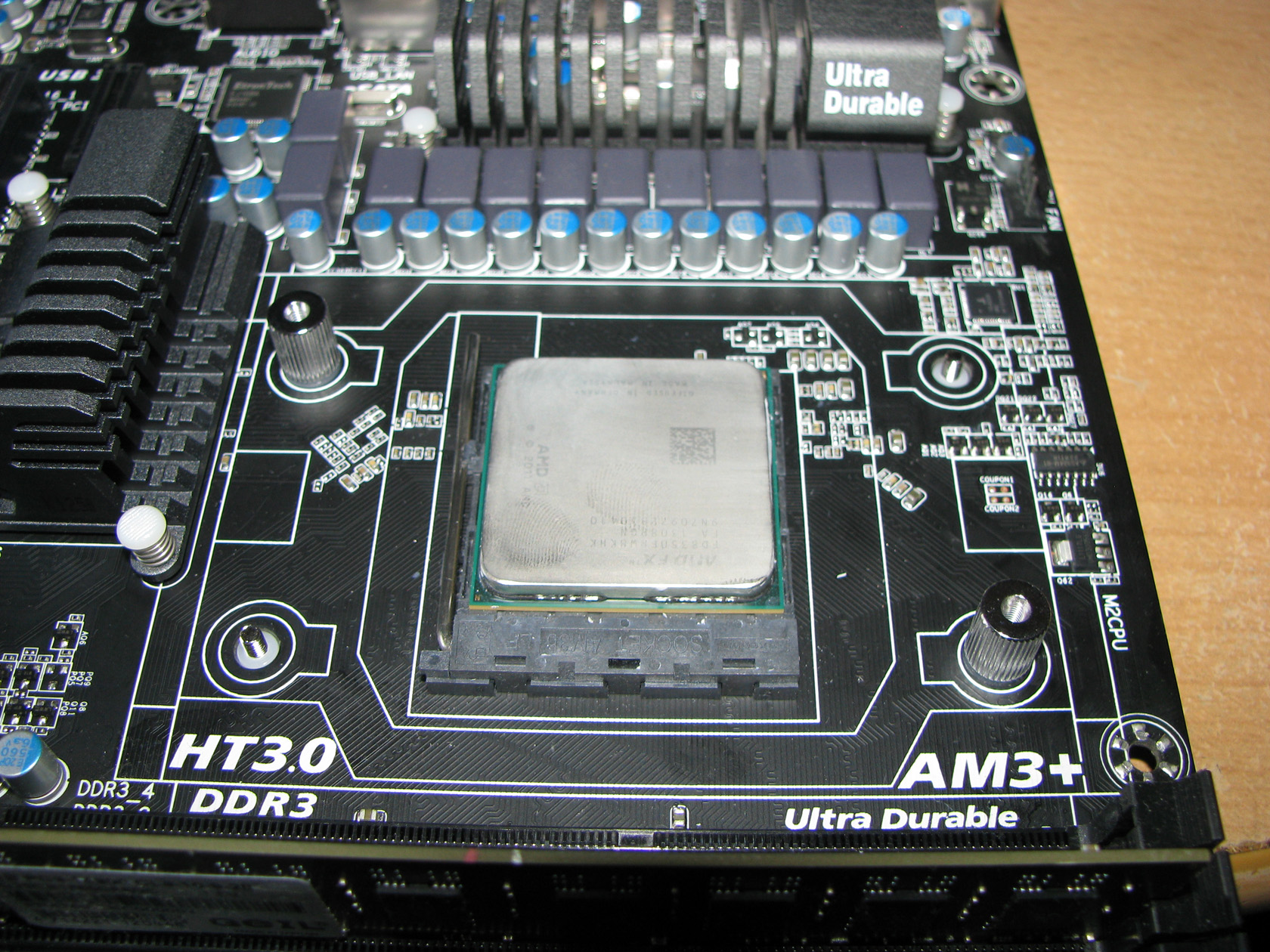
And install the front plate and prepare the socket to hold his new cooler.
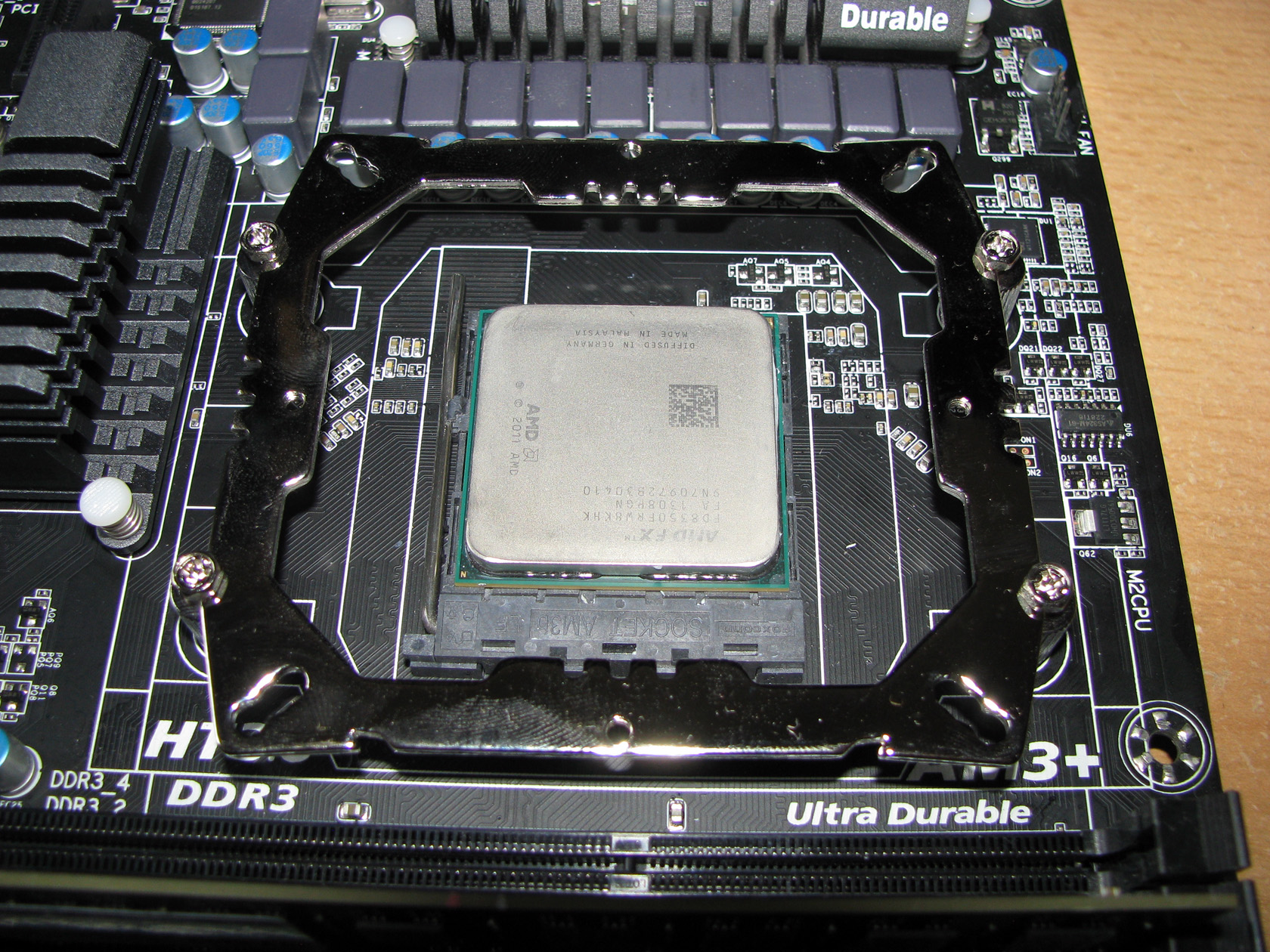
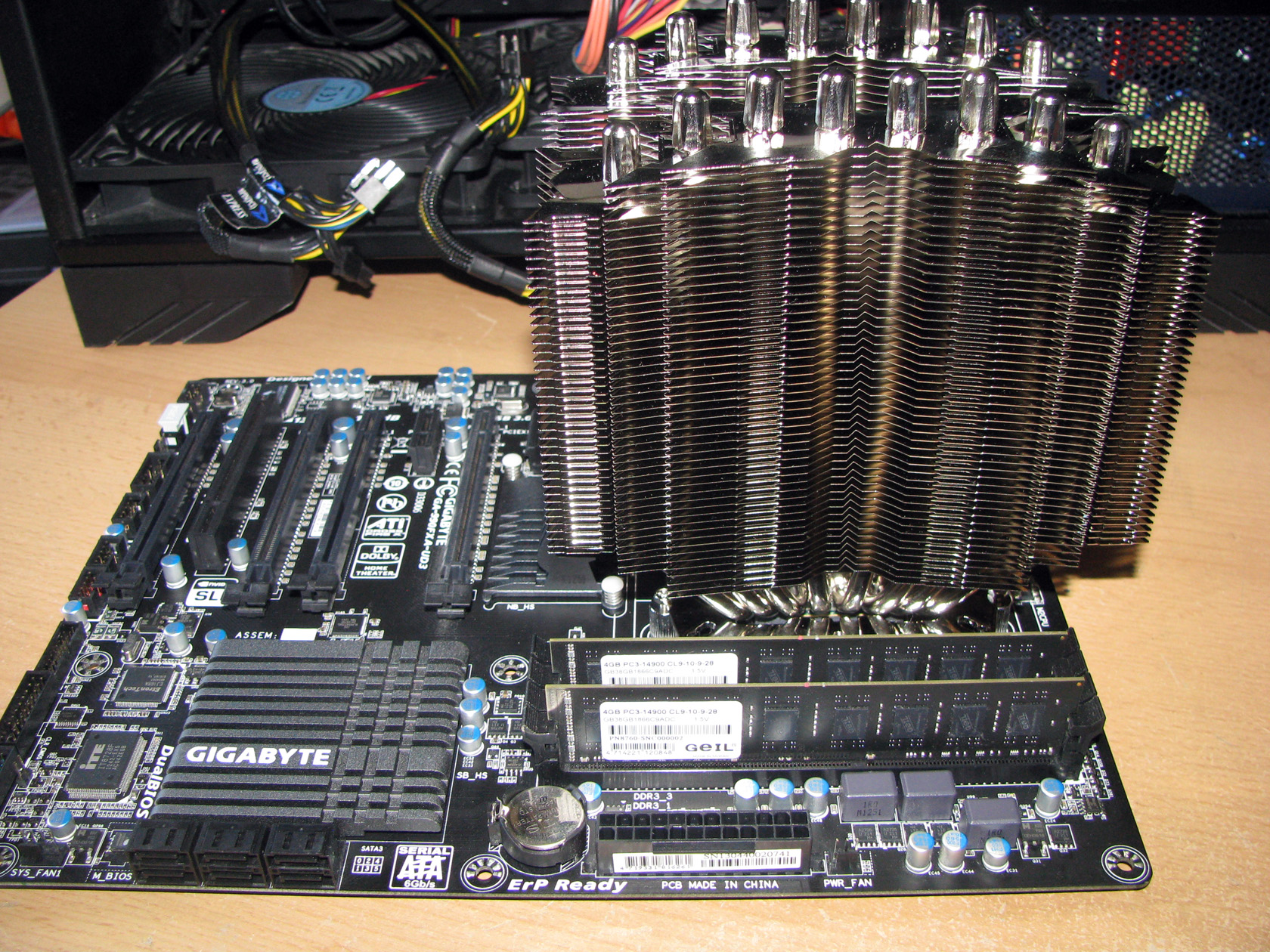
And this is what the cooler looks installed on the motherboard:
| Seen from the front | Seen from the side |
 |
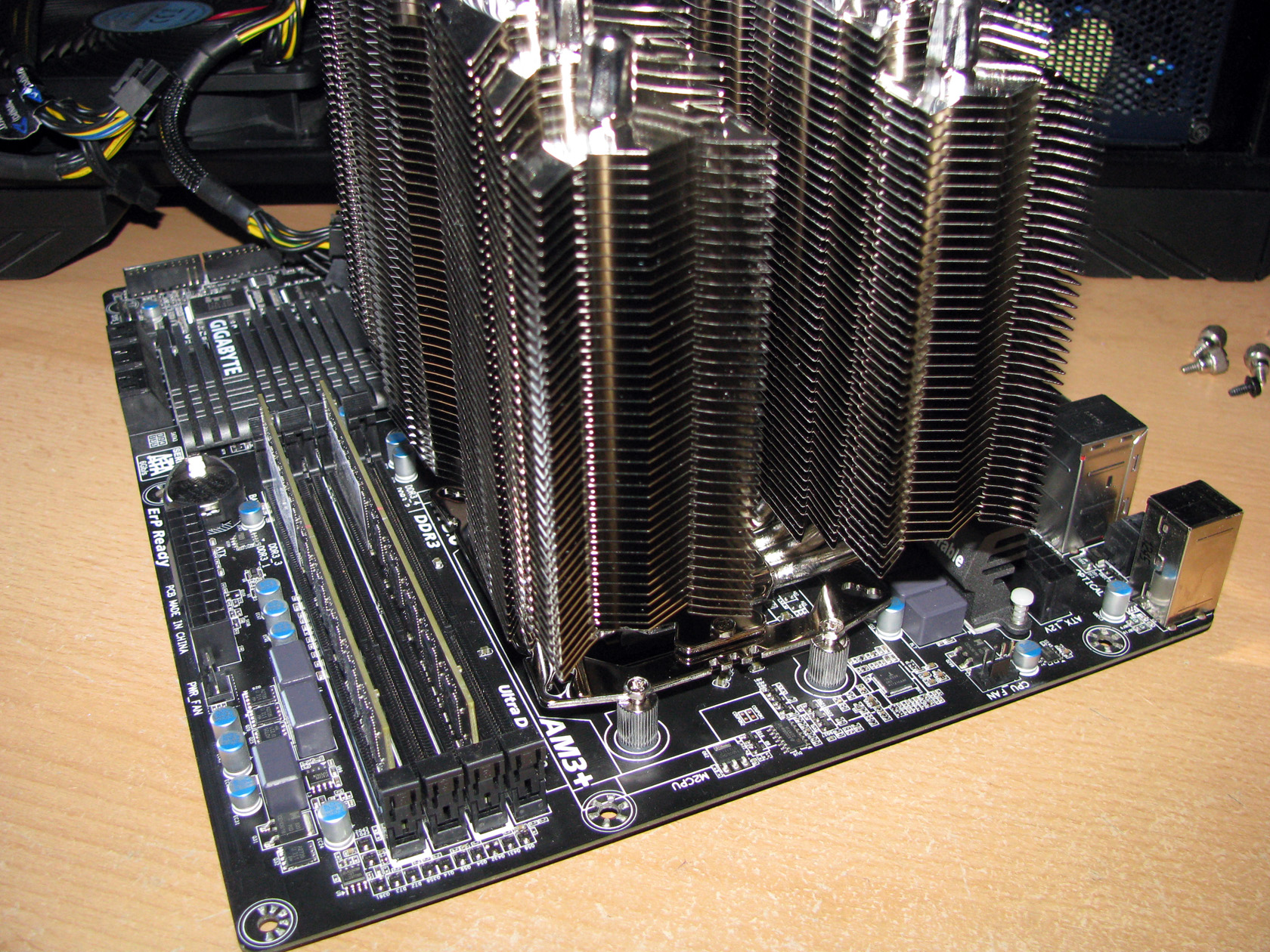 |
After 2 minutes watching the view and later after I was finally able to close my dropped jaw I was like WOW. This product is simply massive. And after the fans were installed it was a bit scary. In fact my full ATX motherboard was completely covered by the cooler.
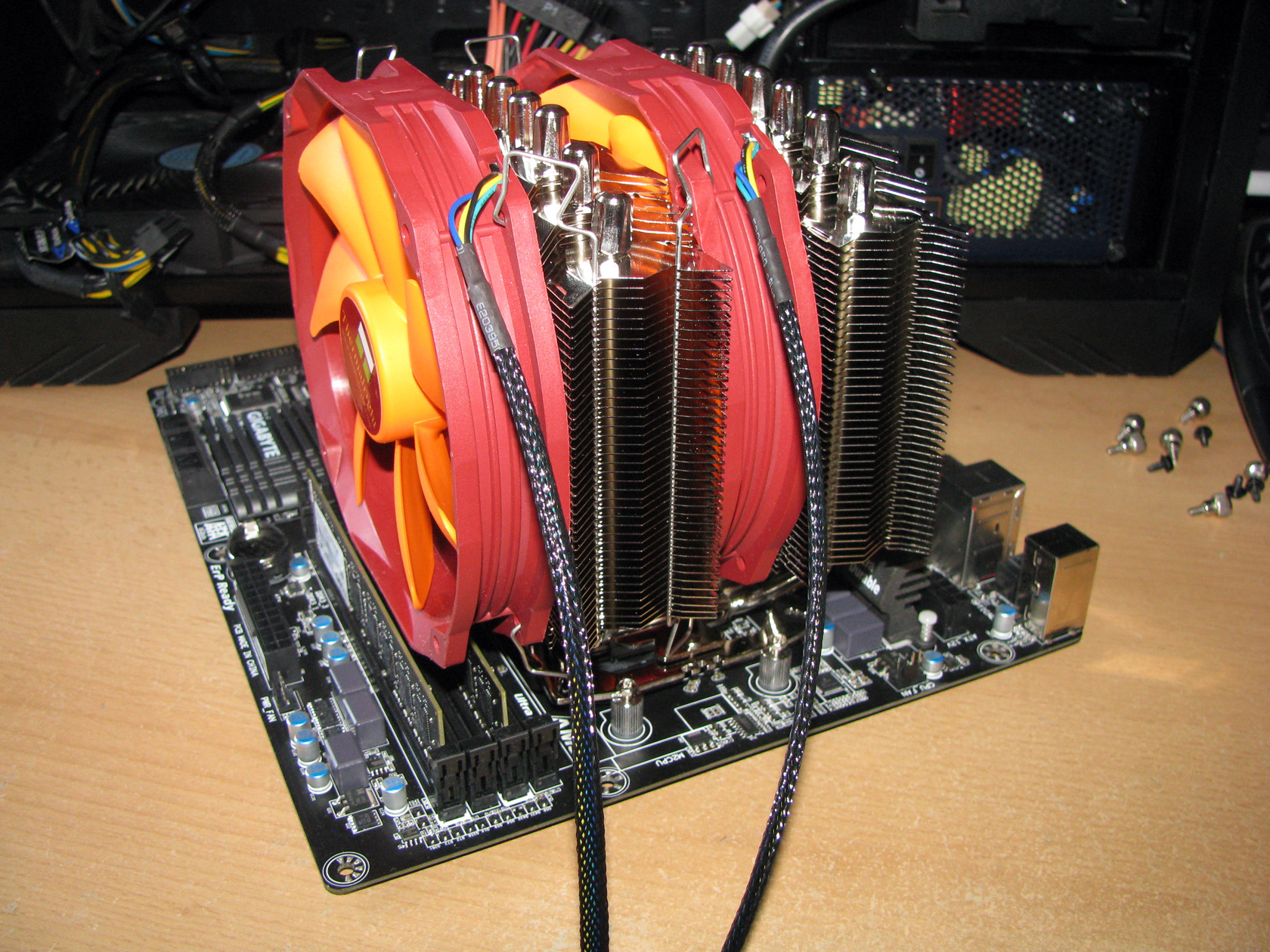
Thermalright Silver Arrow SB-E Extreme was simply above everything. All of the 4 RAM slots were covered, which made me think that DIMMs with taller heatsinks are impossible to be used. Anyway there is a way but the front fan should be moved to the back of the cooler, but then the VRM heatsink will be blocked.
Before I start testing I think it will be nice to check what system I will use for doing the tests:
Test rig:
CPU: AMD Vishera FX-8350
- At standard frequency 4.020 MHz (at 1.344V)
- At low overclock frequency of 4.220 MHz at 1.380V)
- At medium overclock frequency of 4.420 MHz (at 1.416V)
- At high overclock frequency of 4.720 GHz (at 1.440V)
Motherboard: GigaByte 990FXA-UD3
Video card: Sapphire 5830 Extreme 1GB DDR5 256bit
Memory: 2 x 4GB Geil Black Dragon 1866 MHz
Hard drive: Kingston SSD SV100S264G
Case: SilverStone Raven RV-03
Power supply: Antec HCP-750W
Cooler: Thermalright Silver Arrow SB-E Extreme
Thermal paste: Gelid GC-Supreme
Fan mounted:
For this test and review I am going to use the standard TY-143 fans working at 600 – 2500 revolutions per minute range providing airflow level range of 31.4 – 130.0 CFM at noise level range of 21~45dBA.
The tests were conducted in a closed system with:
- 2 x SilverStone AP181 – 180mm fans on the bottom panel putting fresh air in and spinning at about 1200 rpm
- 120mm fan on the top panel taking hot air out and spinning at about 1000 rpm.
- Room temperature of about 18 degrees.
Both of the SilverStone AP181 – 180mm fans were connected together to the chassis 1 connector and were rotating at maximum speed.
Testing procedure:
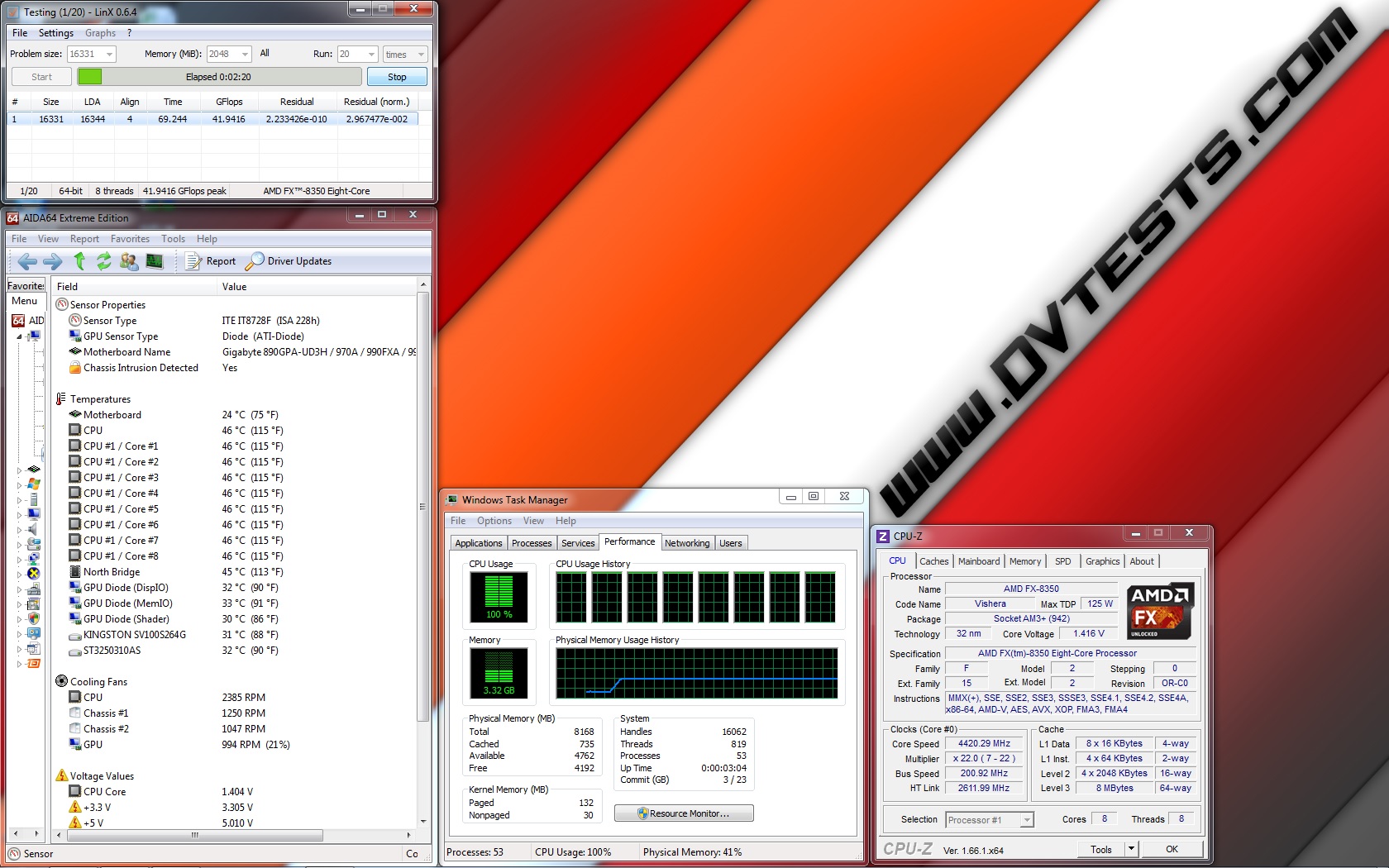
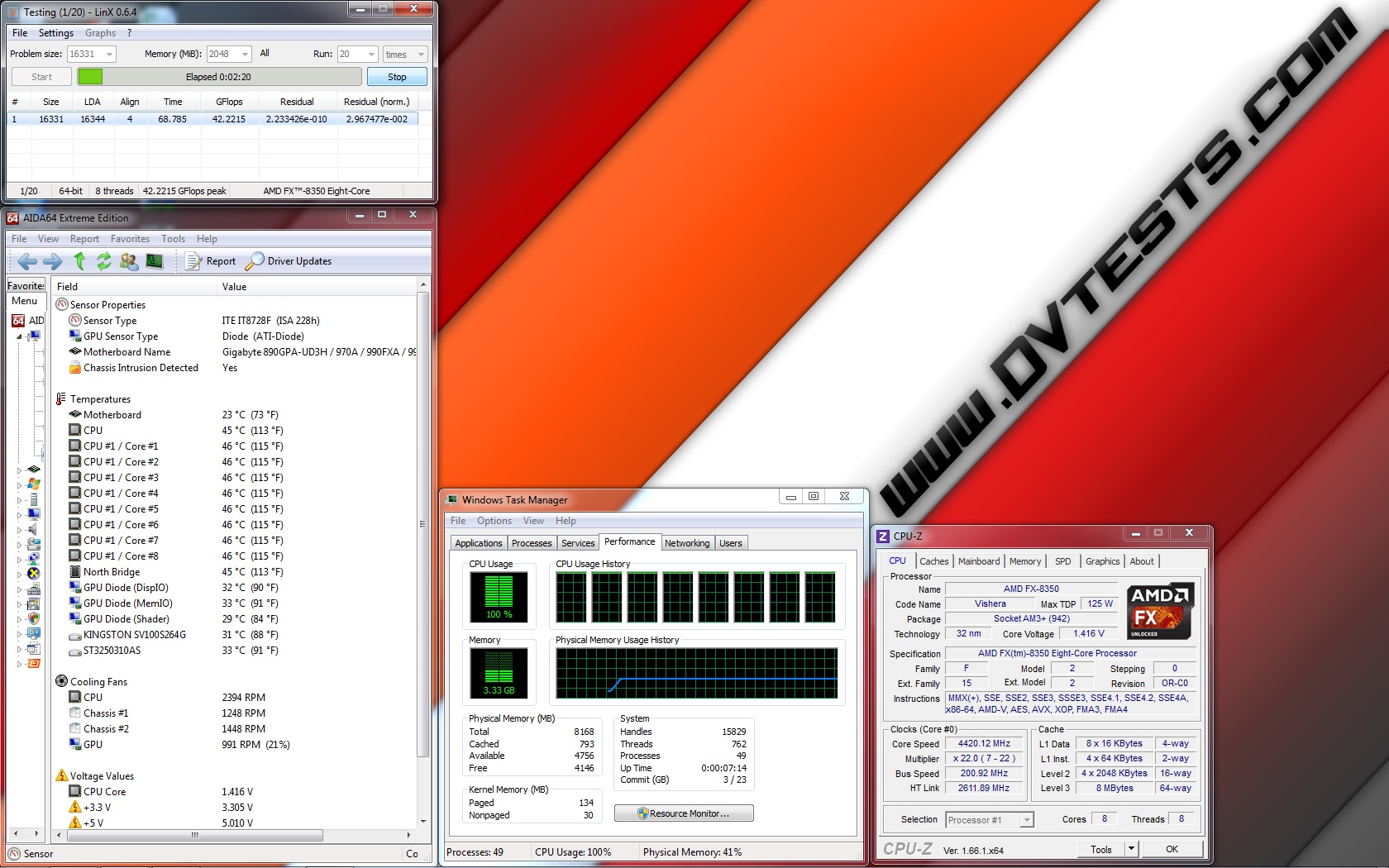
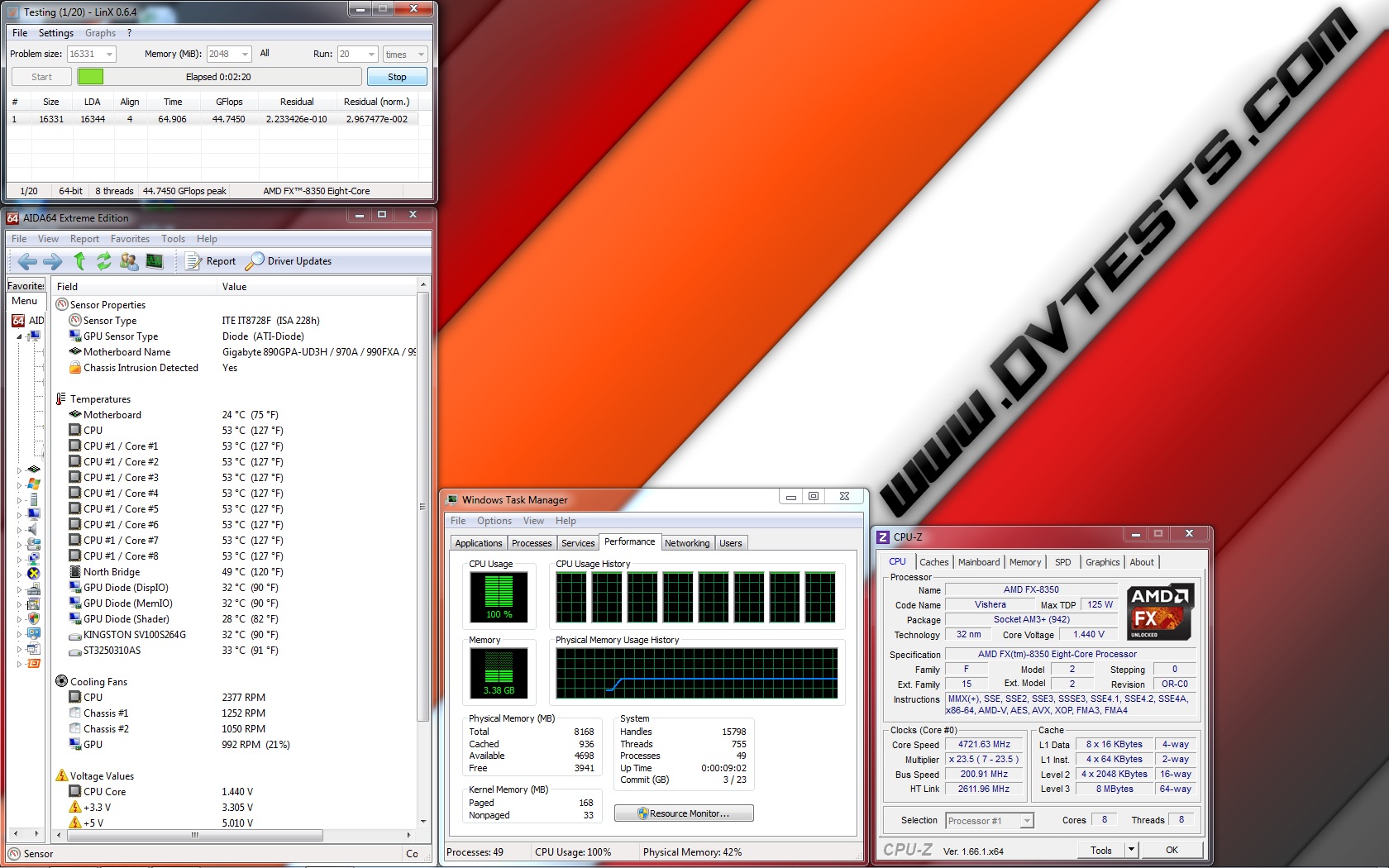
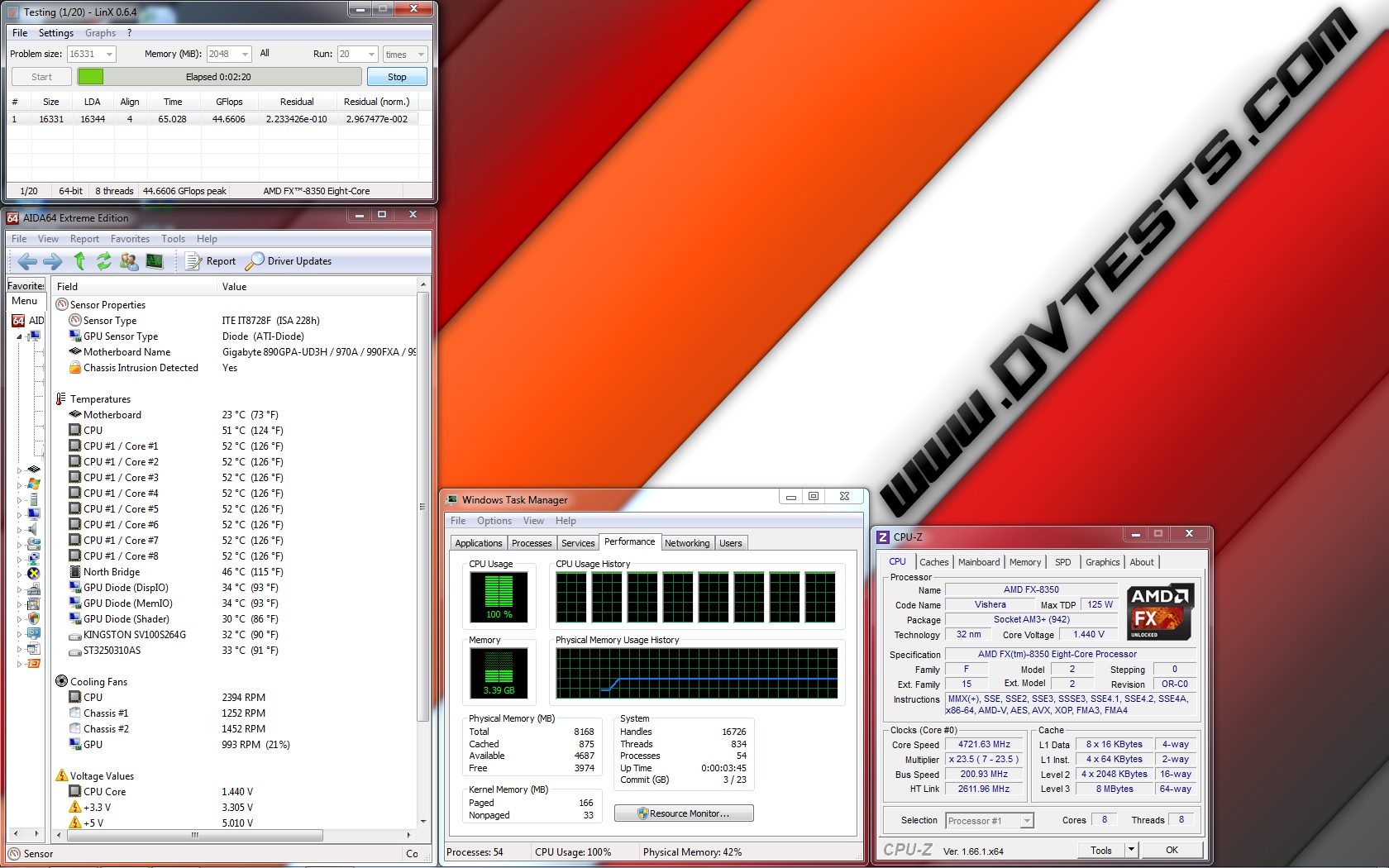
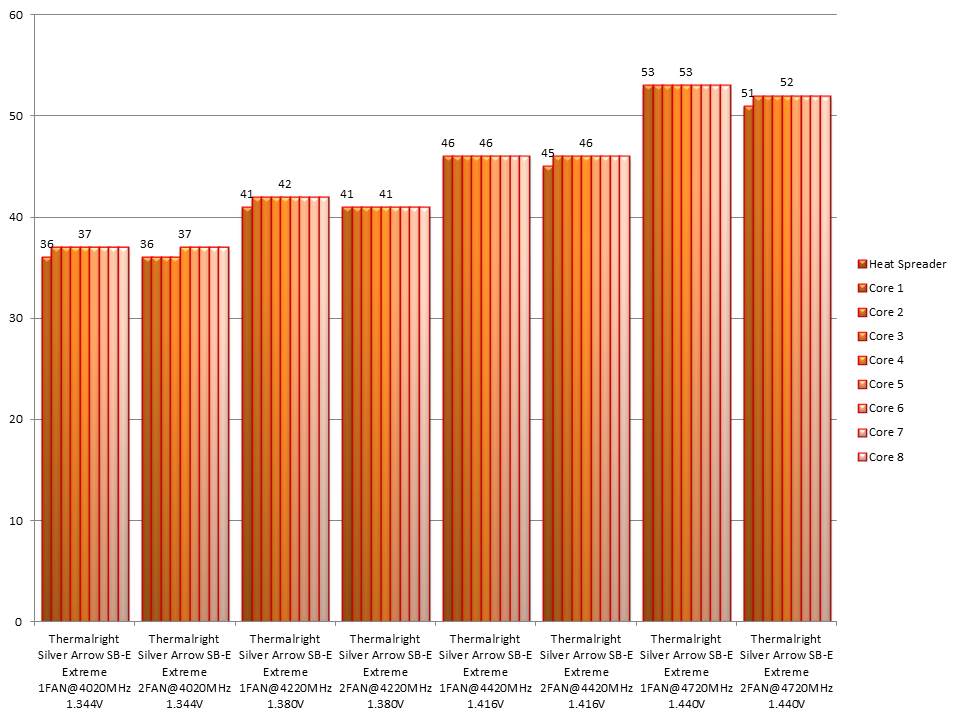
I will install Thermalright Silver Arrow SB-E Extreme and do stress tests at standard frequency 4.020 GHz (at 1.344V), at low overclock frequency of 4.220 GHz (at 1.380V), at medium overclock frequency of 4.420 GHz (at 1.416V), and at high overclock frequency of 4.720 GHz (at 1.440V) first using only one of the fans installed between the two towers of the cooler and later stress tests at standard frequency 4.020 GHz (at 1.344V), at low overclock frequency of 4.220 GHz (at 1.380V), at medium overclock frequency of 4.420 GHz (at 1.416V), and at high overclock frequency of 4.720 GHz (at 1.440V) with both fans installed on the cooler.
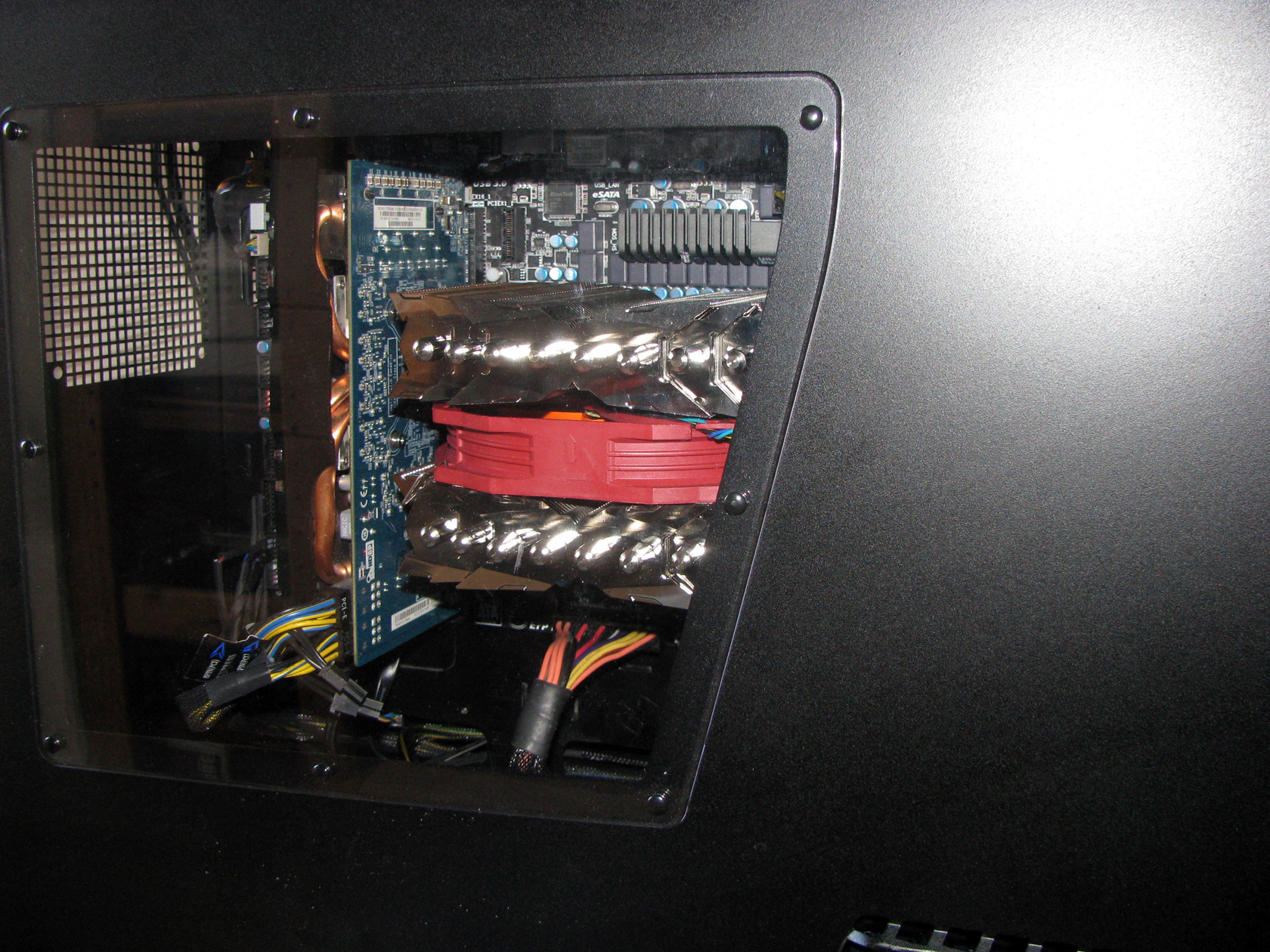
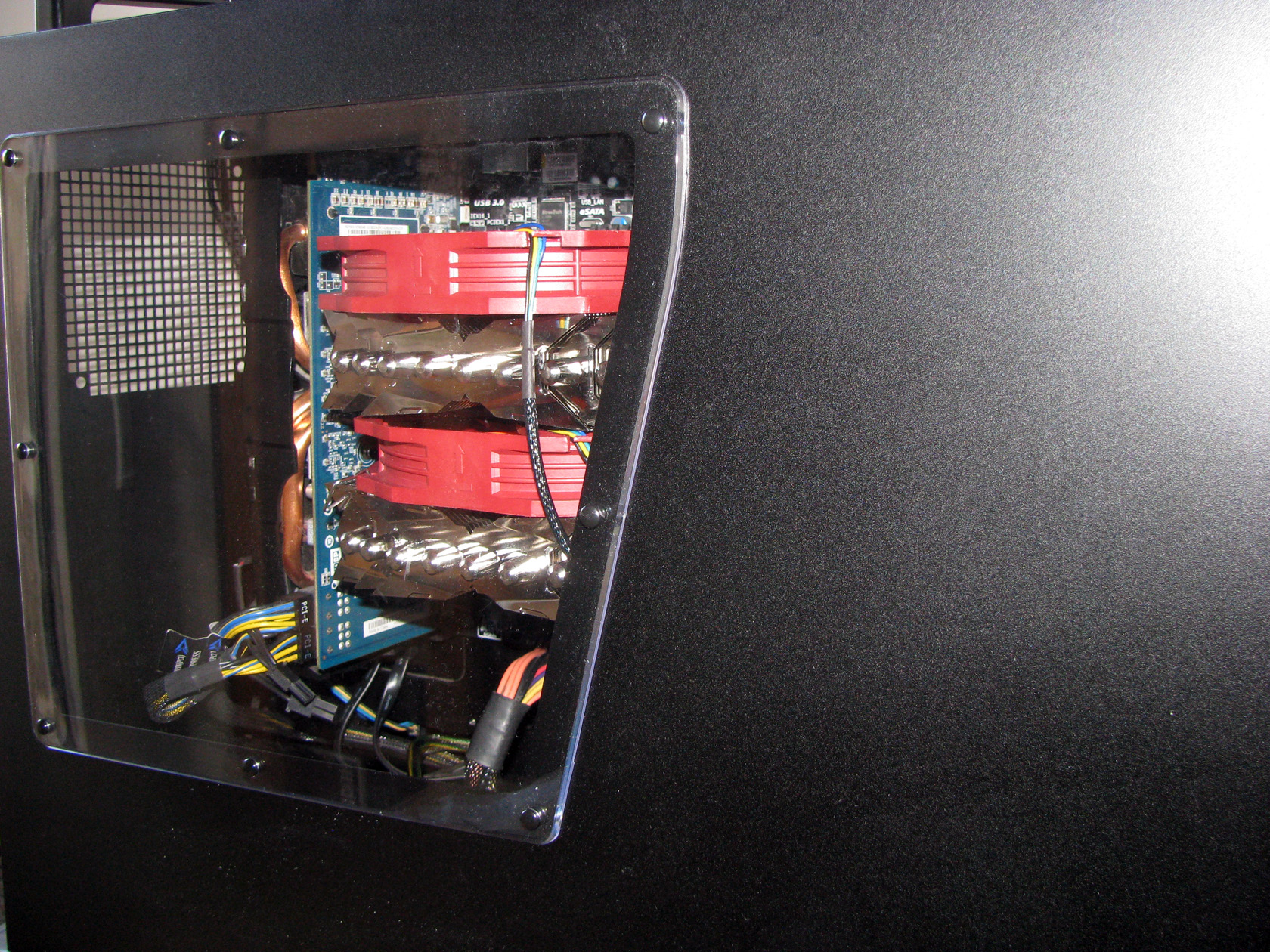
And this is what the CPU cooler looks like when installed inside the case and ready for testing..
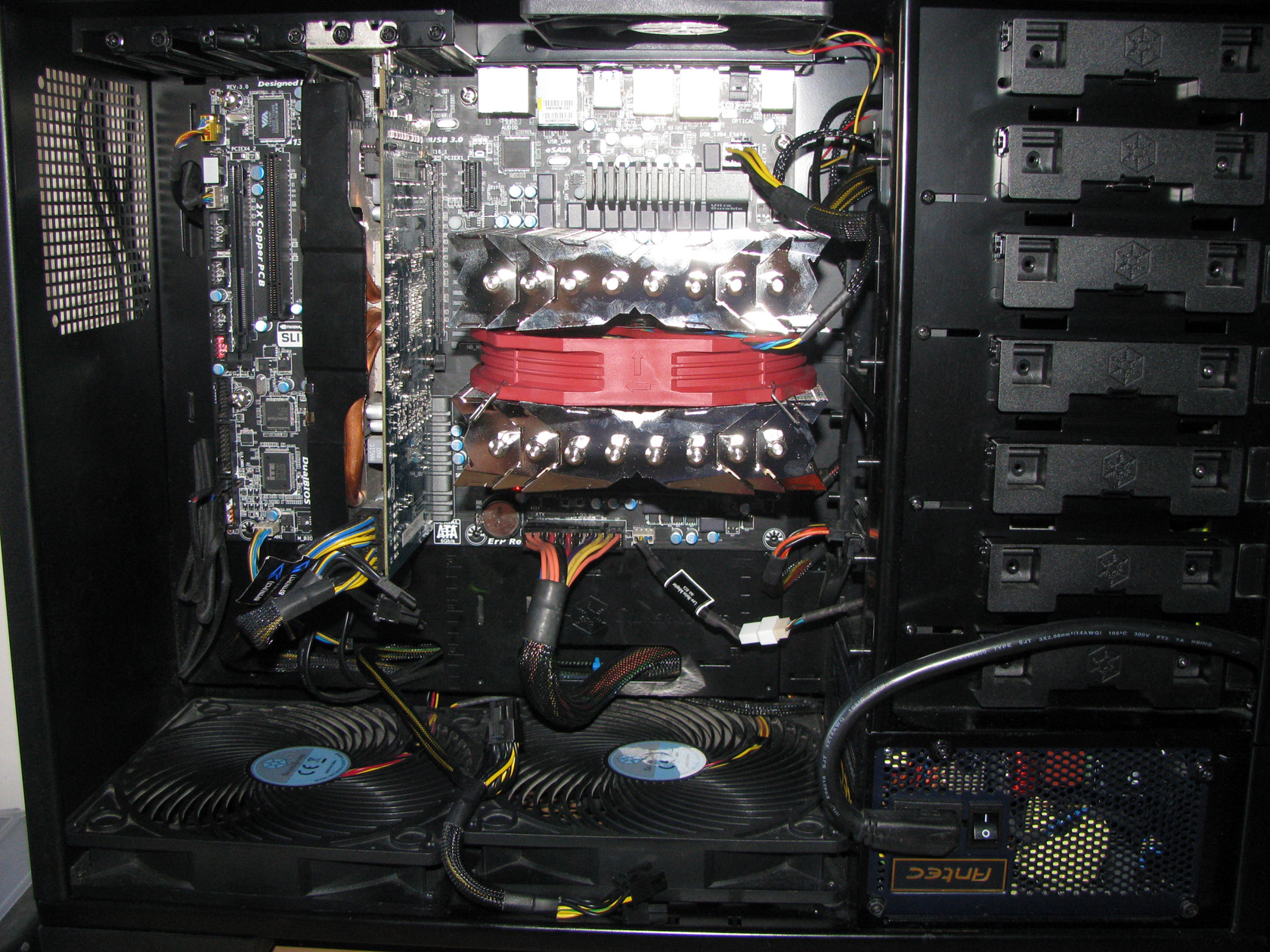
Now let’s check out the test results:
| One fan cooling the heatsink | Two fans cooling the heatsink |
 |
 |
| SA SB-E Extreme 1FAN@4020MHz 1.344V | SA SB-E Extreme 2FANS@4020MHz 1.344V |
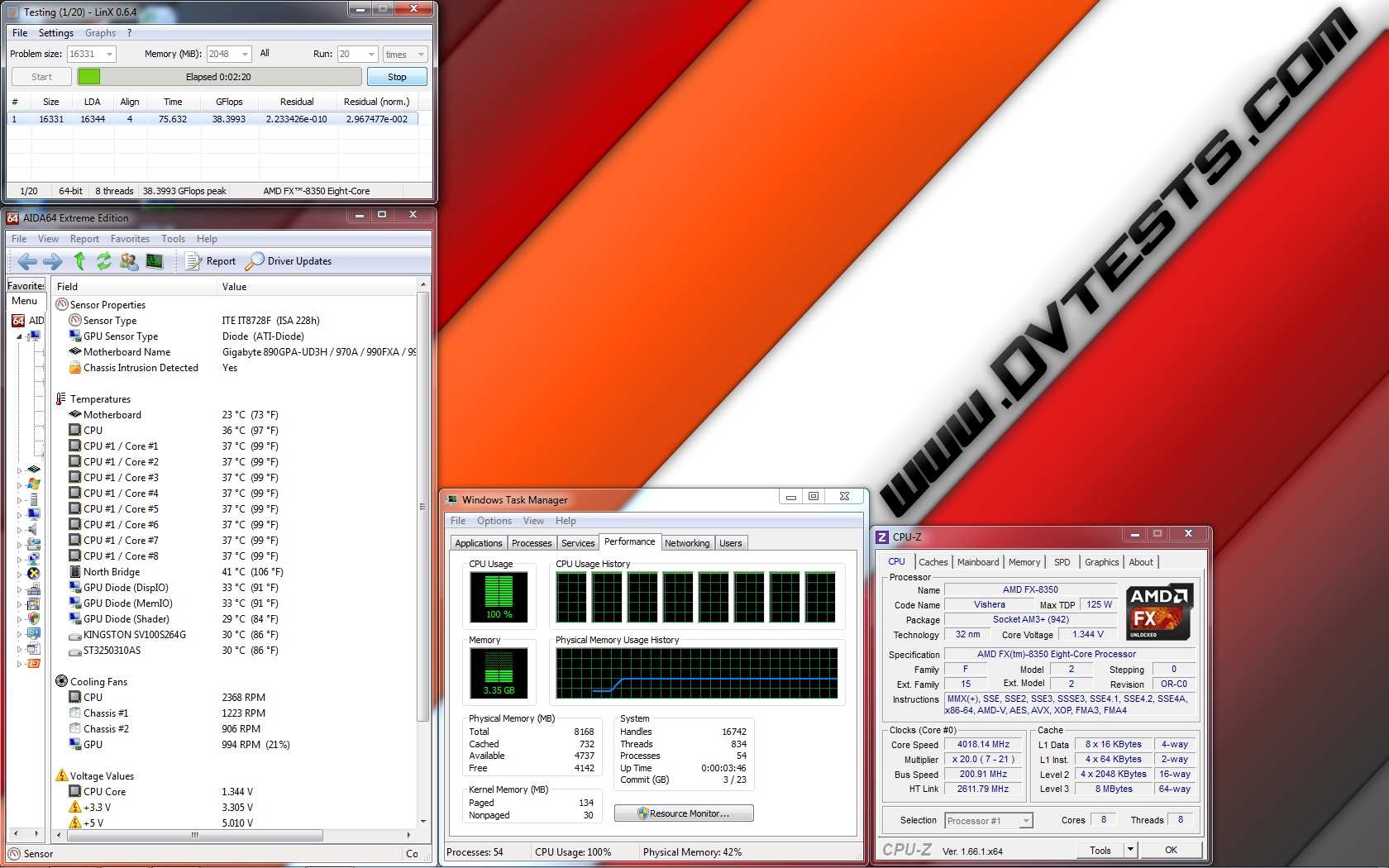 |
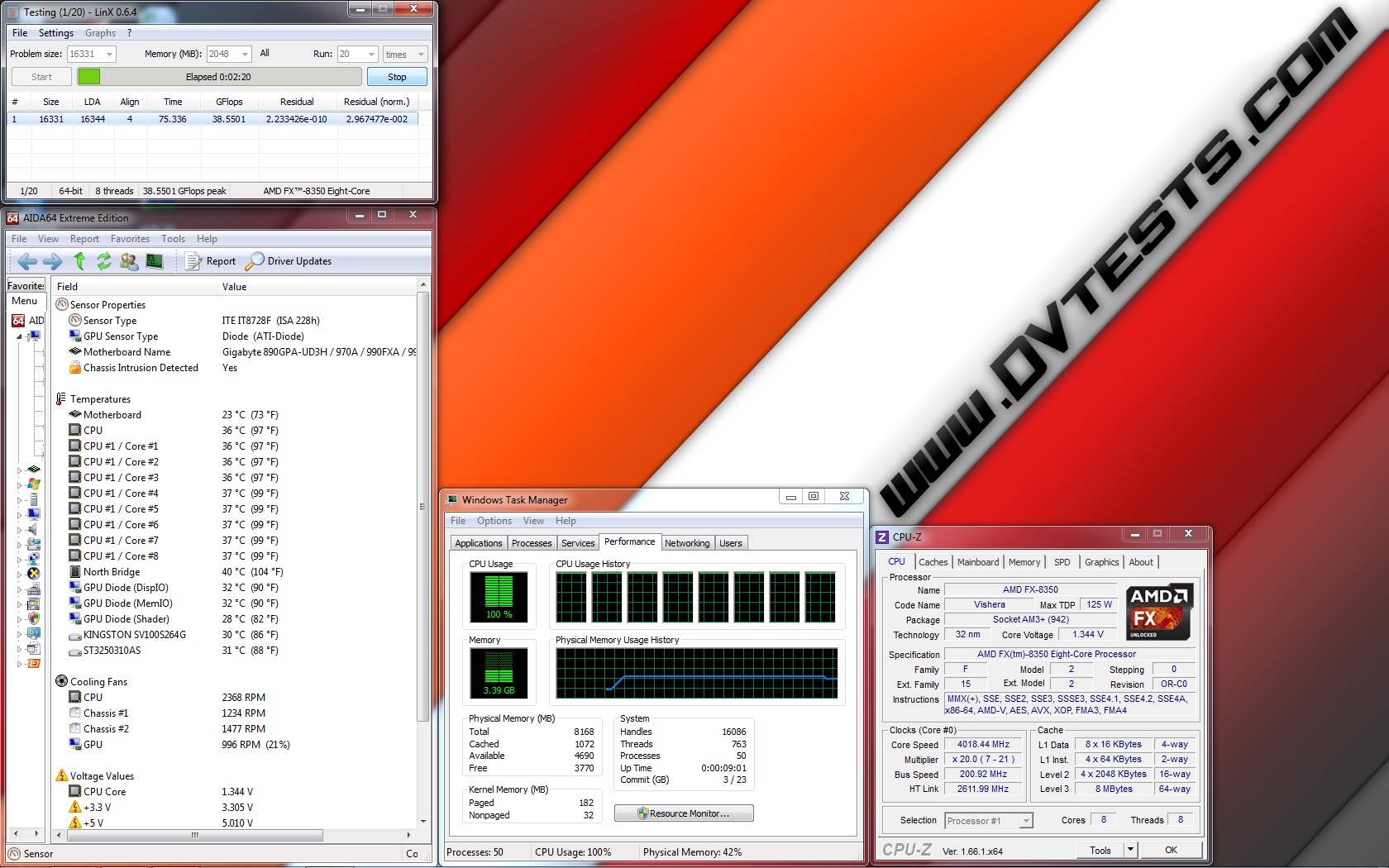 |
| SA SB-E Extreme 1FAN@4220MHz 1.380V | SA SB-E Extreme 2FANS@4220MHz 1.380V |
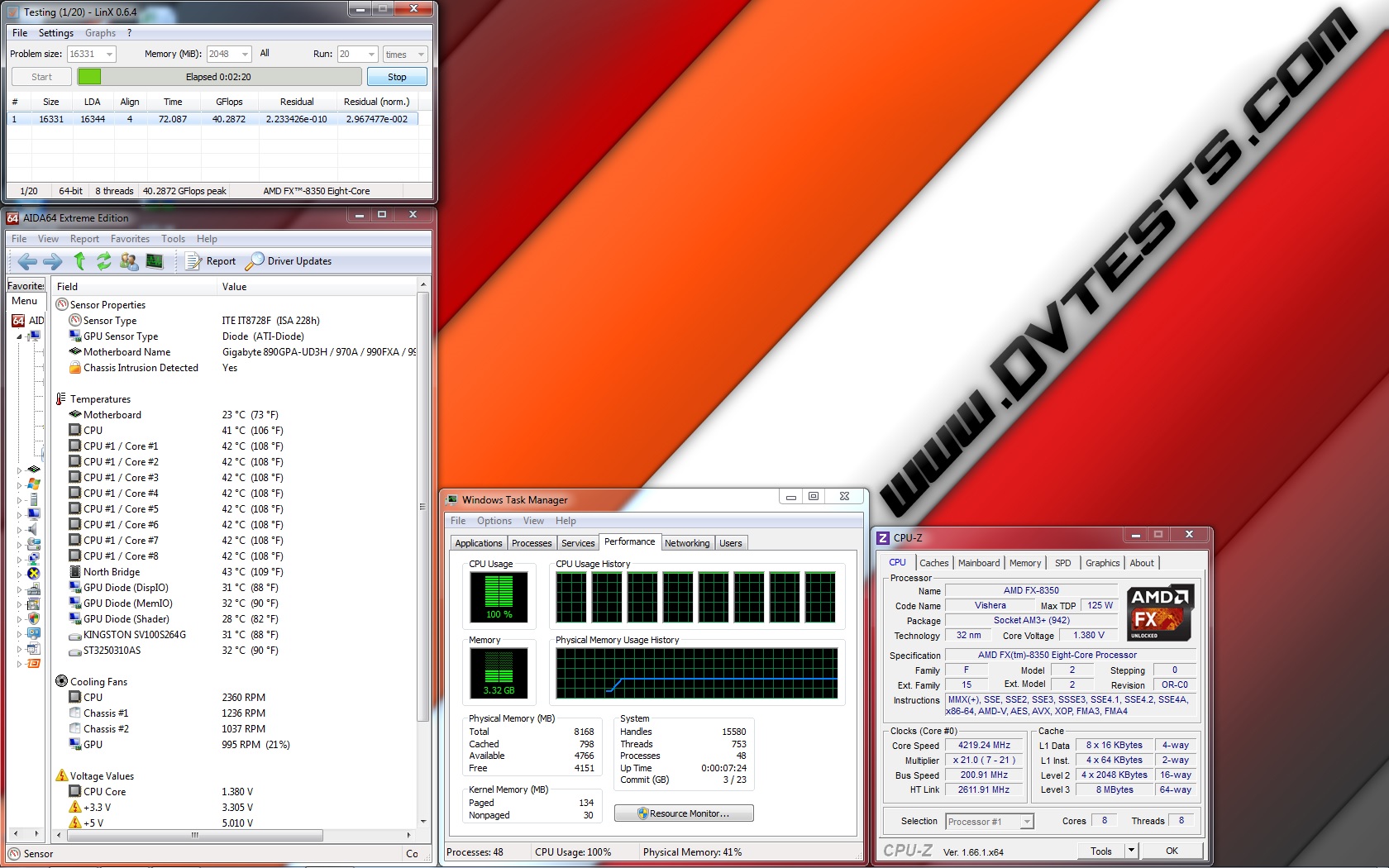 |
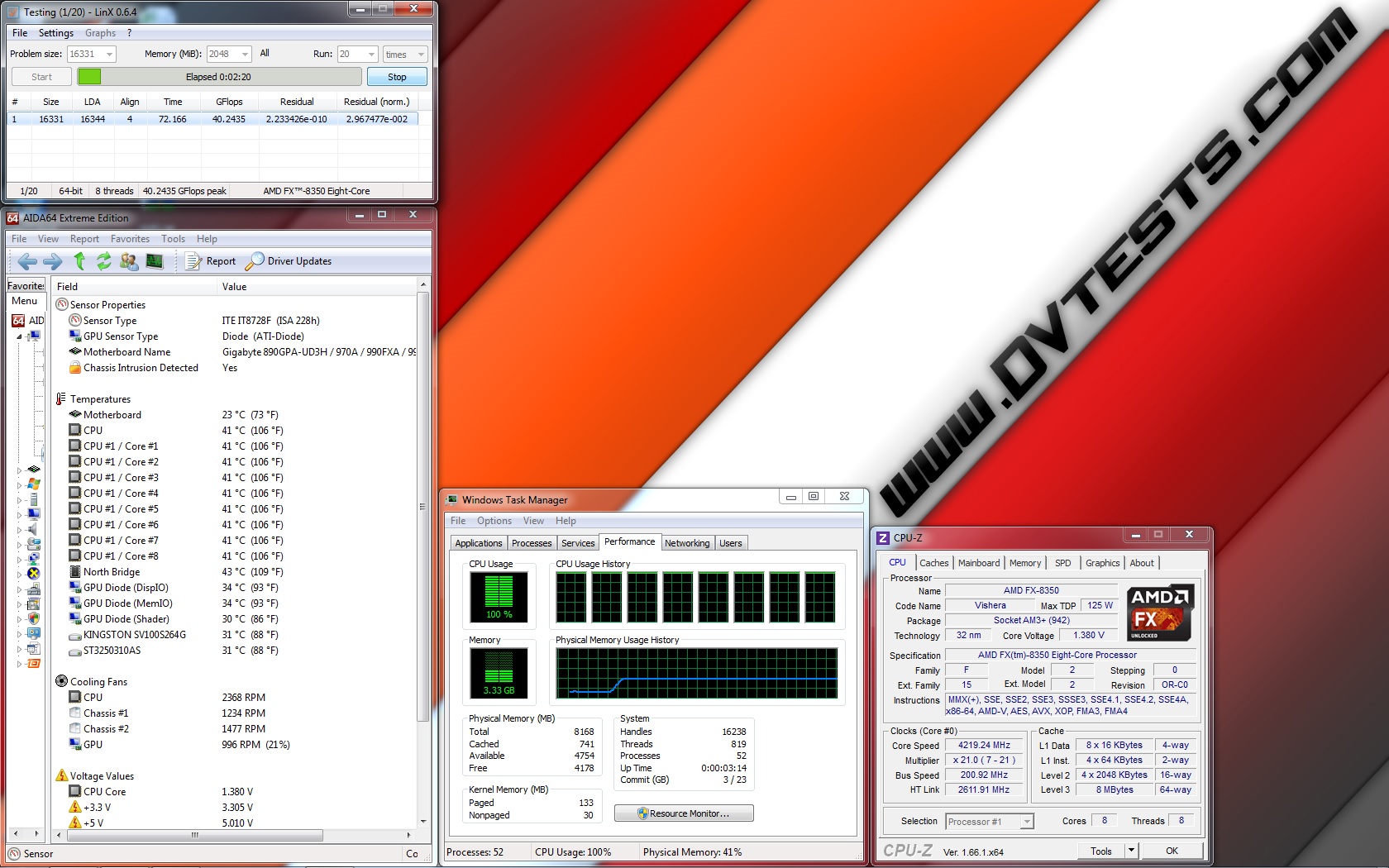 |
| SA SB-E Extreme 1FAN@4420MHz 1.416V | SA SB-E Extreme 2FANS@4420MHz 1.416V |
 |
 |
| SA SB-E Extreme 1FAN@4720MHz 1.440V | SA SB-E Extreme 2FANS@4720MHz 1.440V |
 |
 |
All of the test results have been summed up in the following charts:
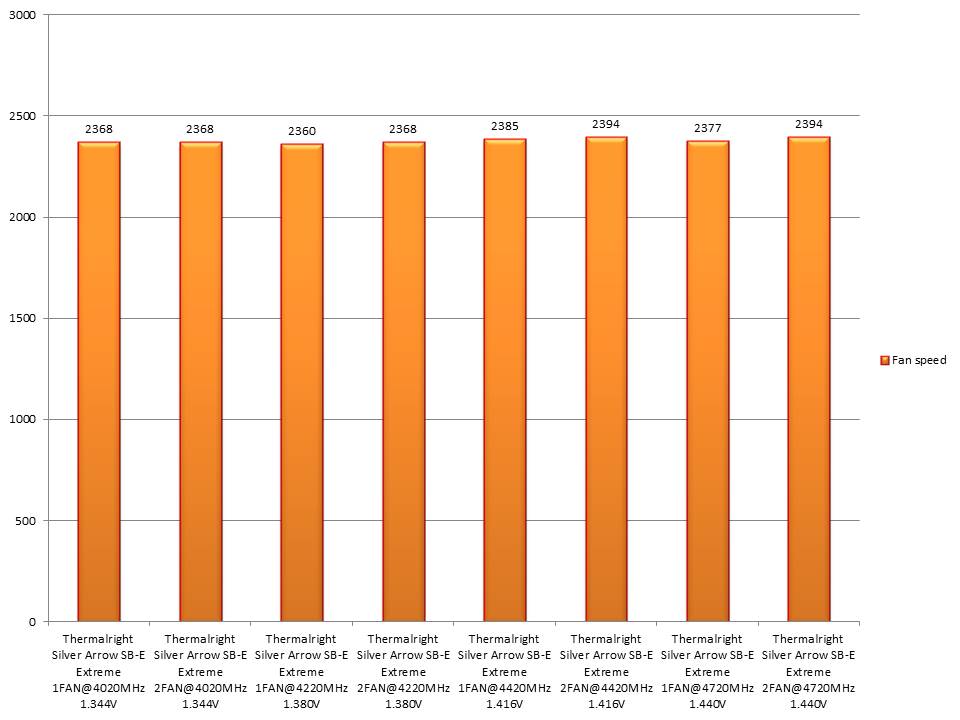
And the fan speed during the tests:
The review is done and all of the tests conducted so I believe the time for conclusions has arrived:
1. Thermalright Silver Arrow SB-E Extreme performance:
After I spent some time having some fun with Thermalright Silver Arrow SB-E Extreme I am with a mixed feelings because…
– Thermalright Silver Arrow SB-E Extreme is one of the best air coolers on the market offering an outstanding performance capable of cooling every processor when working at idle or with huge load, at default, overclocked or extremely overclocked frequencies without any troubles. Doesn’t matter how the processor will work and at what frequency the cooler will handle for sure.
– Thermalright Silver Arrow SB-E Extreme offers two extremely good TY-143 fans able to provide very good silence/performance balance with very smart and risk free for the motherboard PWM powering and regulating method. Apart from that the cooler can hold a third fan for ultimate performance, which should be bought separately and installed with the additional fan clips pre-added in the cooler accessories package.
– Thermalright Silver Arrow SB-E Extreme offers very easy to install and use mounting kit, meant to provide maximumg realibility and long lasting life without any problems.
– When all of the parts are combined and installed on the motherboard, Thermalright Silver Arrow SB-E Extreme is one really huge mix of metal and plastic, unfortunately covering almost all of the motherboard parts around the socket including DIMM slots, VRM heatsinks, which can be really uncomfortable if the motherboard has taller VRM heatsinks or taller RAM modules. For my test I used a full ATX motherboard and I was not able to touch anything around the cooler without removing the fans first.
Anyway, Thermalright Silver Arrow SB-E Extreme is made for people who actually know what they need and what they want to do with this cooling beast, so they will predict such problems.
2. Thermalright Silver Arrow SB-E Extreme appearance:
Thermalright Silver Arrow SB-E Extreme is a product featuring one really massive and realible looking cooler design with a stylish and very shiny heatsink, combined with two very big fans in the red/orange colour scheme, which can be really attractive to the regular and experienced customers for every modern case or modding project. In fact, I really enjoyed the overall appearance of the cooler when it was installed inside the case, even it was out of my standard colour scheme but still good job, Thermalright!
According to my review, I’ve decided that Thermalright Silver Arrow SB-E Extreme deserves the following reward:

Official price (MSRP) for Thermalright Silver Arrow SB-E Extreme: unknown
Official warranty: 24 months
I thank Thermalright for the test sample.



@Boskorp – this is absolutely correct comment. Brutal cooling force 🙂
@Pepix – silver + orange is pretty interesting combination. I can’t say anything bad about it..
Looks interesting.. but.. Silver Arrow? And then having red and orange fans? (I understand red OR orange for a blackened metal, but for silver..)
Anyway.. thanks for the good review :THUMBS UP:
Yeah, now that is something brutal, raw power at its best. Sadly the size puts a lot of limitations, but Extreme is not a name by fault. Wonder how it will perform in the fan scenario shown on the advertise (bottom pic), with airflows facing each other.
Wow, great and very thorough review. The cooler is simply gigantic and according to the tests it has outstanding performance. 🙂 Nice work