
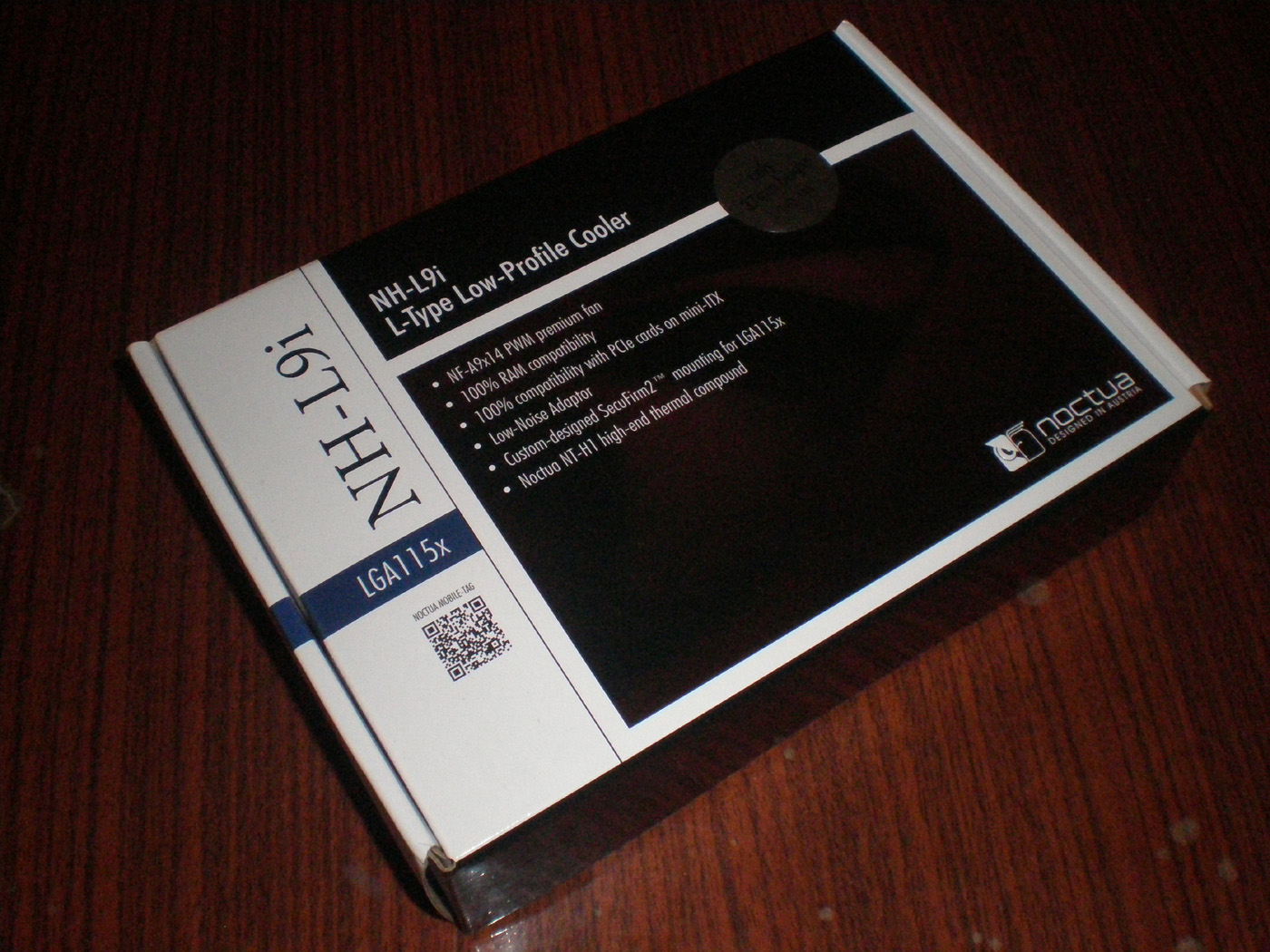
The cooler arrived in a quality carton box in the usual colors with size of two Noctua fan packages. You can’t mistake the brand even if you want to. All over the box there are written specifications, features and the content of the package. So you can learn all the information you need only from looking at the carton box.
After I examined the box carefully, I realized that this review will not be done by itself and it is time to get to work. So I opened the box to see what is in it. Aaaand open:

With the top cover open you can see almost all of the contents. Almost, because I could not see the additional screws for mounting a 92x25mm fan. Yes, I thoroughly studied what should be in the box and knew about them. Of course they were at the bottom of the box, so I can show you now the NH-L9i and all the accessories. Besides the cooler and the Nf-A9x14 fan, the package includes:
1. Four screws for Secufirm2™ mounting system.
2. Four screws for 92x25mm fan.
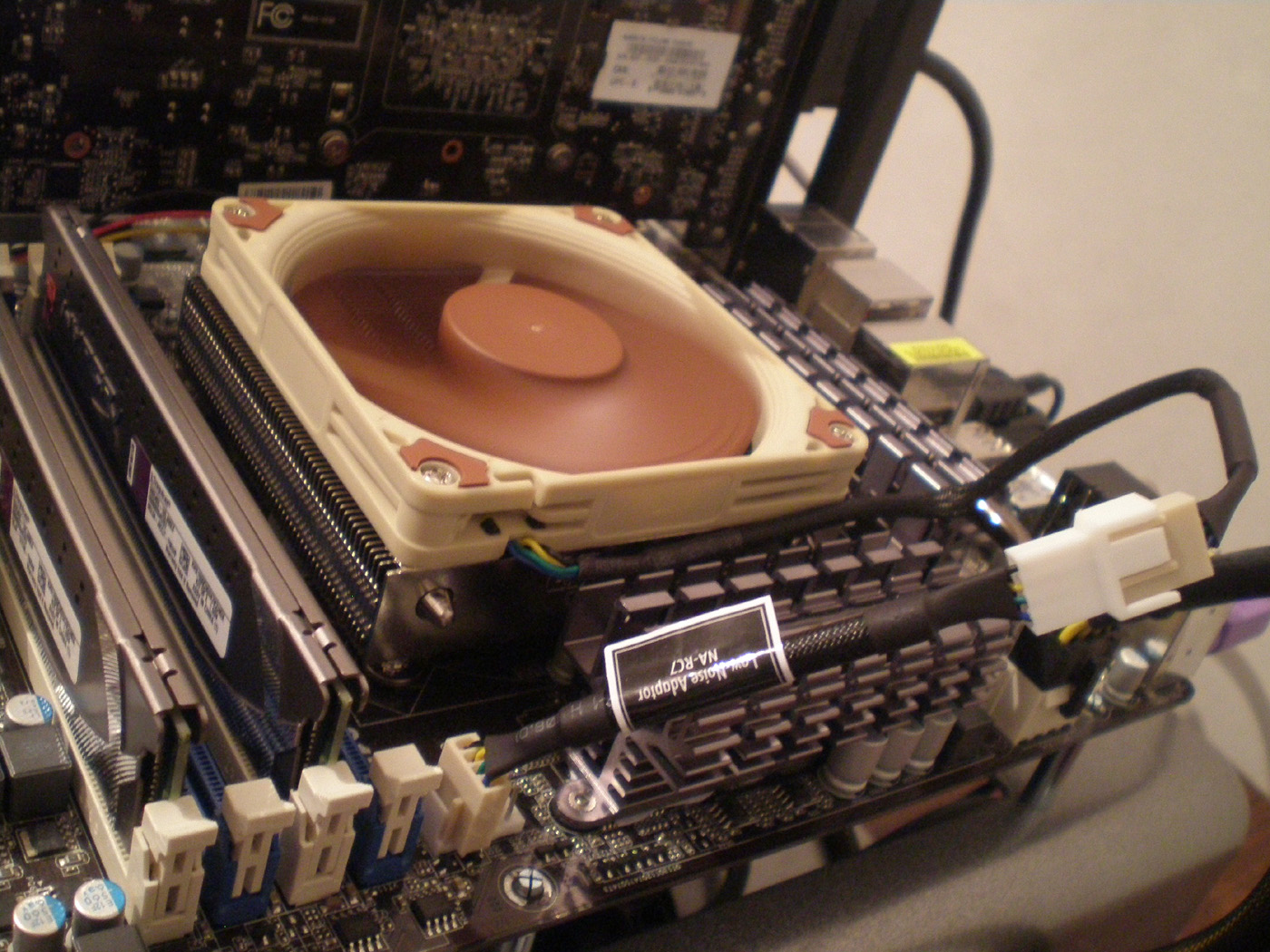
3. Low-Noise Adaptor (L.N.A.).
4. NT-H1 thermal compound.
5. Noctua engraved metal badge.
6. Installation manual.
This is all you would need for the cooler’s operation.

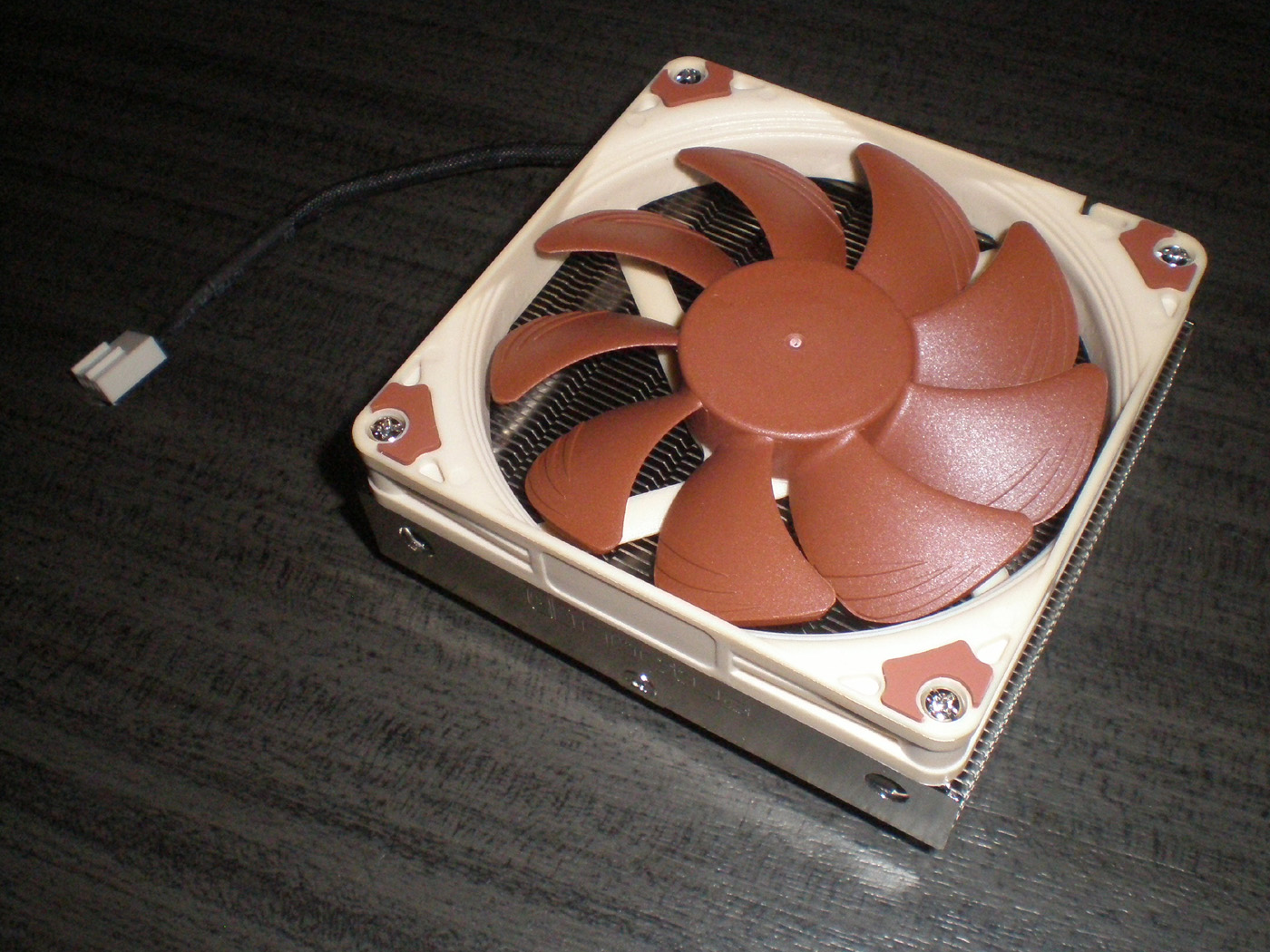
The NH-L9i is a low-profile cooler for Intel 115x (including LGA 1150) based HTPCs and small form factor systems. With its dimensions the cooler provides full compatibility with all sorrounding components. The cooler dimensions are 95 x 95 x 37mm (H x W x D) with NF-A9x14 PWM fan and 95 x 95 x 24mm (H x W x D) without fan. With 92 x 25mm fan the height is about 50mm. The weight with Nf-A9x14 is 420 g and without it 345 g. The NF-A9x14 PWM fan which comes with the cooler has a little different specifications than the standart version of the model (2200 rpm). The maximum rotational speed is 2500 rpm at which generates airflow level of 57.5 m³/h with 2.11 mm H2O static pressure and 23.6 dBA noise level.
Let me show you more pictures of the cooler itself:

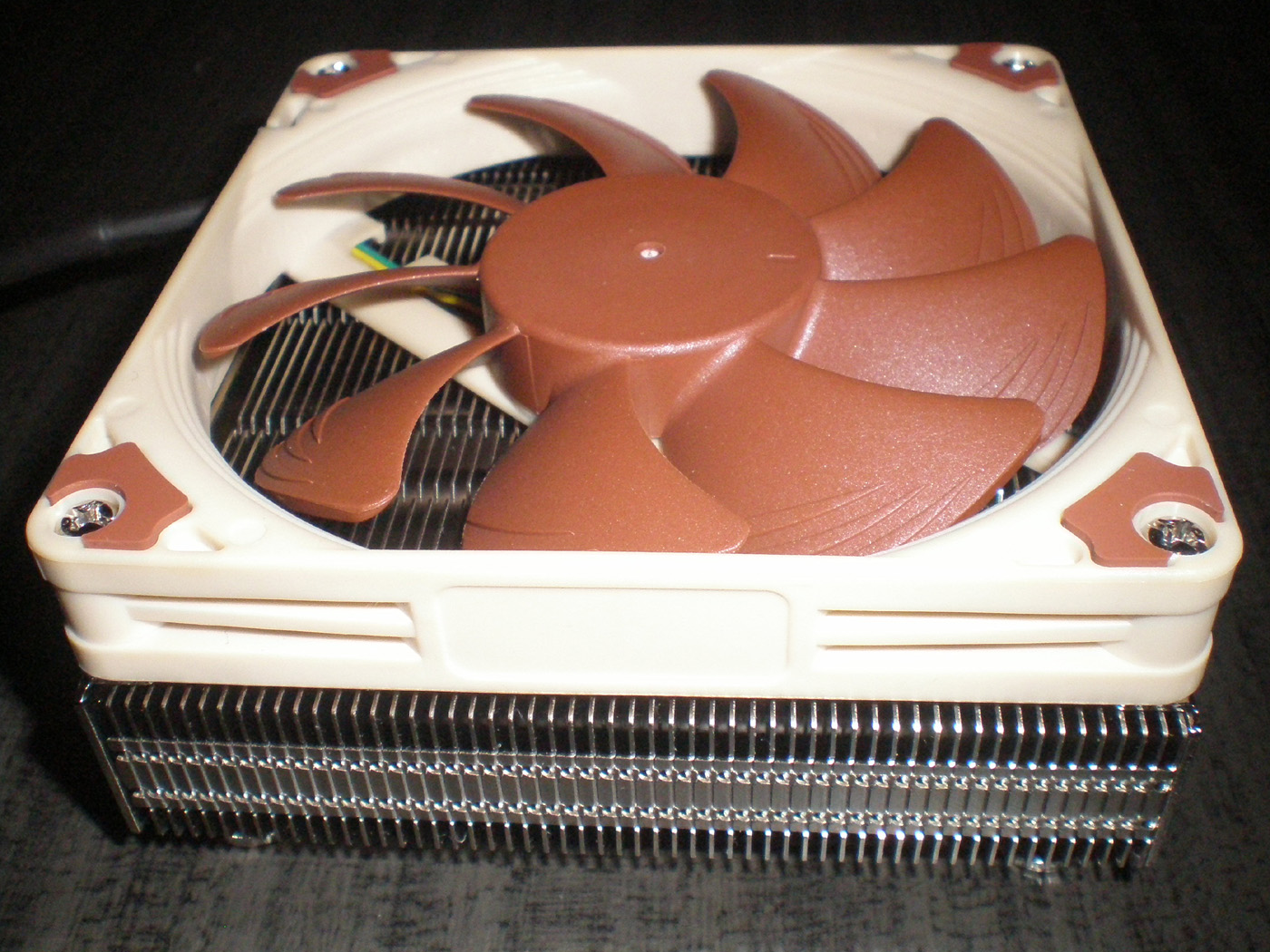
Without the fan:
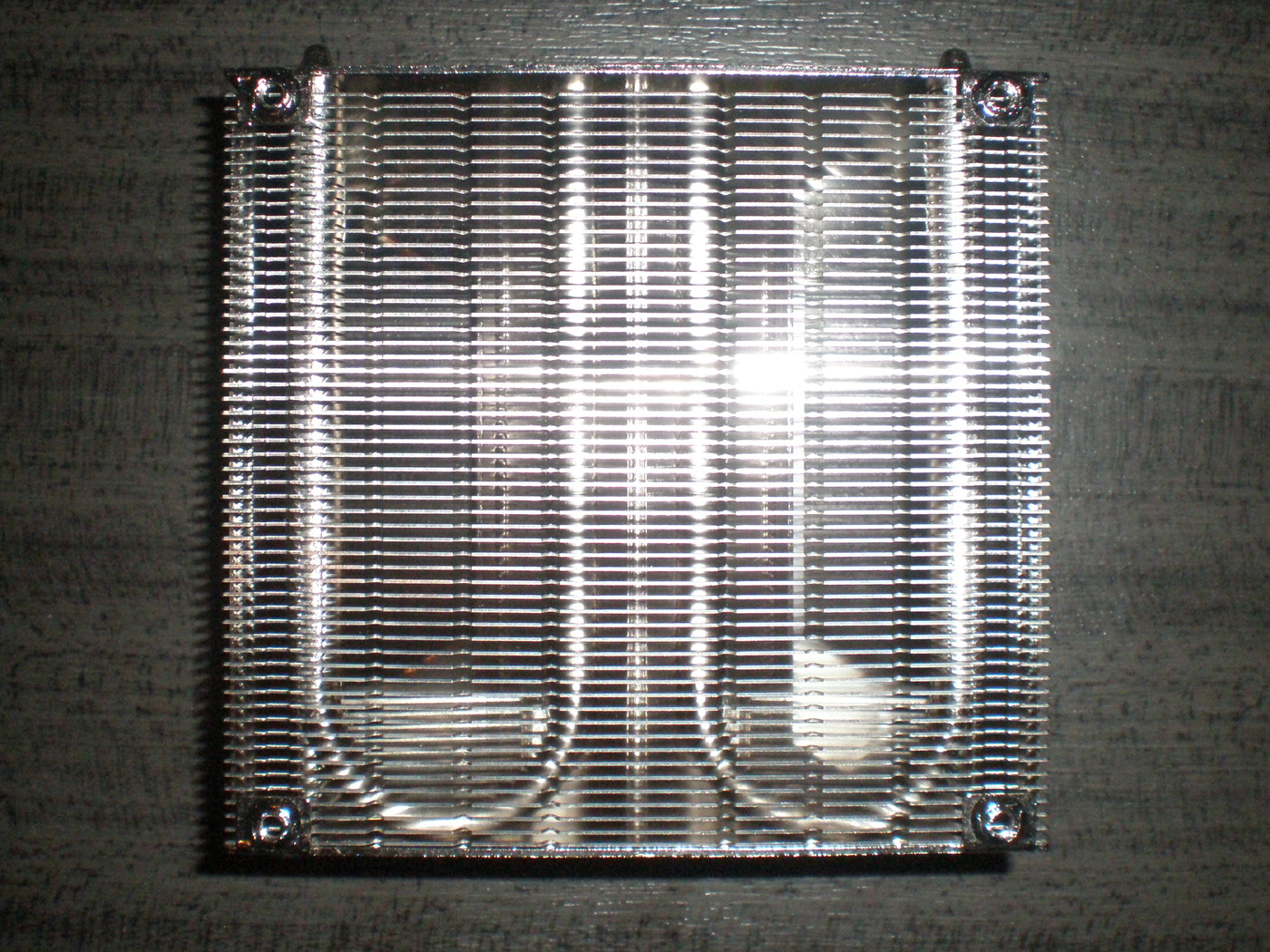
And without the fan brackets:
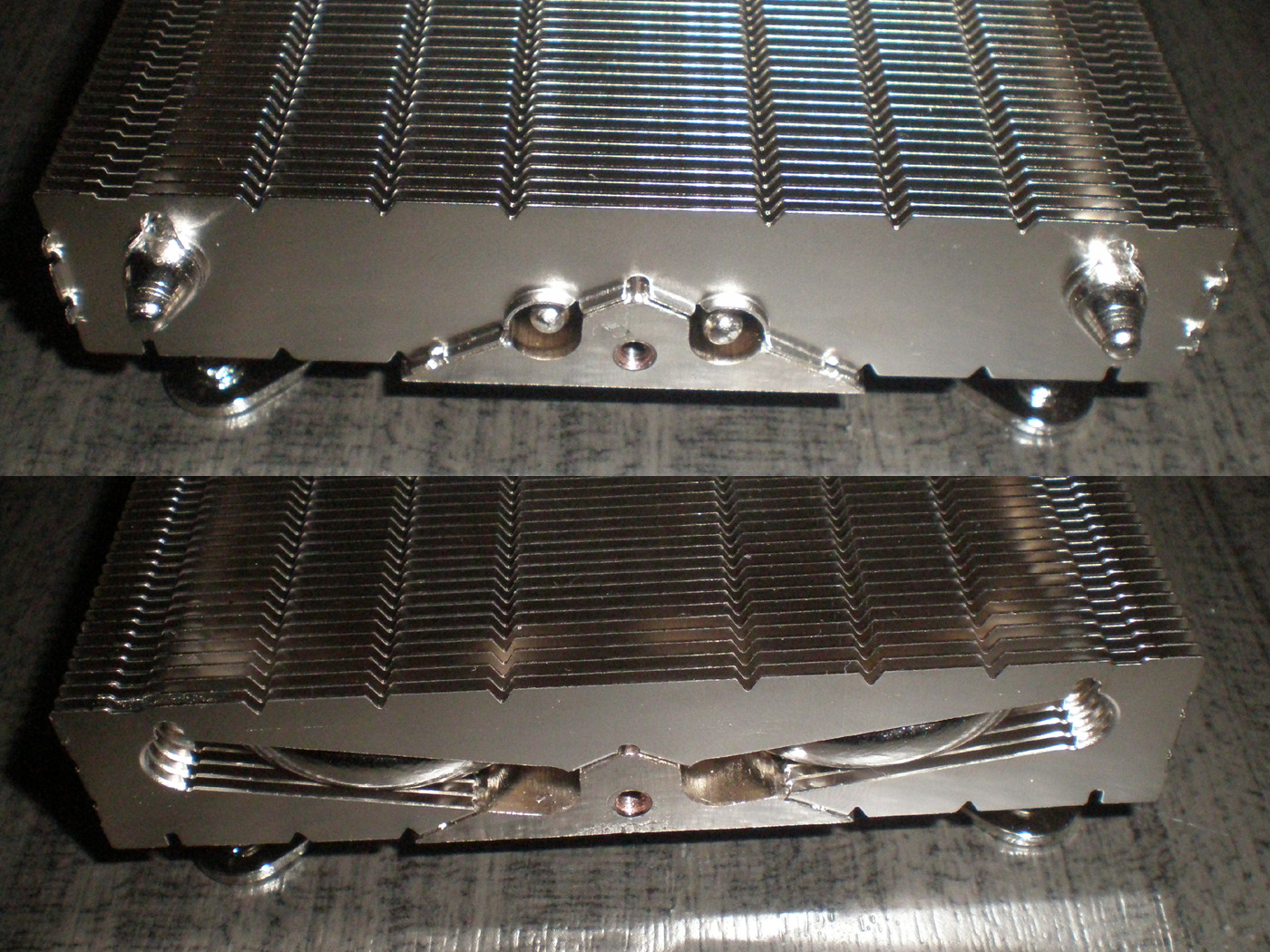
Here is what the bottom of the NH-L9i looks like:
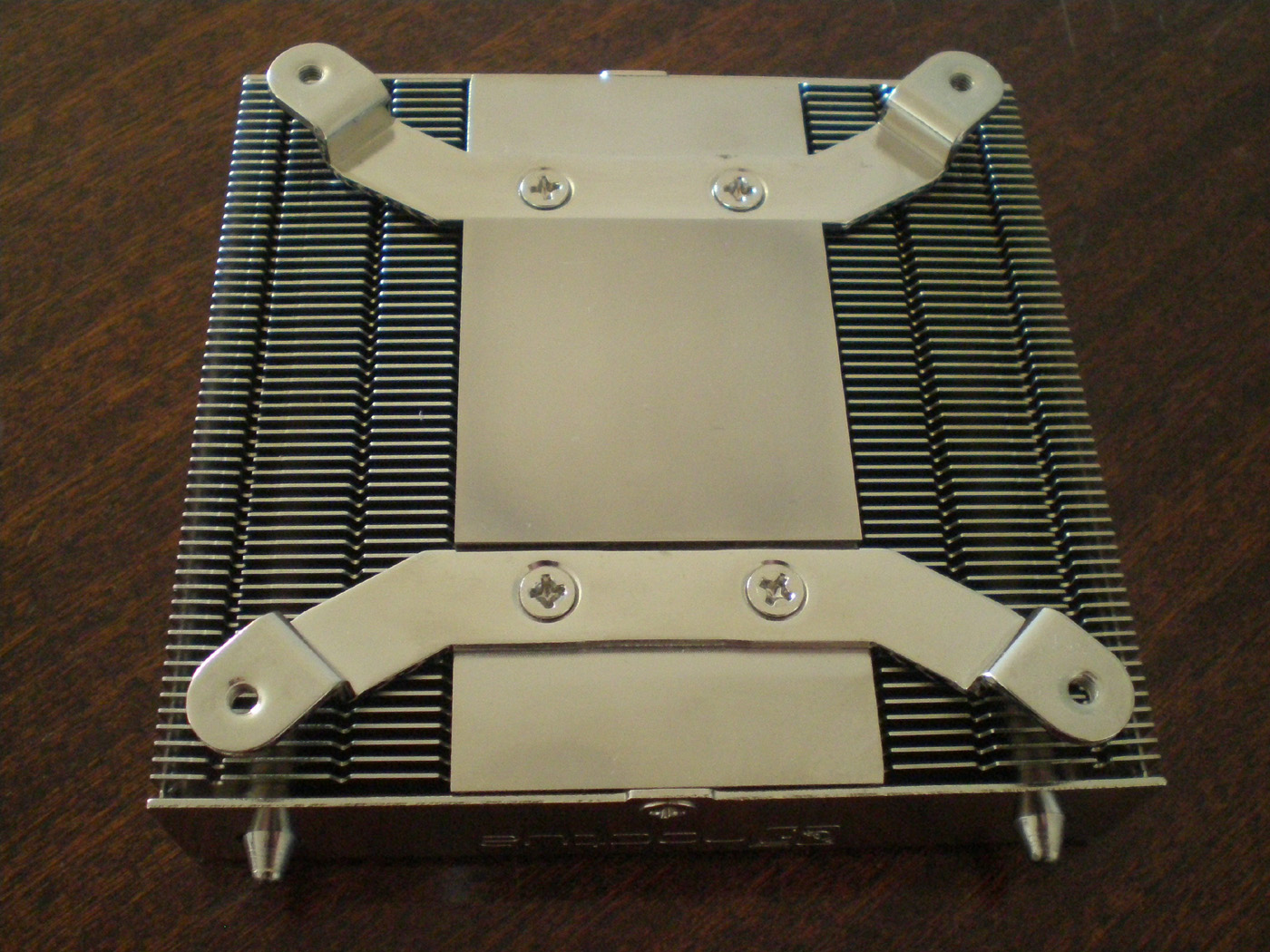
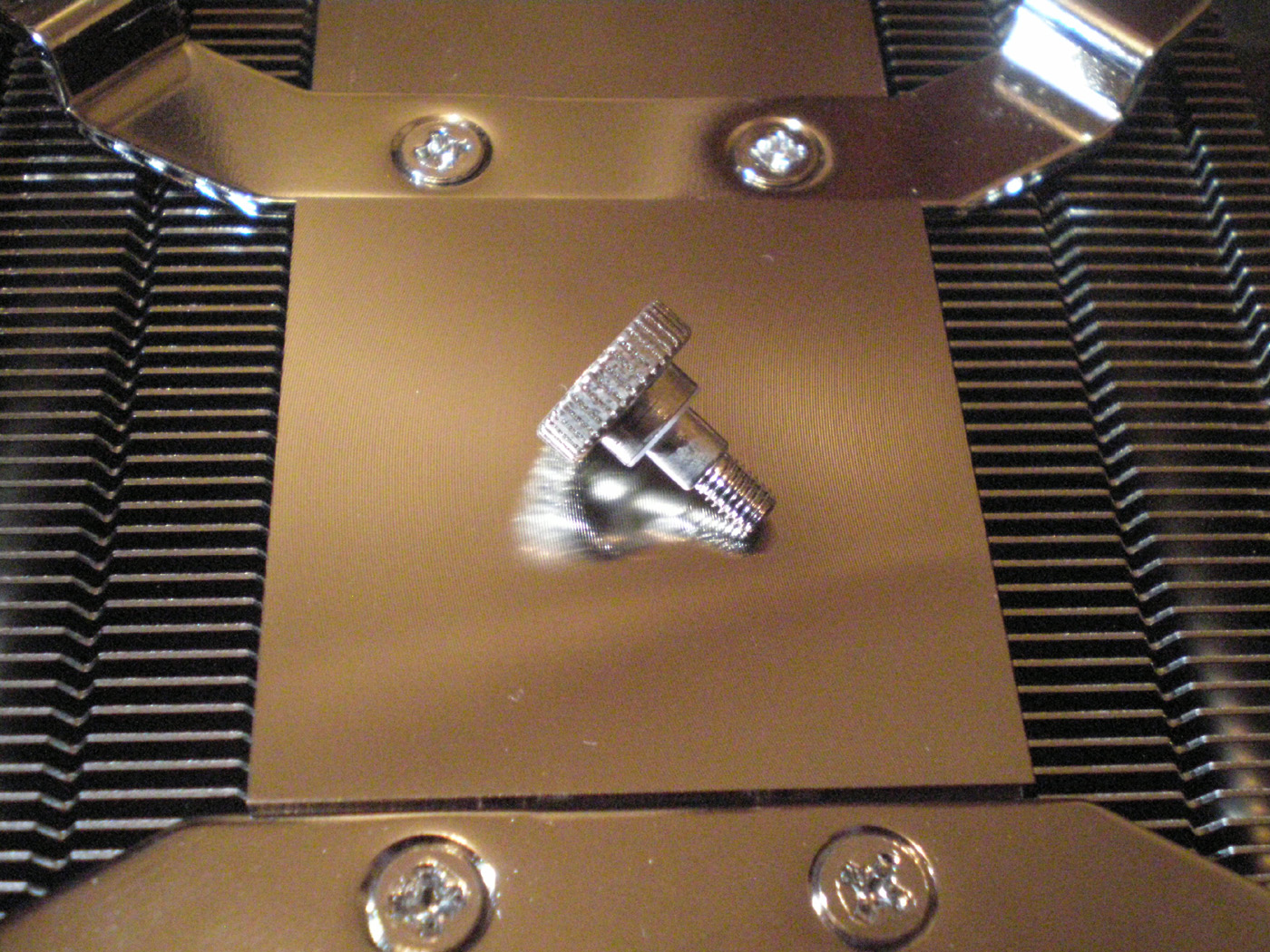
The contact base is like every Noctua cooler and the Secufirm2™ mounting system provides excellent compression of the NH-L9i to the socket.
I’d like to describe the system on which the cooler was tested:
CPU: Intel Core i5-2500K at standart 3.4GHz (with turbo) frequency and overclocked at 4.0GHz (at 1.27V and LLC set to Auto)
Motherboard: Asrock P67 Extreme4
Video card: MSI N460GTX Cyclone OC 1GB DDR5
Memory: 2 x 2GB Kingston HyperX Grey Series 1600MHz
Hard drive: Seagate 7200.10 250GB
LAN card: Realtek RTL8139/810x Family
Chassis: DimasTech bench table Mini v1.0
Power supply: Cooler Master Real Power M700
Cooler: Noctua NH-L9i
Fans: Noctua NF-A9x14 PWM, NF-A9x14 PWM with L.N.A. adaptor, Cooler Master Blade Master 92
Thermal paste: Noctua NT-H1
The tests were conducted in an open chassis system with one additional 120mm fan spinning at about 1120 – 1140 rpm for cooling the hard drive.
Noctua say that the cooler is not suitable for overclocking and should be used with care on CPUs with more than 65W TDP. These recommendations are based on an ambient temperature of 25°C or less. And since the ambient temperature at the time of tests was 18°C, I decided to do just a little overclock at 4.0Ghz at 1.27V with LLC set to Auto. Also due to the dense aluminum fins (55 pieces) I used the Cooler Master 92 cooling fan to see how the cooler performs with high speed fans.
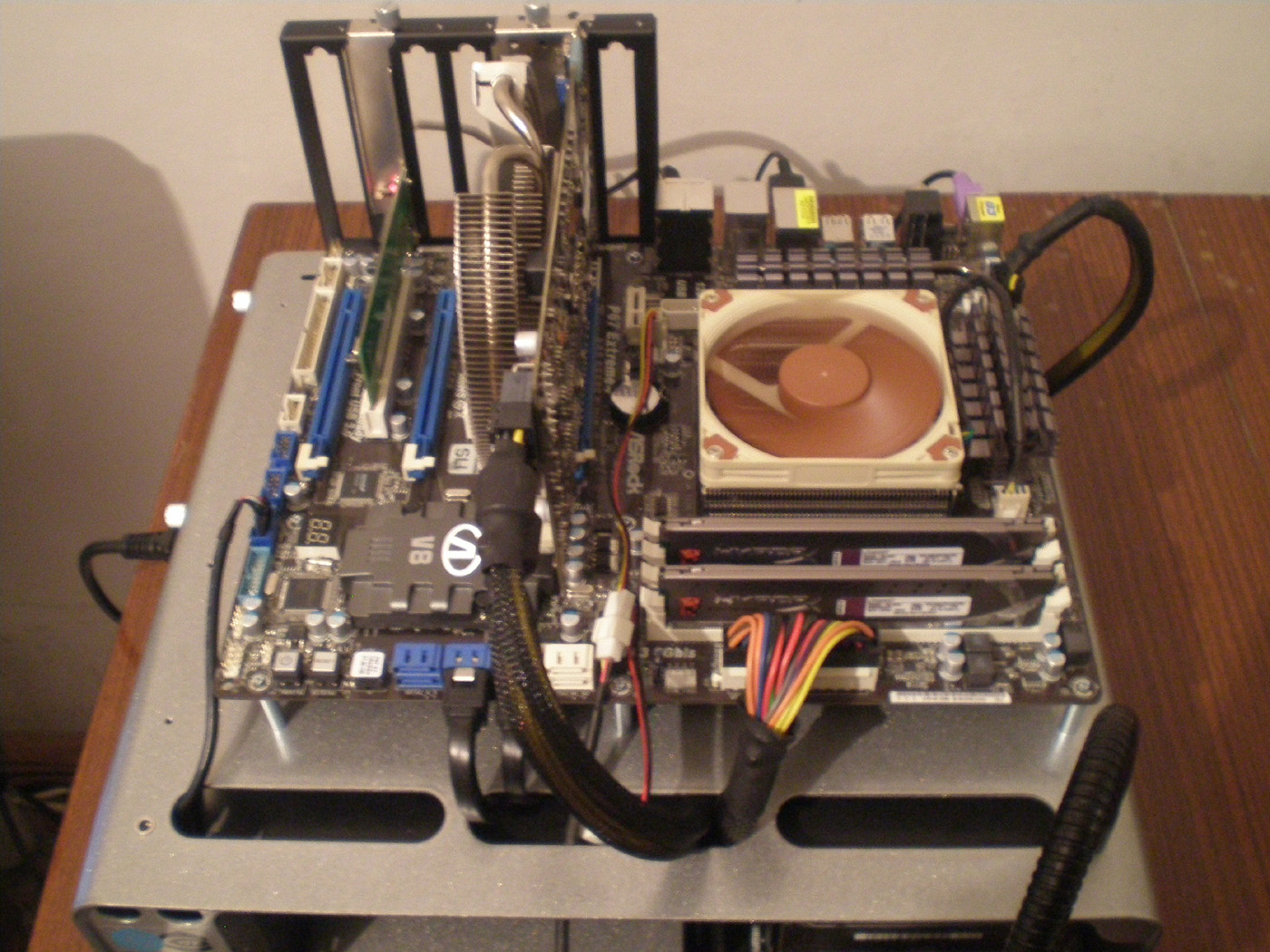
Let us see what the mounted on the motherboard NH-L9i looks like:

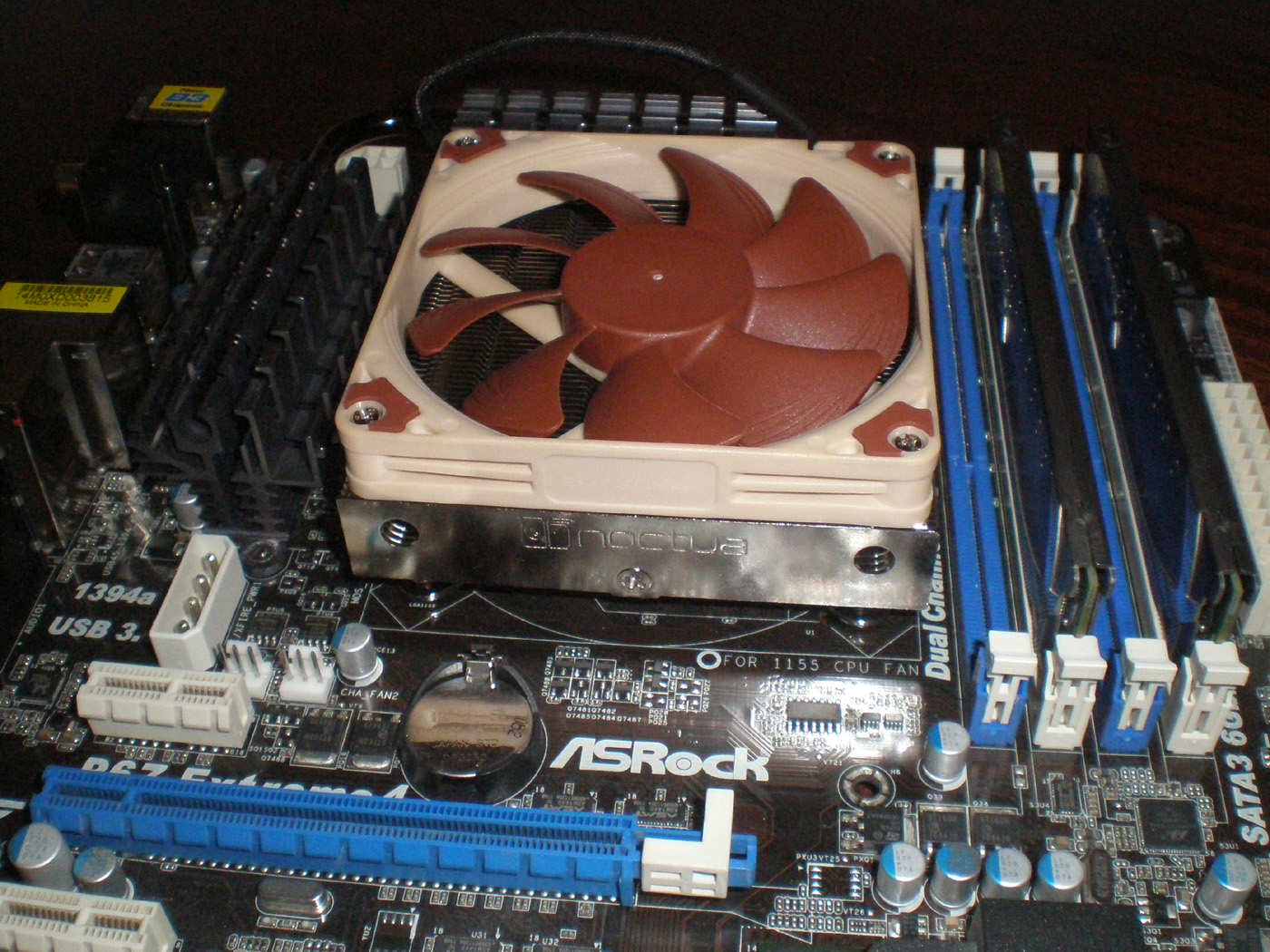
On the next photo you can see how the mounted cooler looks like from above and what is the clearance to sorrounding components.
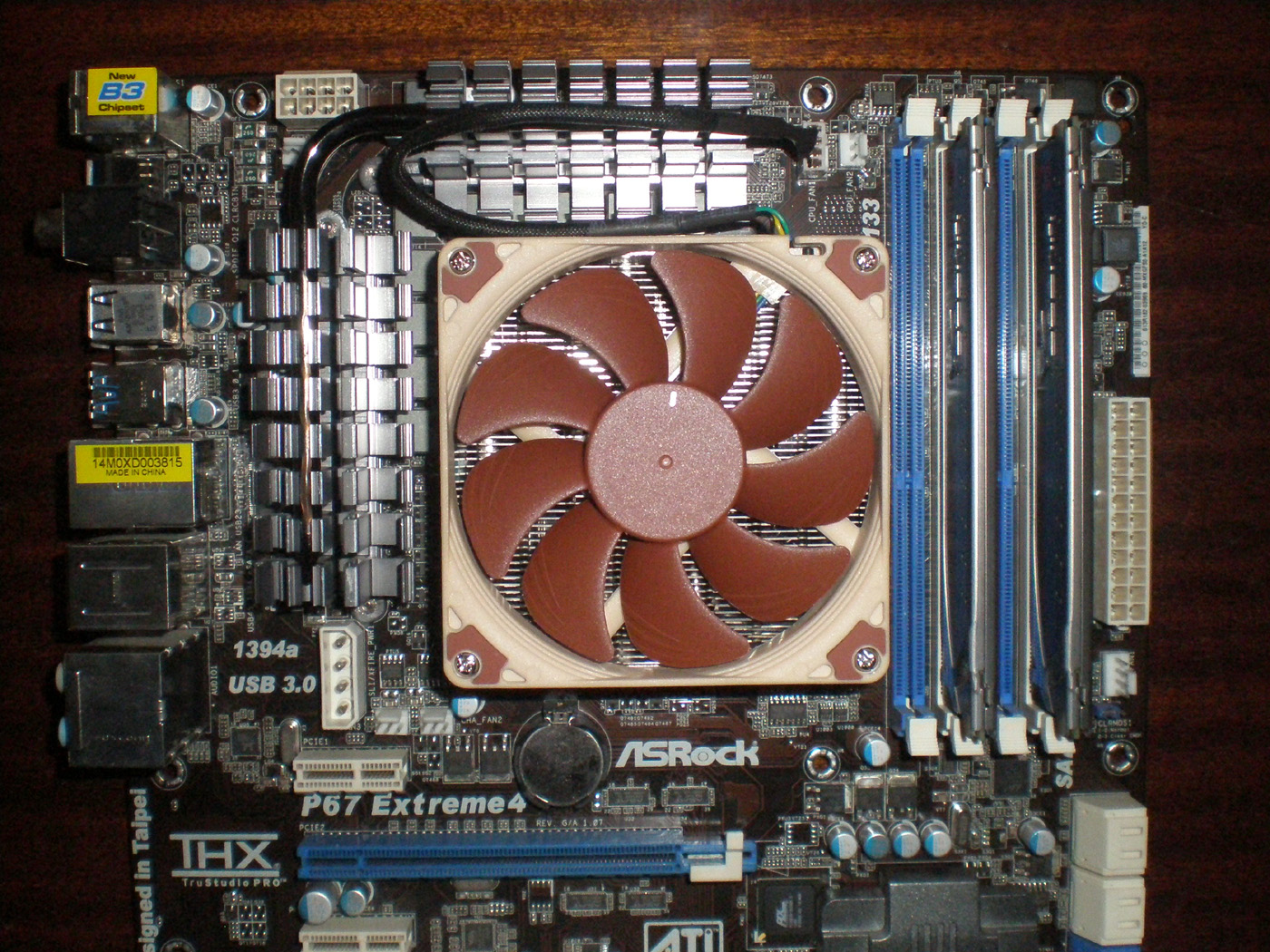
And the NH-L9i already cools my processor:
On the photo below you can see NH-L9 with the L.N.A. adaptor for reducing the rotational speed of the NF-A9x14 PWM:
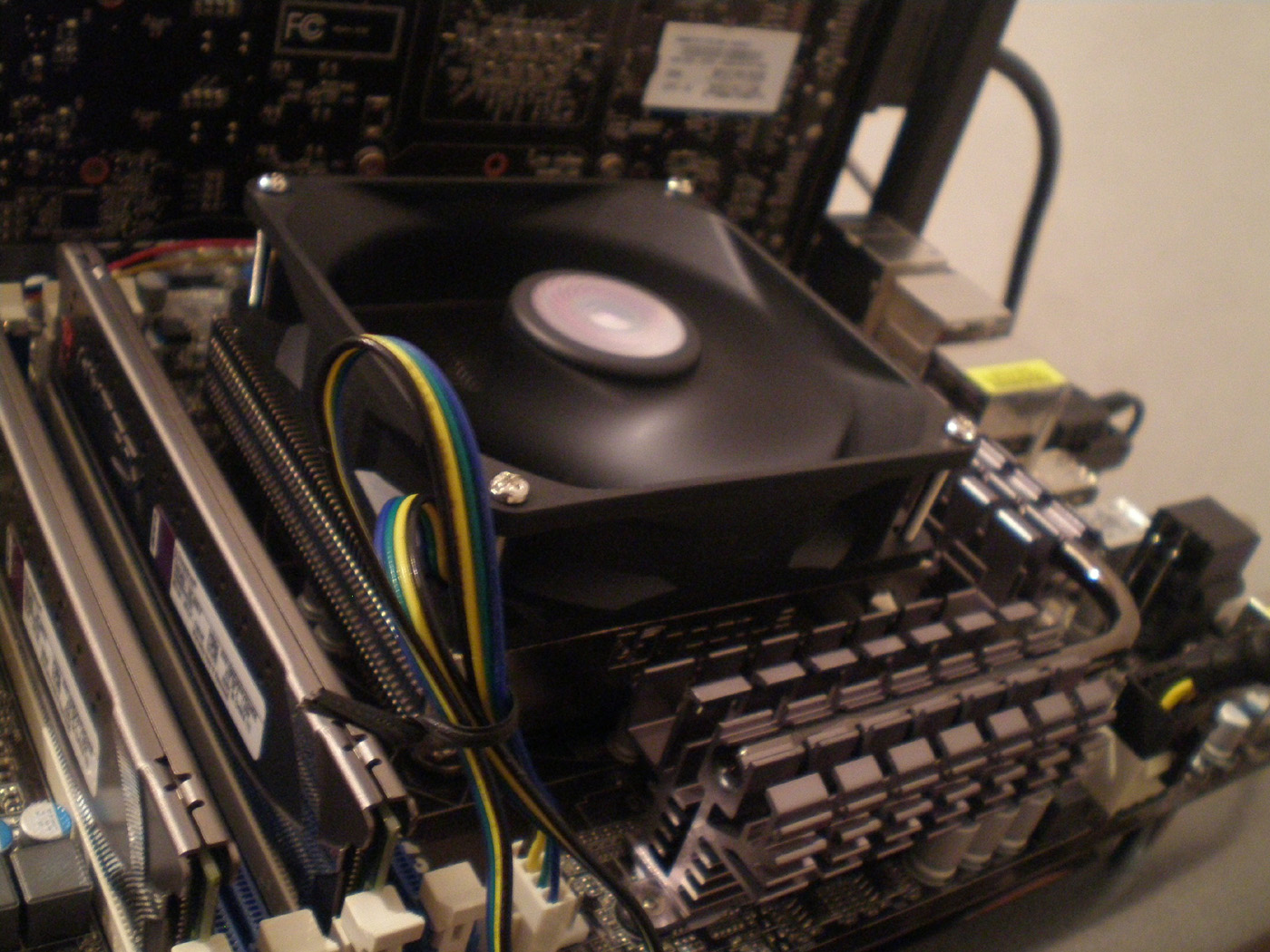
And one photo of the cooler with mounted Cooler Master Blade Master 92 fan:
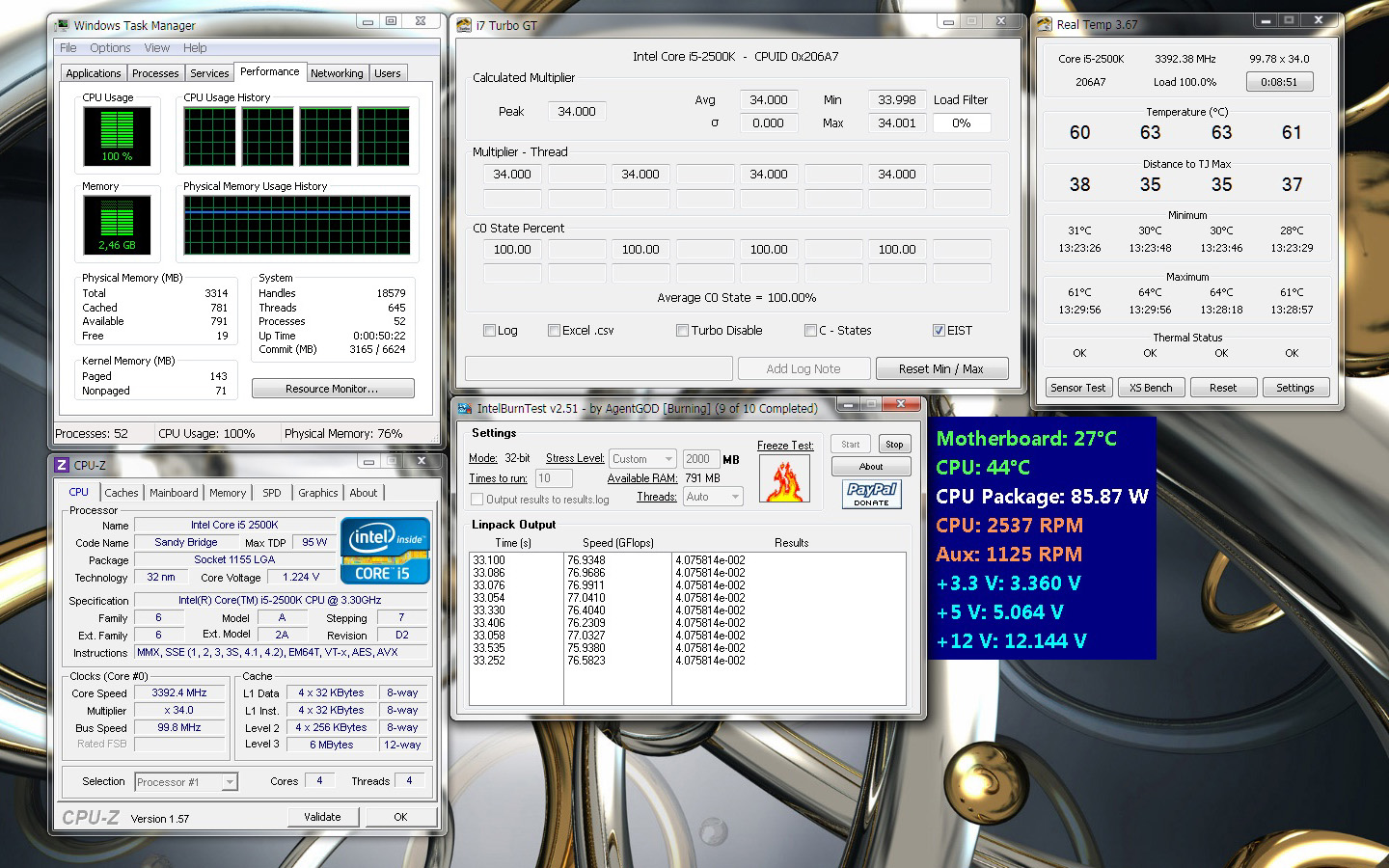
On the next images you can see the results from the test of NH-L9 at default turbo frequency of 3.4GHz and mounted NF-A9x14 PWM cooling fan.
Idle:
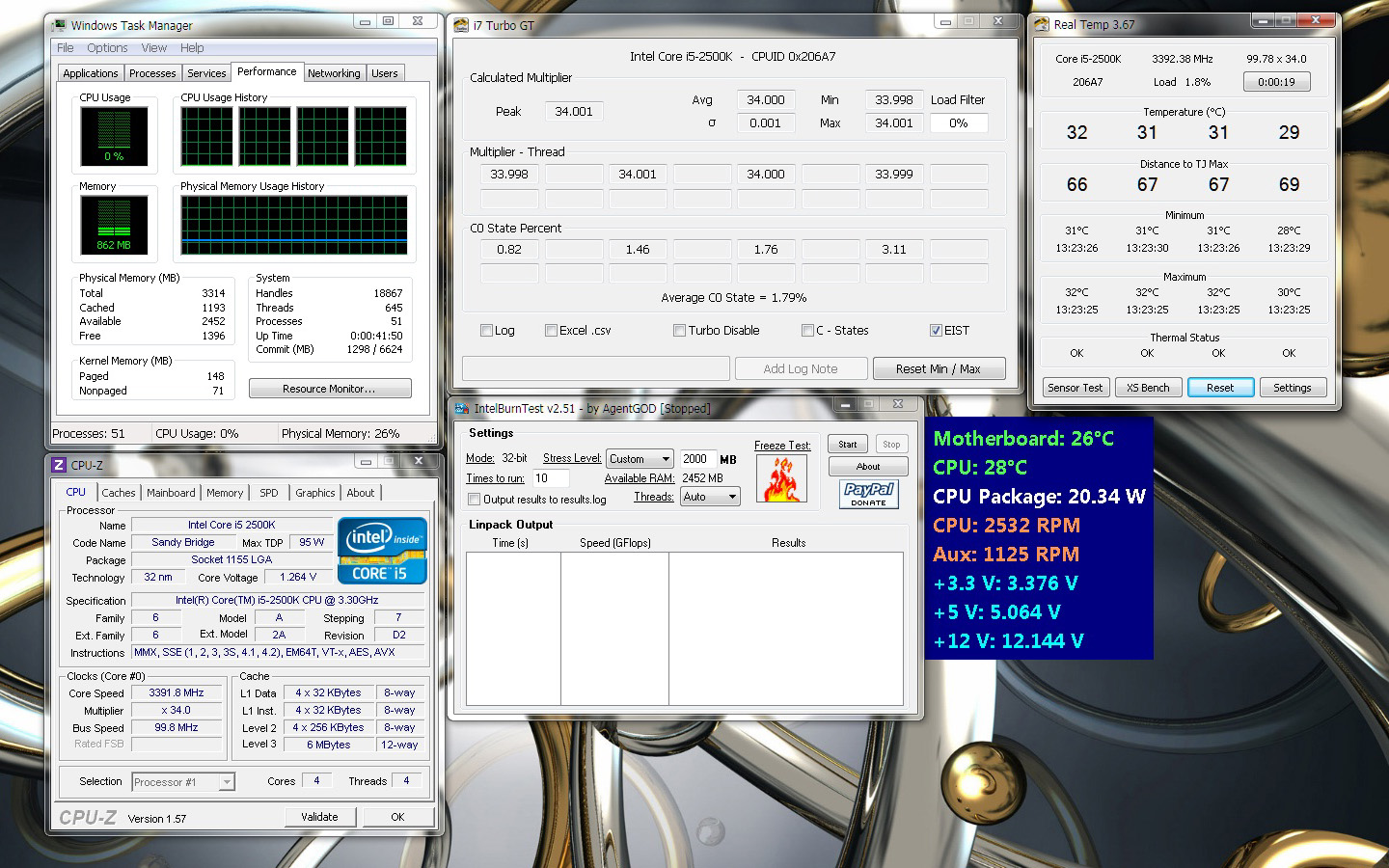
Stress:
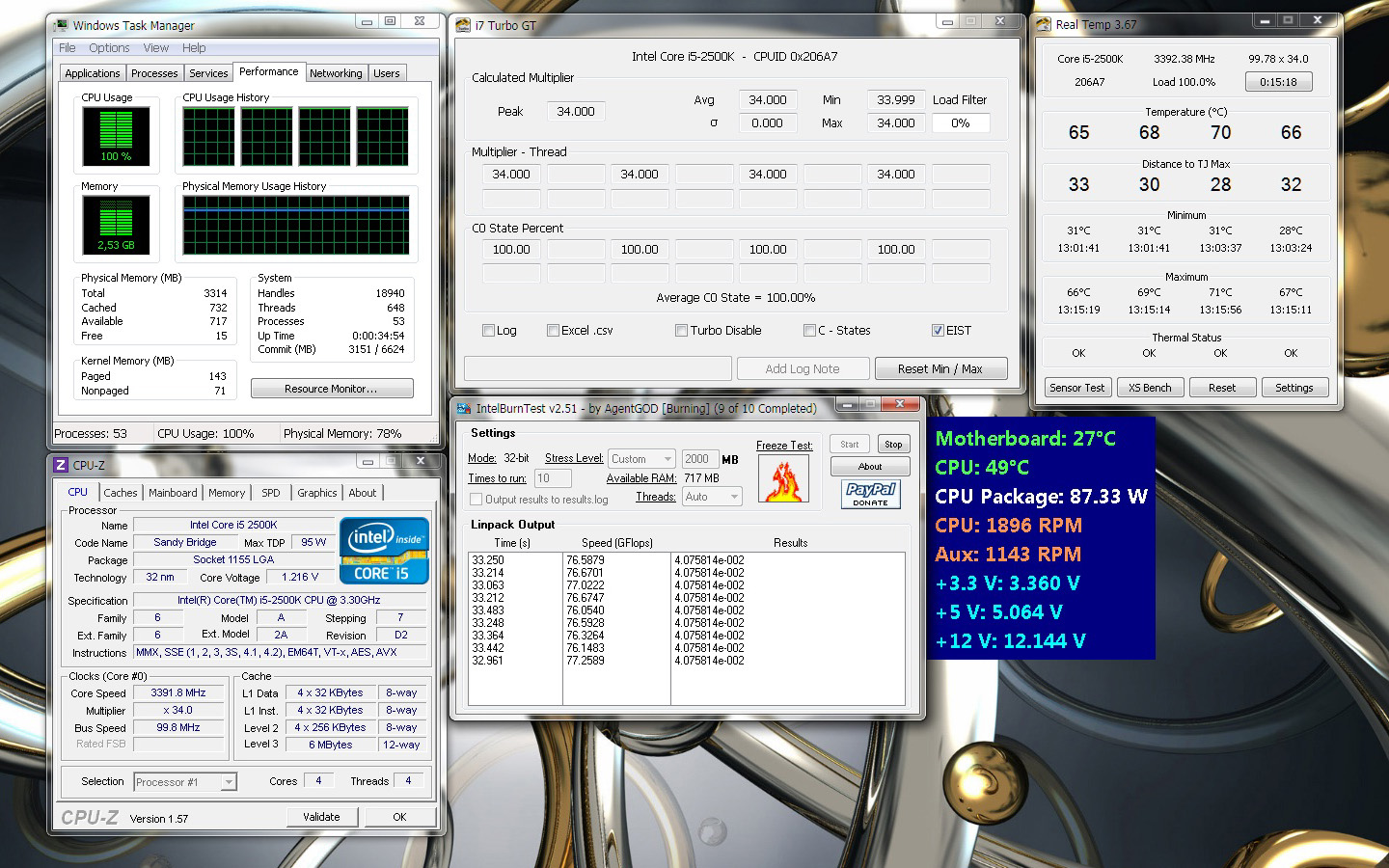
On the next images you can see the results from the test of NH-L9 at default turbo frequency of 3.4GHz and mounted NF-A9x14 PWM cooling fan with L.N.A. adaptor.
Idle:
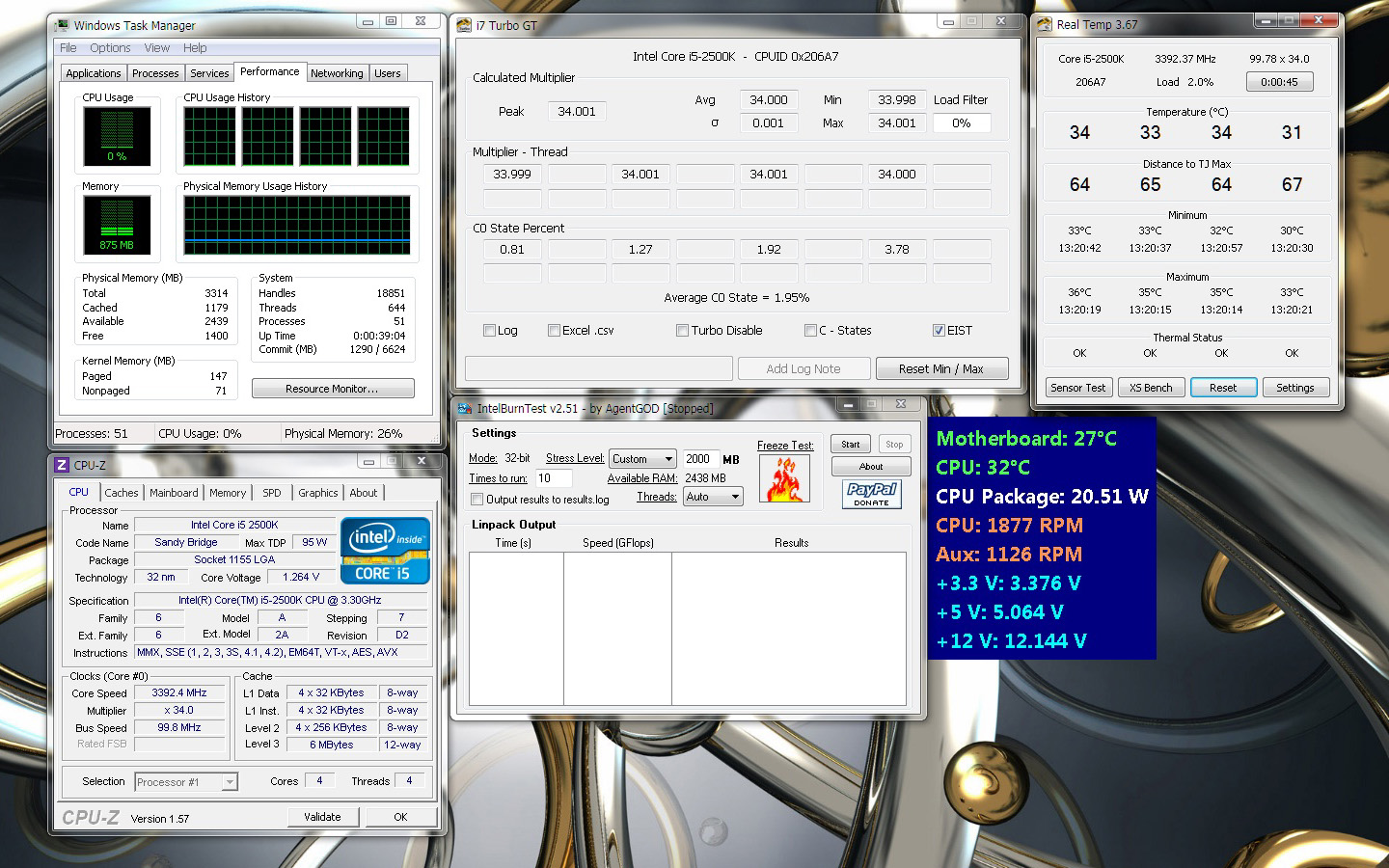
Stress:
On the next images you can see the results from the test of NH-L9 at default turbo frequency of 3.4GHz and mounted Cooler Master Blade Master 92 cooling fan.
Idle:
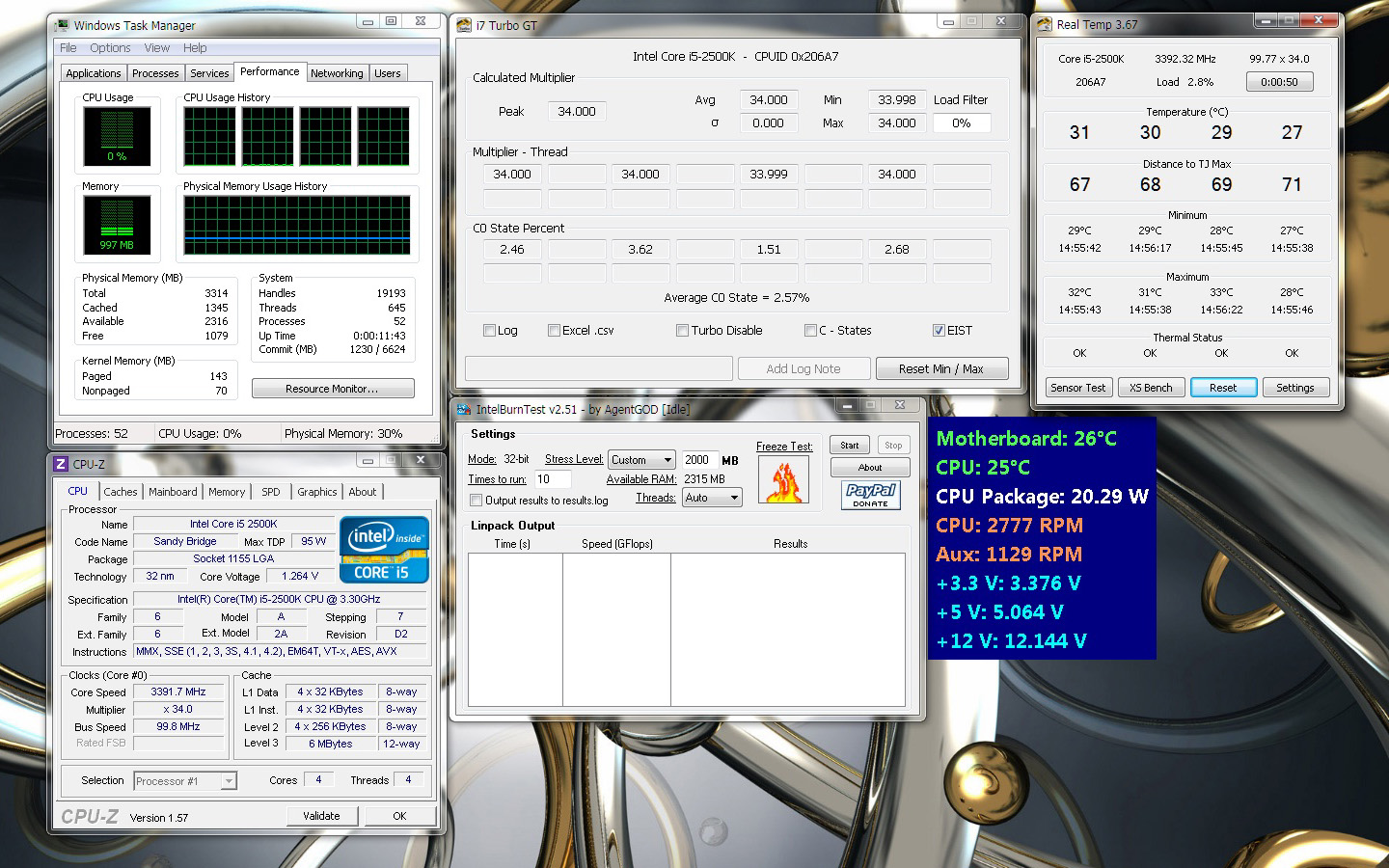
Stress:
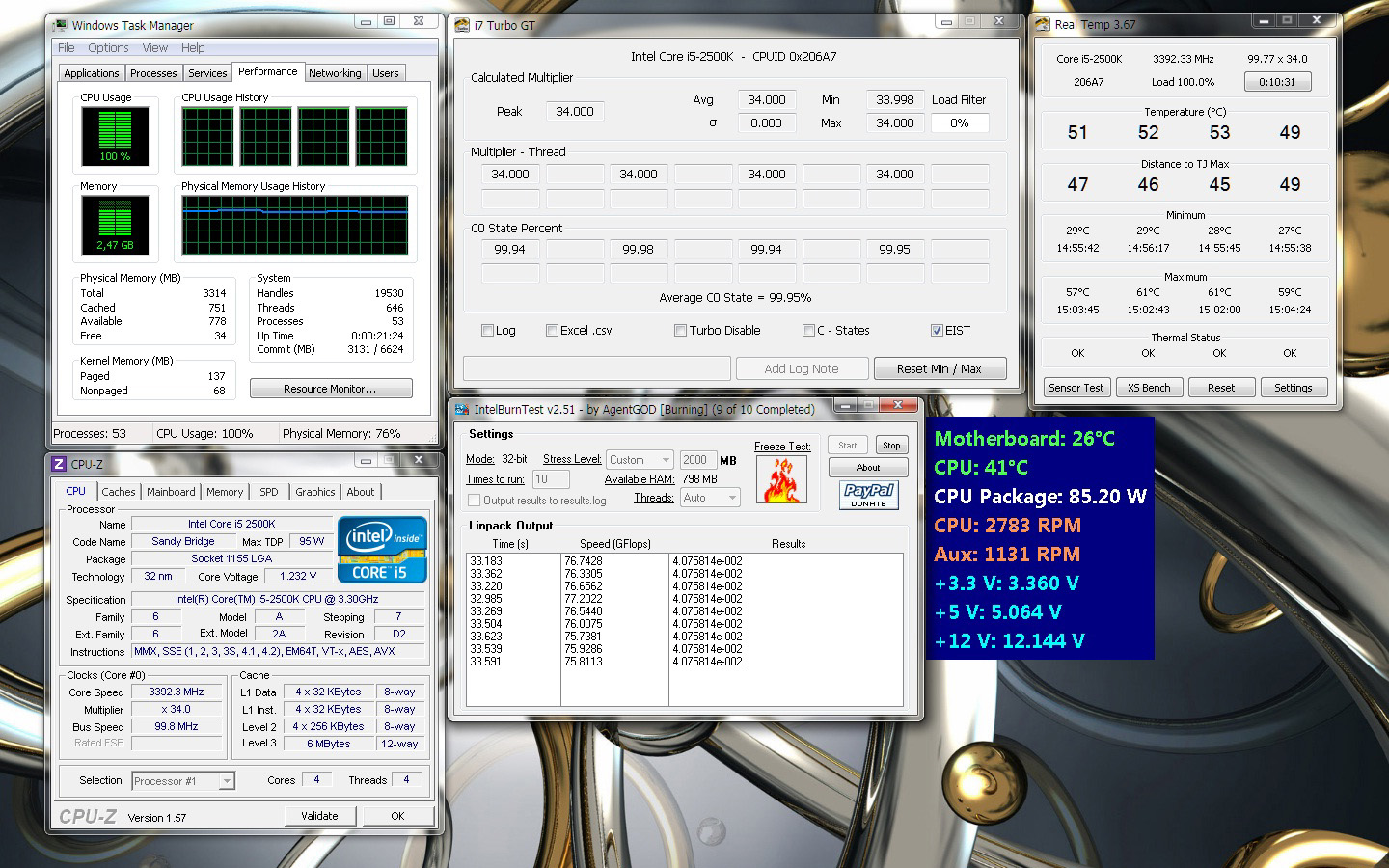
And it is time to see how the cooler performs with slightly clocked 15-2500K at 4.0GHz. On next images you can see the results from the test of NH-L9 at 4.0GHz and mounted NF-A9x14 PWM cooling fan.
Idle:
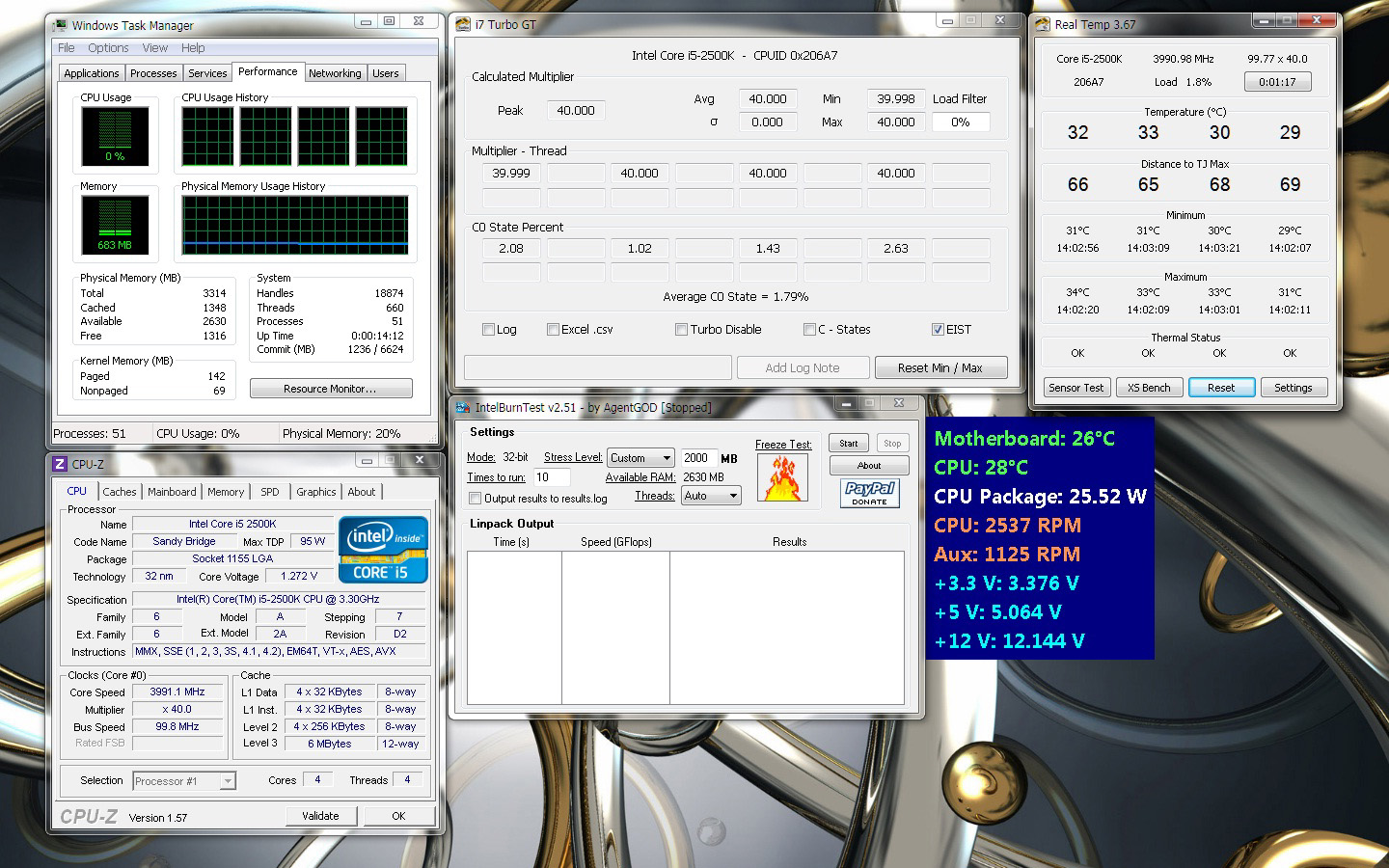
Stress:
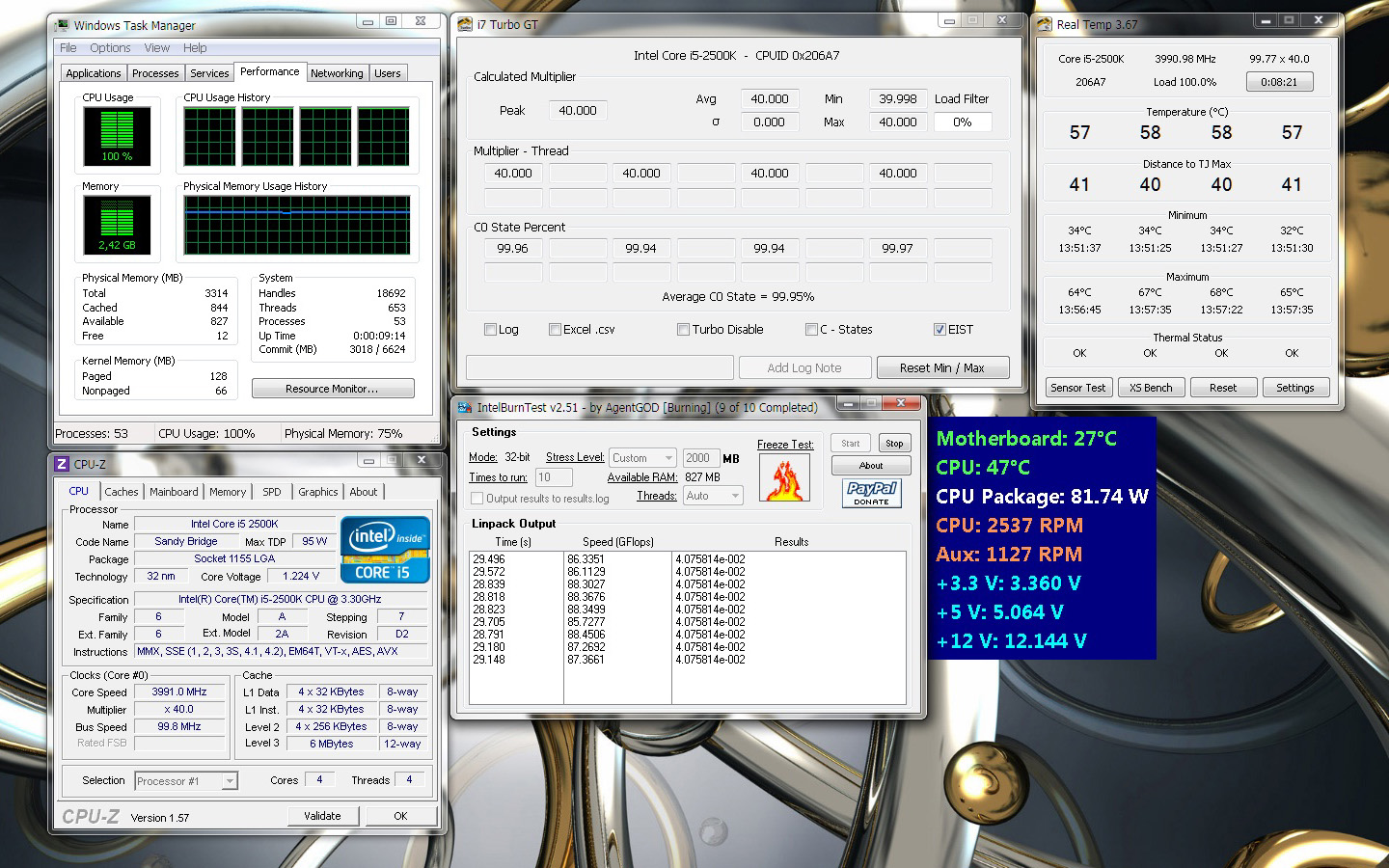
On the next images you can see the results from the test of NH-L9 at 4.0GHz and mounted NF-A9x14 PWM cooling fan with L.N.A. adaptor.
Idle:
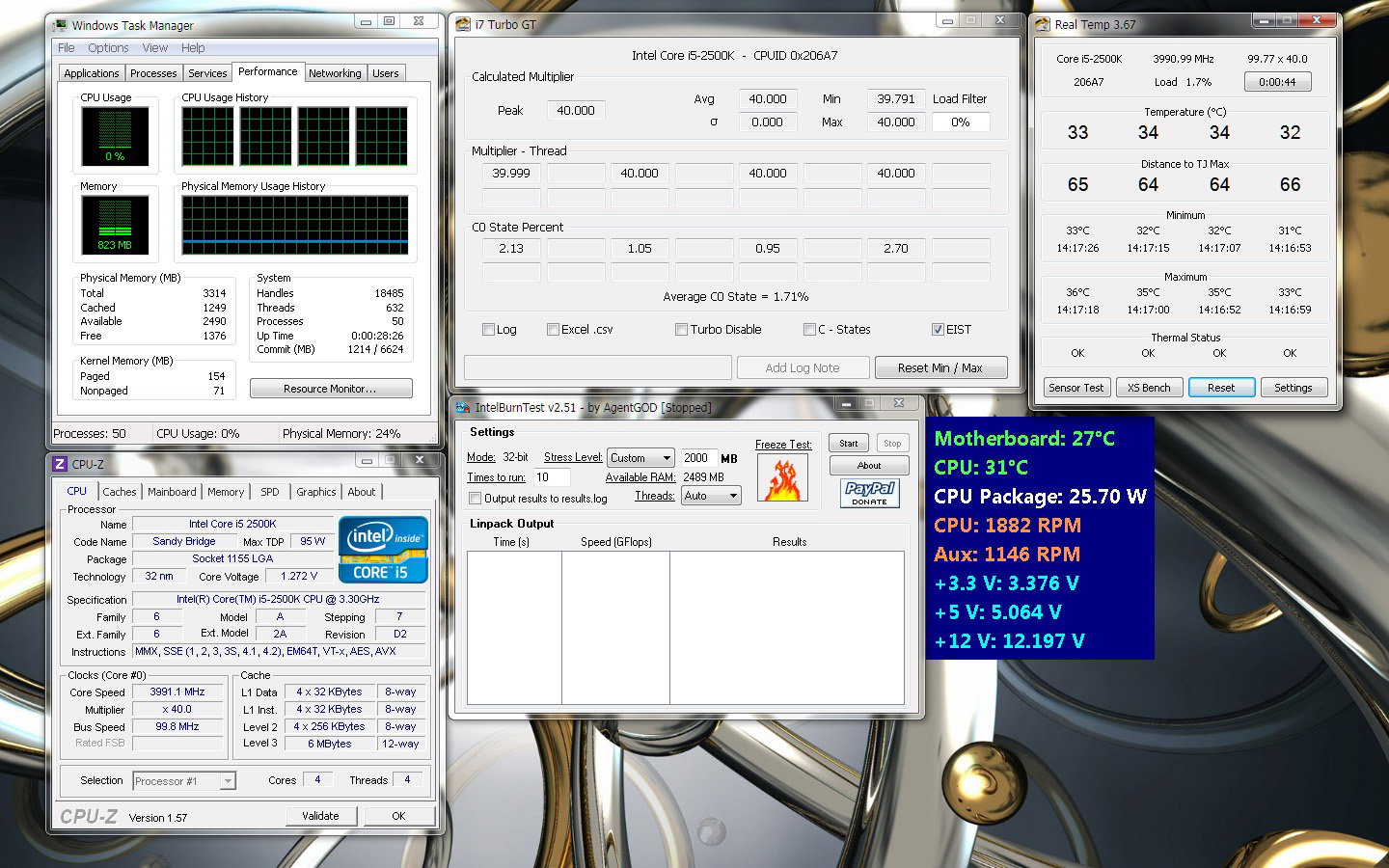
Stress:
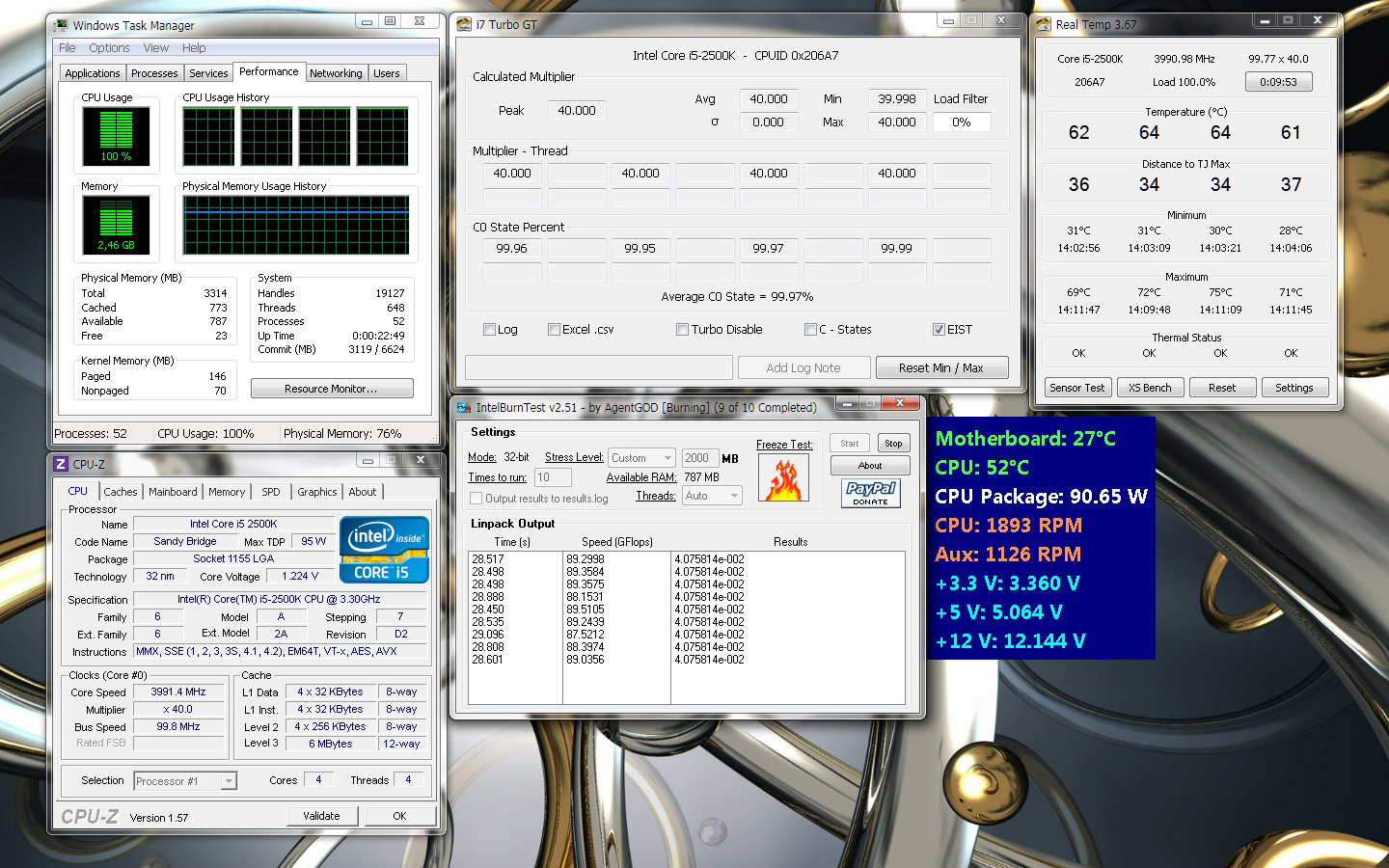
On the next images you can see the results from the test of NH-L9 at 4.0GHz and mounted Cooler Master Blade Master 92 cooling fan.
Idle:
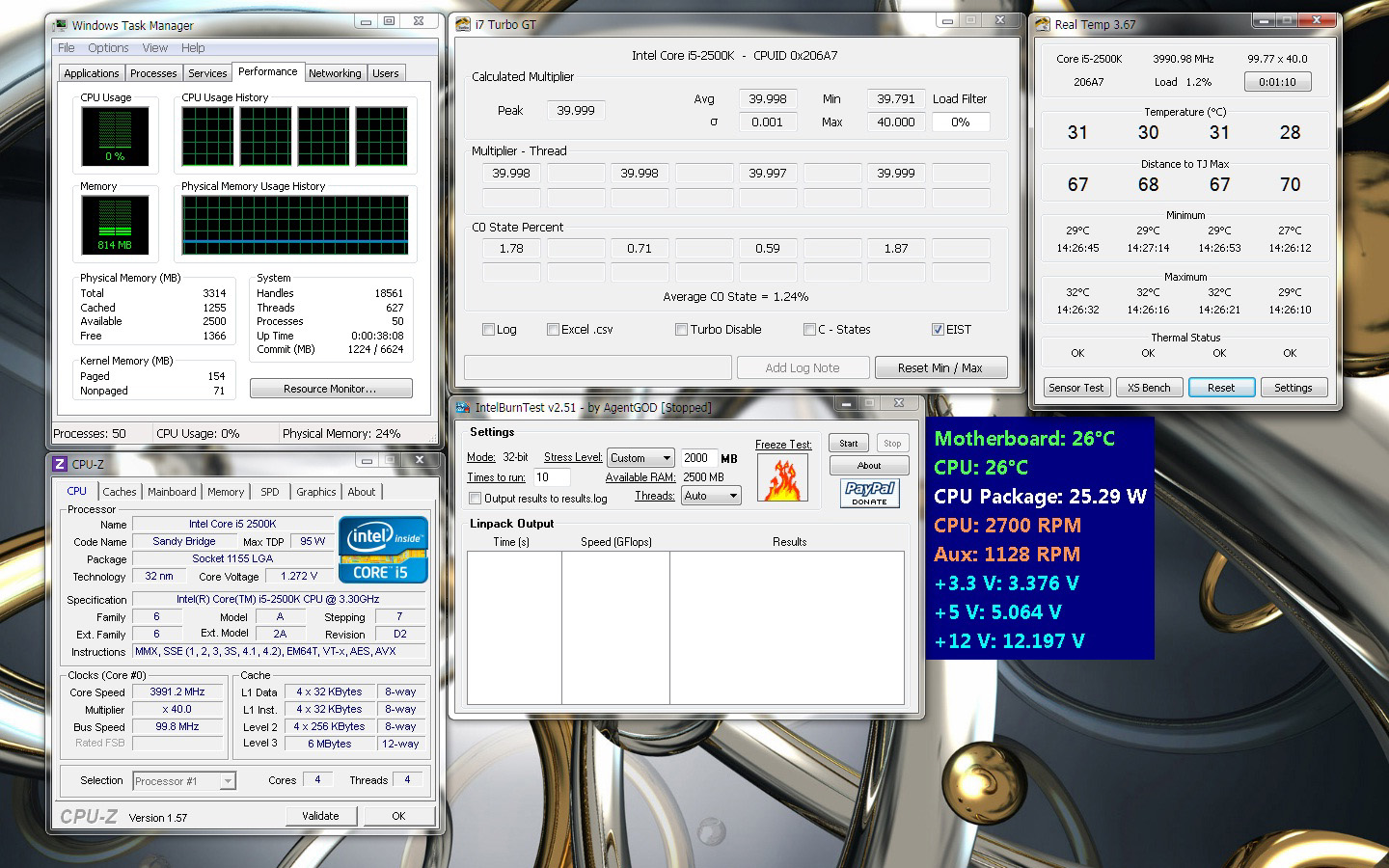
Stress:
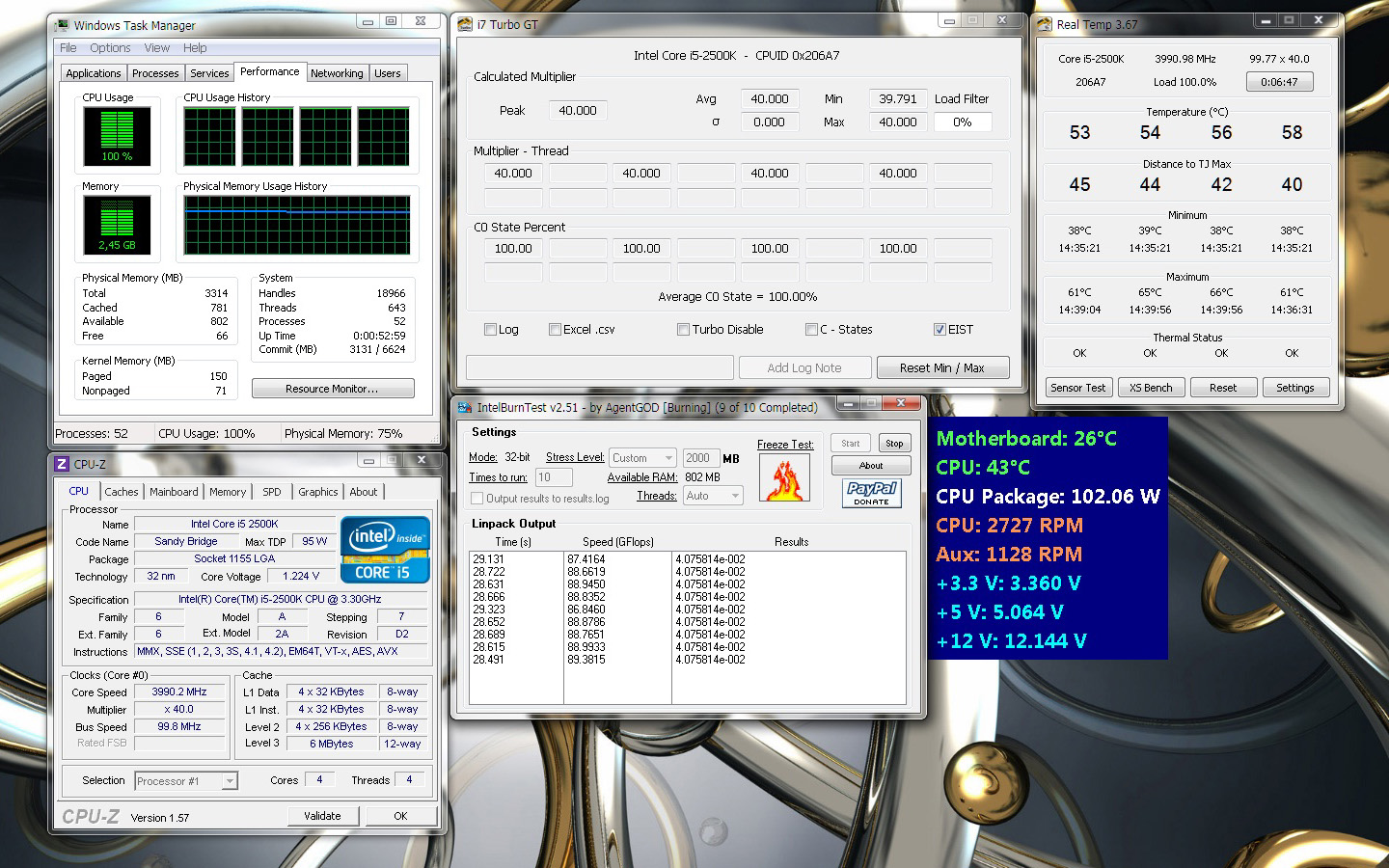
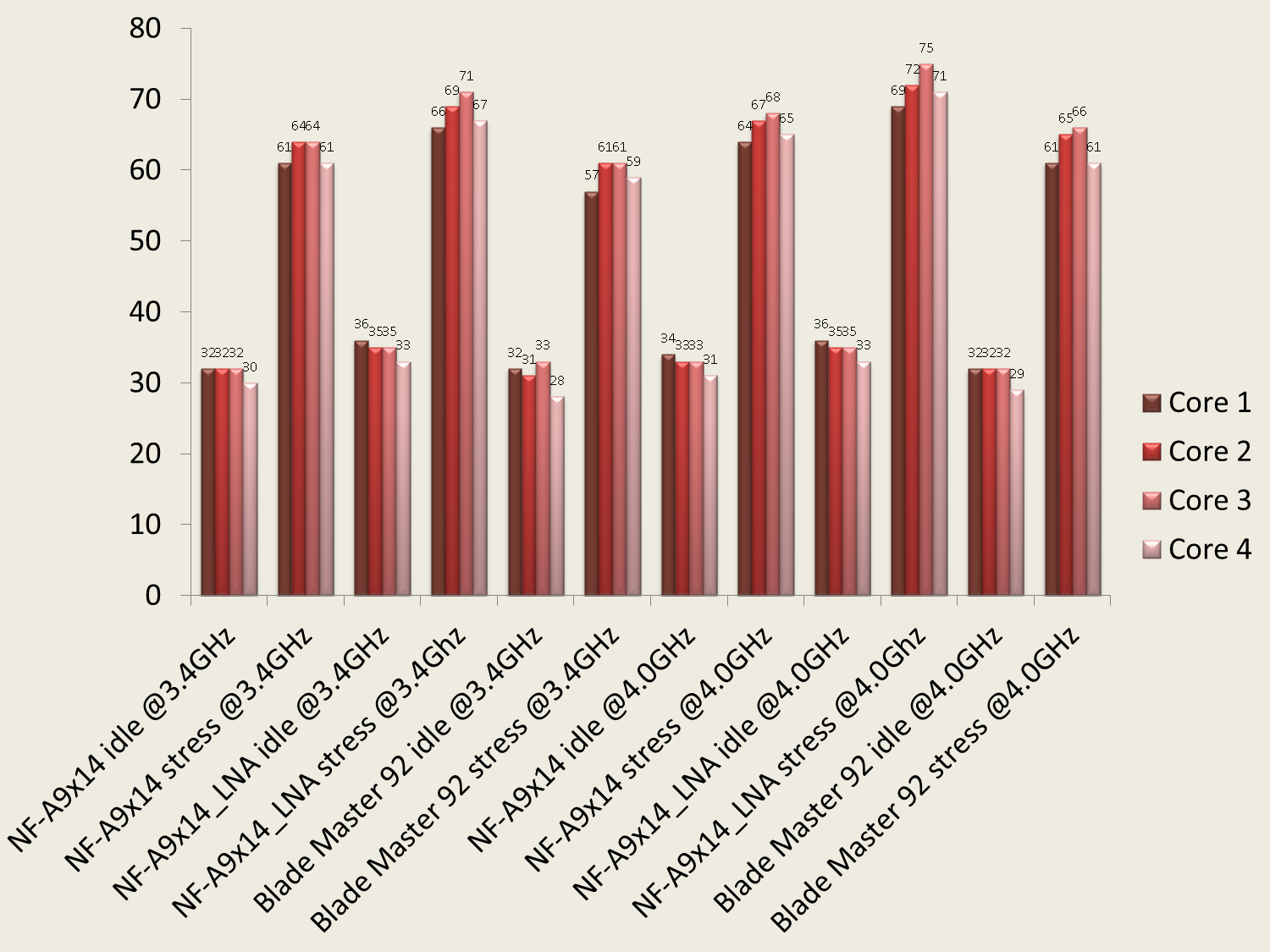
Here are the summarized results from the NH-L9i tests:
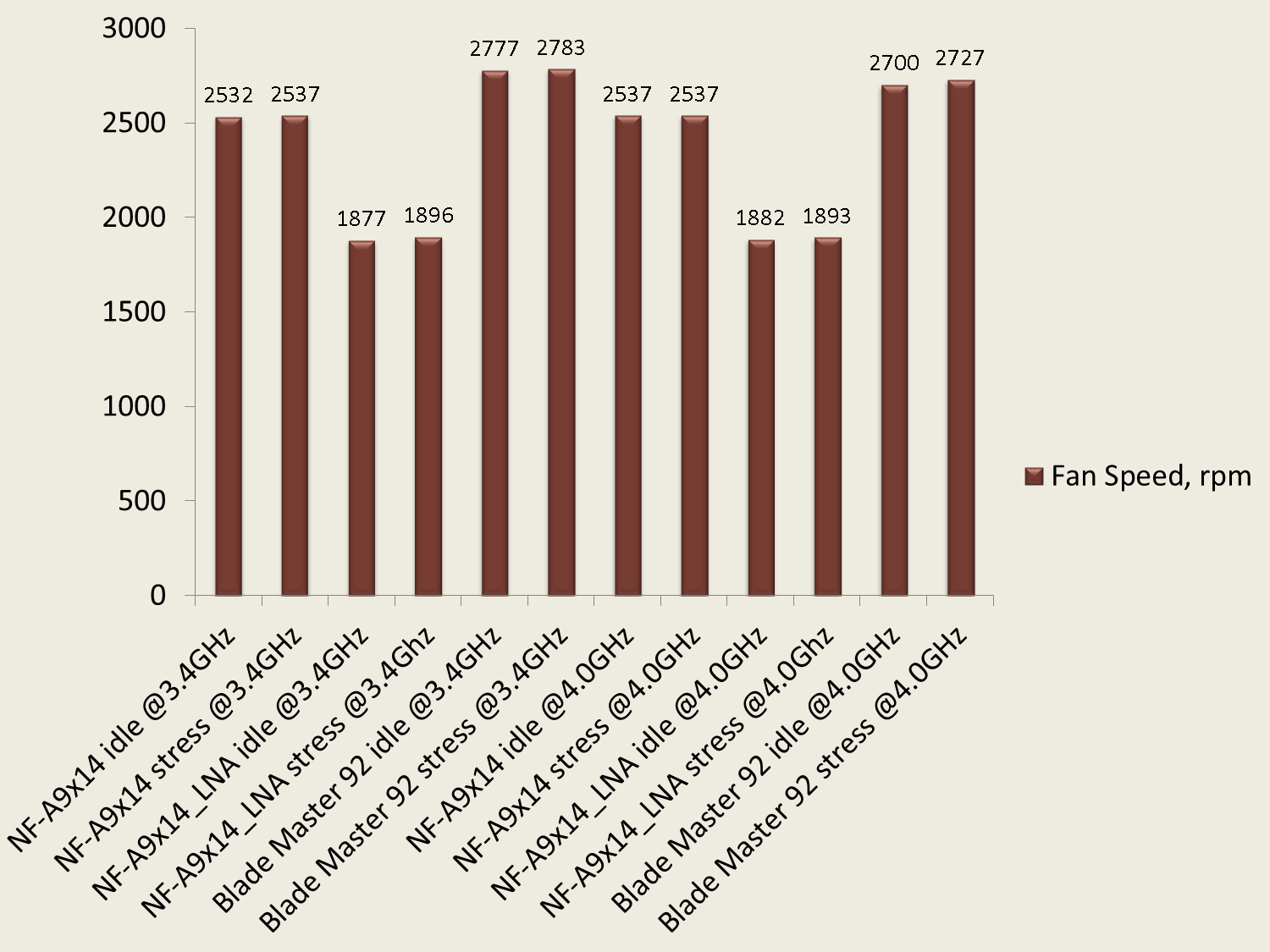
And a chart with the rotational speeds of the fans from all tests:
The tests were done on 32bit OS, so on 64 bit OS the temperatures would be about 2-3 degrees higher than the results above. On the other hand, the ambient temperature at time of the tests was 18°C. But considering the results I can say that Noctua NH-L9i is capable in some cases of cooling even slightly overclocked processors with TDP up to 95W and voltage near the default even with the included NF-A9x14 PWM fan. In case of warm room (above 25°C) the temperatures might be around 80°C for the hottest processor core, which is not bad for tests like this. Even in gaming you will never see temperatures that high. On an ambient temperature above 25°C I don’t recomend using of L.N.A. adaptor when the processor is not running at the default frequency. On the other hand, changing the standart fan with 92x25mm fan with higher specifications gave me 2°C to 4°C lower temperatures for the cores but it was loud. This was in my case the difference between clocked processor and processor running at the default frequency. So the four additional screws for mounting a 92x25mm fan are just in place with the other accessories.
Another important aspect of the cooler performance is the noise level at load. The NF-A9x14 PWM even at rotational speed above 2500 rpm wasn’t very loud. Yes, you can hear it very clearly but typically for Noctua the noise isn’t annoying and is far lower than the noise from a standart box cooler. With the L.N.A adaptor the cooler is very quiet. This adaptor does exactly what it’s meant for, of course at the expense of 5°C to 7°C higher temperatures.
And last but not least is the cooler design and particularly its small dimensions. I personally like very much what the mounted NH-L9i looks like and how it combines with the motherboard, and the other surrounding components.
Finally, I think Noctua NH-L9i deserves the following reward:

The NH-L9i will be available at a recommended retail price of EUR 39.90 / USD 47.90.
The entire NH-L9i package comes with a full 6 years manufacturer’s warranty.
I thank Noctua for the test samples.
Well for the AMD test a 95W processor was used and I believe you saw the results. Keep in mind that those tests are actually for 30-40 minutes. I can’t tell what will happend if you use the cooler working at 95 or more W for days, weeks, months.
About the static pressure – for this cooler you dont really need huge static pressure since the fins gap is pretty big and the fins thicknes is not so high. Thats why at the test with the Blade Master the results were so close.
Apart from that Noctua always do their products perfectly calculated to work with their fans. For example if you install the original version and later replace the fan with other, the temperature difference will be very, very small if there is any 🙂
Prolimatech Samuel 17 seems nice, but I have no experience with it. The slim fans are nice.. Very nice. http://dvtests.com/?p=12514
Best Regards.
Thanks for your reply!!!
I wanted to cool a kaveri A10-7850 which is 95 watt TDP
with the NH-L9a. The fan included only has around
1,64 mm H2O of static pressure while the coolerMaster
Blade 92mm has 4.27 mmH2O of static pressure (kinda of hard to believe).
But seeing that you used the i version on a 95 watt processor and that
the coolermaster lower not by much at the cost of noise!!
I thought it might also work on the amd version. I saw the review
on the amd version but there only the noctua fan was used. I might
be better off with prolimatech samuel 17 and their slim vortex 14 fan.
Hello Hugo and welcome to DVTests.com,
NH-L9a is a cooler especially designed for a low profile mini ITX systems which usually use processors with very low consumption.
I believe Noctua has outstanding support and testing procedure to give the best possible conditions for their products. So I trust them them about their opinion for maximum watt processor which should be cooled by this cooler.
I don’t think that adding a blade master 92 fan on the cooler will help a lot, if it helps at all 🙂
May I ask what are you trying to do ?
P.s. We have Noctua NH-L9a review too here: http://dvtests.com/?p=11222
Hi
noctua doesnt recommend the
NH-L9a (amd version) for cpu greater than 65 TDP.
Do you think using the Cooler Master Blade Master 92 fan
would fix this?
thanks
Hugo
I am agree with you. You get what you pay for, quality. Thanks for your support.
Veryy good info in the review 10x for sharing and I must admit Noctua makes a difference, their stuff is always top quality. I’d like to see more of their models with copper base 😉
Looks amazing considering the size. Looks like a great choice for small mITX or mATX case. Again, great review.